Choose a compact, adjustable screen if you usually switch between code and DevTools. Consider QHD or ultrawide if you want to keep your preview and development tools side by side more often. Check that the connections on the exact monitor model and your laptop can handle video and, if needed, provide enough power. Make sure the screen and stand will fit on your desk, too. Chrome for Developers describes Device Mode as a simulation, so check important mobile behaviour on a real phone as well.
Which monitor is right for you?
Developer working with mobile previews
You adjust breakpoints and want to assess the mobile viewport alongside DevTools. Consider whether you want both windows visible at once. As Chrome for Developers explains, device emulation is still only an approximation.
Developer with a small desk
You switch between windows and mainly need a screen that suits the space available and your preferred viewing position. Dell UK lists height, tilt, swivel and pivot adjustments for the P2425.
Laptop user with a permanent home working setup
You want to connect your laptop to an external monitor, so check that the chosen connection supports video, whether it can power your laptop, and how it will fit into your workspace.
What should you look for?
Compact, adjustable screen
A good fit if: you usually work in one main window and regularly switch between code and DevTools.
The trade-off: according to Dell UK, the Dell P2425 has a 16:10 aspect ratio, but its USB-C downstream port is for data only and delivers a maximum of 15 W.
27-inch QHD with USB-C
A good fit if: you want to keep your preview and development tools visible at the same time more often.
The trade-off: the Dell P2725DE lists 90 W power delivery. Compare the connection and charging capacity of the exact model with your laptop. Dell UK and Philips UK describe QHD models, but check the features of each specific version.
High-resolution 3:2 screen
A good fit if: you want to compare a 3:2 layout for working with code and documentation.
The trade-off: BenQ lists a resolution of 3840 × 2560 pixels and 60 Hz via DP and USB-C for the RD280U. Its layout is less wide than an ultrawide screen.
Ultrawide for working with side-by-side windows
A good fit if: you have enough desk space and want to place your preview, DevTools and code side by side.
The trade-off: the LG 34WR55QK-B is one example in this category, but LG lists this exact model as discontinued. That says nothing about the availability of another model.
The breakdown below links each reason for buying to a specific check. Chrome for Developers explains that Device Mode simulates a mobile experience, but does not run the code on a phone. Use a real device for checks where this distinction matters.
| What to consider |
What should you check? |
Who is it for? |
| Assessing the mobile viewport |
Plan where the viewport and DevTools will sit. Check relevant mobile behaviour on a real device, too. |
When I check breakpoints, I want to assess the mobile preview alongside DevTools and know when I need to test on a real phone. Around 33% of consumers prioritise assessing the viewport. |
| Viewing windows at the same time |
Compare the stated horizontal resolution, aspect ratio and screen width with your window layout. |
I want to view code, a preview and DevTools at the same time when switching between windows becomes awkward. Around 27% of consumers give having multiple windows visible the highest priority. |
| Setting up the screen on your desk |
Check the dimensions, height adjustment, available space and lighting. If you’re using a monitor arm, check the mounting size, too. |
I want the screen’s height and position to suit my home working setup. Around 20% of consumers start by considering their desk layout. |
| Connecting your laptop |
Check the function of the port on the exact model, your laptop’s video output, the cable and the charging capacity required. |
I want to know in advance whether my laptop can output video and, if needed, receive enough power through the same connection. Around 20% of consumers make sure the connection is right first. |
Things to consider when buying
-
Assuming every USB-C port supports video and laptop charging
According to Dell UK, the USB-C port on the Dell P2425 is a downstream data port and delivers a maximum of 15 W. The presence of USB-C alone doesn’t tell you what a port can do.
Check the functions of the ports on the exact monitor, your laptop’s video output, the cable and the charging capacity required.
Depending on the equipment you already have, you may need a different cable, an adapter or a separate power supply.
-
Treating a simulated viewport as a device test
Chrome for Developers describes Device Mode as a simulation on your desktop; the code doesn’t run on a mobile device.
Use emulation to debug layouts, and check any important differences on a real phone as well.
-
Comparing pixels alone
A 34-inch ultrawide needs a different desk setup from a smaller screen. Position and adjustability also affect how your workspace is arranged.
Measure the available space and check the stand, adjustment range and lighting before you choose.
You may need to change the screen’s position or use a monitor arm.
-
Treating a discontinued model as a current buying option
LG lists the 34WR55QK-B as discontinued. Its specifications can help explain the ultrawide category, but they don’t confirm that this model is available.
If a model is actually being offered, check its exact product identity and availability.
Relevant brands to consider
Dell
The P2425 and P2725DE provide two different points of comparison: a more compact 16:10 monitor and a 27-inch QHD USB-C hub monitor.
- Dell UK lists height, tilt, swivel and pivot adjustments for the P2425.
- According to Dell, the P2425’s USB-C downstream port is for data only and delivers a maximum of 15 W; the P2725DE lists 90 W power delivery. Check which features suit your laptop.
BenQ
The RD280U is a 28.2-inch 3:2 monitor for programming, with a stated resolution of 3840 × 2560 pixels.
- BenQ lists 90 W USB-C Power Delivery and height adjustment for this model.
- According to BenQ, the refresh rate via DP and USB-C is 60 Hz. The benefits the brand attributes to its coding modes are not based on an independent user test.
Philips
The 27E1N1600AE/00 is an example of a conventional 27-inch QHD workspace.
- Philips UK lists a resolution of 2560 × 1440 and USB-C with power delivery.
- Check the charging capacity of the exact version before assuming that one cable will be enough for your laptop.
LG
The 34WR55QK-B illustrates a 34-inch curved ultrawide with 3440 × 1440 pixels.
- LG lists a VA panel, height adjustment and tilt adjustment for this model.
- LG marks the 34WR55QK-B as discontinued. Mentioning this model doesn’t confirm current availability or that a successor is equivalent.
Monitors for this debugging setup
This selection from Joybuy includes portable second screens, compact desktop monitors, QHD models and a larger screen for anyone who wants to arrange windows side by side.
 Image unavailable
Blackview DCM8 Pro 15.3-inch dual-screen portable monitor
A portable second screen could be a good fit if you want to view your preview alongside your laptop screen.
The product name lists 15.3 inches, FHD and USB-C. Before buying, check which connection and cable will work with your laptop setup.
View on Joybuy
 Image unavailable
Philips 27E1N1800AE/00 27-inch 4K UHD IPS monitor
This 27-inch monitor could suit you if you’re looking for a high stated resolution for a permanent workspace.
The product name lists 3840 × 2160 pixels, 60 Hz, HDMI, DisplayPort and a height-adjustable stand.
View on Joybuy
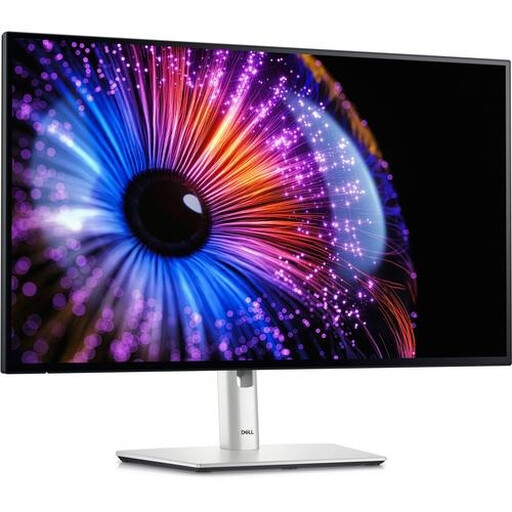 Image unavailable
Dell UltraSharp U2724DE 27-inch QHD LCD monitor
A 27-inch QHD screen could be a good fit if you want to view development windows side by side.
The product name lists 2560 × 1440 pixels and an LCD screen.
View on Joybuy
 Image unavailable
Dell Pro Plus P2425D 24-inch QHD monitor
This 24-inch model could suit you if you’re looking for QHD on a relatively compact desktop screen.
The product name lists 2560 × 1440 pixels and an LCD screen.
View on Joybuy
 Image unavailable
LG 34WR50QK-B 34-inch monitor
This larger screen could suit you if you want more room to arrange windows side by side. Check the available desk space first.
The product name lists 3440 × 1440 pixels.
View on Joybuy
Frequently asked questions
Can a larger screen fully replicate a mobile phone?
No. Chrome for Developers describes Device Mode as a desktop simulation: the code doesn’t run on a mobile device. If you’re unsure, check it on a real phone.
How should I set up my screen for working from home?
Check that the screen’s height and position suit your workspace, and minimise distracting reflections. Arboportaal sets out specific workplace requirements for employees who work with display screens for more than two hours a day. When you work from home, your employer has a duty of care, with what this involves depending on what can reasonably be expected.
Do I need anything extra for USB-C charging or a monitor arm?
It depends on your laptop, cable and preferred setup. Dell UK states that the USB-C port on the P2425 is a downstream data port only; BenQ lists USB-C video, 90 W Power Delivery and VESA 100 × 100 mm for the RD280U. Check the features of the exact model and what you already have before choosing accessories.
What are my rights when I buy a monitor online as a consumer in the Netherlands?
For an online consumer purchase, you generally have a statutory cooling-off period of up to 14 days after delivery; ACM ConsuWijzer also explains the exceptions. Statutory guarantees also apply if, under normal use, the product doesn’t meet what you could reasonably expect. The retailer is responsible for providing an appropriate solution. Different terms may apply to business purchases.


