
Marker with limited desk space
Wants to keep room for notes alongside a keyboard and mouse. Measure the stand and the full monitor setup; Arboportaal advises tailoring your display-screen workstation to your own body measurements.


At a small desk, start by checking how much space the monitor stand takes up and how adjustable it is; the screen size alone won’t tell you whether the whole setup will fit. If you want to view an assignment and feedback side by side, compare Full HD with QHD or 16:10, and check that text remains comfortably readable at your chosen scaling. USB-C docking is mainly relevant if your laptop supports video over USB-C and the monitor’s power output is suitable for it.
Wants to keep room for notes alongside a keyboard and mouse. Measure the stand and the full monitor setup; Arboportaal advises tailoring your display-screen workstation to your own body measurements.
Wants to view an assignment and feedback at the same time, so compares resolution and aspect ratio. The listed specifications for the Dell P2425E and iiyama ProLite XUB2492QSU-B1 show different screen layouts.
Wants fewer cables, but USB-C docking is only useful if the laptop supports video through that port and the power output is suitable for the device. Philips describes USB-C video and power for a compatible device on the 24E1N1300AE/01.
| What to consider | What should you check? | Who is this important to? |
|---|---|---|
| Desk space | Measure the available width and depth, including the stand; also check whether height adjustment or a mounting option will fit. | If I want to keep my keyboard, mouse and notes next to the screen, I’ll look at the footprint of the whole setup. Around 36% of consumers are mainly concerned with fitting a monitor onto a small desk. |
| Documents and feedback | Compare 1920 × 1080, 1920 × 1200 and 2560 × 1440 at the screen size you’re considering; check that text is comfortable to read at your chosen scaling. | If I want to see an assignment and feedback window at the same time, I’ll compare resolution and aspect ratio. Around 29% of consumers are mainly looking for more room to read and work with windows. |
| Adjustability for long marking sessions | Check the height adjustment, reflections and whether you can position your keyboard, mouse and documents comfortably. | If I’m marking for a long time, I want to be able to adjust the screen and my workspace to suit my posture. Around 21% of consumers are primarily concerned with adjustability. |
| Connecting to your laptop | Check for USB-C video, the power output required and the cable; HDMI or DisplayPort may be enough if you don’t need docking. | If I want to connect my work laptop with a single cable, I’ll first check what the laptop port and monitor support. Around 14% of consumers are mainly looking for a straightforward laptop connection. |
The stand takes up space too. BenQ lists the GW2490T’s total depth in landscape orientation as 241 mm, so a screen of around 24 inches won’t necessarily have the same footprint as another model.
Compare the dimensions of the complete setup with the available desk depth and width.
The stand could take up space you need for your keyboard, mouse or notes.
QHD and Full HD offer different pixel counts on screens of roughly the same size. Text may appear smaller depending on your scaling settings.
Check the scaling settings with your marking software and make sure the text remains comfortable to read.
What it can do depends on both the monitor and the laptop. AOC lists power delivery of up to 65 W for the 24P3CW; Dell lists up to 90 W for the P2425E.
Compare your laptop’s video output, the power it needs and the cable with the monitor’s specifications.
If the connection isn’t suitable for your laptop, you may still need a separate charging or video connection.
The Dutch government states that statutory consumer guarantees in the Netherlands have no fixed time limit and apply alongside a manufacturer’s or additional warranty.
Check what extra cover a service or warranty product provides and how it relates to your statutory rights.
The GW2490T is an example of a height-adjustable 23.8-inch Full HD monitor without USB-C docking.
The ProLite XUB2492QSU-B1 is a 23.8-inch QHD option with an adjustable stand and pivot, designed for document work.
The P2425E combines a 16:10 screen with a USB-C hub.
The 24E1N1300AE/01 illustrates Full HD with USB-C video and power for a compatible notebook.
The 24P3CW is an example of an office-focused monitor with a built-in webcam, for anyone who also makes video calls.
This Joybuy selection focuses on Full HD monitors around 24 inches for marking work, including models with adjustable stands and a USB-C option.
 No image available
An option if you’re looking for a Full HD screen with HDMI or VGA for marking work.
The product information lists a 23.8-inch screen, Full HD, HDMI and VGA. The product name specifies 100 Hz and 1 ms. According to the product information, a charger is not included as standard.
 No image available
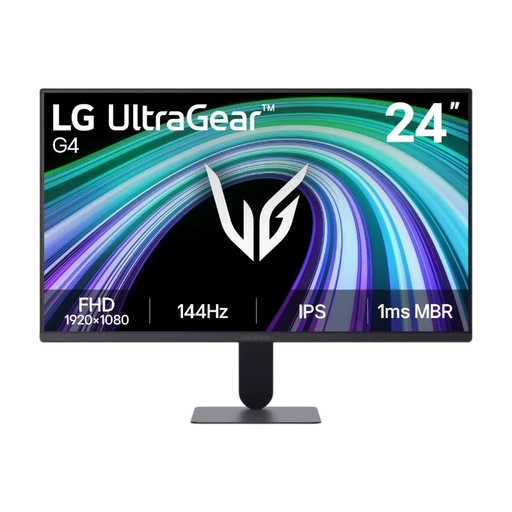
A Full HD option if you want to be able to adjust your screen layout while marking.
The product information lists a 23.8-inch screen, 1920 × 1080 pixels and an IPS panel. It also mentions the LG Switch app for custom screen layouts and a tilting stand.
 No image available
A good fit if you need a Full HD screen with USB-C, provided your laptop is compatible.
The product information lists a 23.8-inch screen and USB-C video, data and power delivery of up to 65 W. The stand offers height adjustment, pivot, swivel and tilt. USB-C video and power through a single cable depend on having a compatible laptop.
 No image available
A straightforward Full HD option if you don’t need extra docking features.
The product information lists a resolution of 1920 × 1080 pixels, a 16:9 aspect ratio, a VA panel and 100 Hz.
 No image available
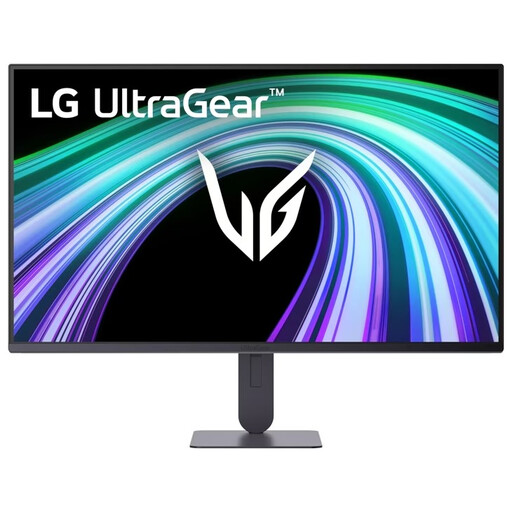
A Full HD option if you want to adjust the screen height and tilt.
The product information lists a 23.8-inch screen, 1920 × 1080 pixels and an IPS panel. The stand is height-adjustable and tilts; VESA mounting is also listed.
Measure the available width and depth where the stand will sit, leaving room for your keyboard, mouse and notes. Compare these measurements with the dimensions of the complete setup: BenQ lists the GW2490T as 540 mm wide and 241 mm deep in landscape orientation. These are specifications for one model, not standard dimensions for all 24-inch monitors.
Adjust your screen and furniture to suit your workspace, make sure text is easy to read, reduce distracting reflections, and alternate screen work with other tasks or breaks. Arboportaal provides guidance on setting up display-screen workstations; which workplace rules apply depends on the working and usage arrangements.
Not without checking that the laptop, monitor and cable are compatible. For the 24P3CW, AOC lists DisplayPort Alt Mode and power delivery of up to 65 W; Dell lists power delivery of up to 90 W for the P2425E. Check that your laptop outputs video over USB-C and that the power delivery is suitable for it.
For employees, Arboportaal outlines requirements for display-screen work. For example, if you work on a laptop for more than 2 hours a day, it recommends a separate screen or keyboard, alongside requirements for the workstation and varying your work. Whether these workplace rules apply to you depends on your working and usage arrangements; they are not general product requirements for every private buyer.
For consumer purchases in the Netherlands, statutory guarantees have no fixed time limit; any manufacturer’s or additional warranty is on top of these. For distance purchases from a business, you will usually have 14 days to change your mind, although exceptions apply. Check who the seller is and which terms apply to your specific order.