Who is this choice relevant to?

Map designer with limited desk space

You want to view map details and text without the screen taking over a shared desk. Compare screen size and resolution, and check whether the stand is adjustable. Dell Netherlands lists a 23.8-inch screen and QHD resolution for the P2425D.

User of a shared laptop workstation

You share a desk and monitor with others, and want to adjust the viewing position or connect a compatible laptop easily. Check which video and charging features the laptop port supports; Dell lists USB-C power delivery up to 90 W and an ethernet port for the P2725DE.

Designer of colour-critical maps

You need to assess colours for digital publishing or print. The manufacturer specifications for the BenQ PD2705Q and ASUS PA279CRV describe different colour capabilities; first decide which colour space your project requires.

What should you look for?

Compact, adjustable QHD monitor

Choose this option if: the map, legend and sources need to fit on a small desk, and users want to readjust the screen. Dell Netherlands lists a 23.8-inch screen, 2560 × 1440 pixels and height adjustment for the P2425D.

Bear in mind: it offers less physical screen space than a 27-inch model; QHD alone says nothing about colour accuracy.

QHD monitor with USB-C hub

Choose this option if: several users connect a compatible laptop to the same workstation. Dell lists a 27-inch QHD screen, USB-C power delivery up to 90 W and ethernet for the P2725DE.

Bear in mind: the larger screen needs more space, and the laptop must support video over the USB-C connection you use.

Colour-focused design monitor

Choose this option if: you need to assess map colours carefully. BenQ lists 100% sRGB and a factory calibration report for the PD2705Q; ASUS lists 4K and stated Adobe RGB and DCI-P3 coverage for the PA279CRV.

Bear in mind: manufacturer specifications do not determine which colour space your project needs; a wider colour gamut is not relevant to every mapping task.

4K monitor with hardware calibration

Choose this option if: recurring colour-critical mapping or print work calls for a calibration workflow. EIZO describes hardware calibration with ColorNavigator for the ColorEdge CS2740.

Bear in mind: calibration features are most useful when they form part of your own workflow.

What to consider What should you check? Who is this important for?
Map details and workspace Compare screen diagonal, resolution, and the dimensions of the screen and stand. View your map and legend at the scale you use. I want to keep map details legible without overcrowding the shared desk. Around 36% of consumers put fitting map details into the available space first.
Adjustable viewing position Check height adjustment, tilt, swivel and the stand dimensions of the exact model. I want different users to be able to readjust the screen’s height and angle. Around 29% of consumers prioritise adjustability at a shared workstation.
Colour reproduction First establish which colour space the project requires; then check the manufacturer specifications and calibration options. I need to assess map colours carefully for their intended digital or printed use. Around 21% of consumers put colour assessment first.
Connecting a laptop Check video support through the laptop port, the charging power required, and whether you need ethernet or a USB hub. I don’t want to have to work out several connections every time I switch laptops. Around 14% of consumers prioritise easy connections when changing laptops.

Things to consider when buying

  • Assuming a wider colour gamut automatically means better map colours

    The stated Adobe RGB or DCI-P3 coverage of a particular model does not tell you which colour space your project needs.

    Decide how you intend to use the map before choosing a wide colour gamut or calibration option.

  • Assuming every USB-C monitor works with every laptop

    A USB-C connection alone does not guarantee video transmission or sufficient charging power.

    Compare your laptop’s capabilities with the video and power specifications of the exact monitor model.

    Depending on the combination, you may also need a suitable cable, adapter or separate laptop power supply.

  • Measuring only the screen diagonal

    At a shared desk, the stand, available depth and adjustment options matter too.

    Measure the space available and check the model’s adjustment range and mounting options.

    If the stand does not suit your workstation, you may need a different stand or a compatible monitor arm.

  • Confusing an extended warranty with your statutory rights

    A commercial warranty is separate from your statutory rights if a product is faulty.

    Check what additional cover an extended warranty offers, and treat your statutory rights with the seller separately.

Brands to consider

Dell

The Pro Plus models mentioned offer examples of a compact, adjustable QHD option and a larger QHD monitor with a USB-C hub.

  • Dell Netherlands lists a 23.8-inch screen and QHD for the P2425D; for the P2725DE, Dell specifies USB-C power delivery up to 90 W and ethernet.
  • These features apply to the models mentioned. Check the connections you need for each model and whether its stand suits your shared desk.

BenQ

The PD2705Q is a 27-inch QHD design monitor for workflows where sRGB matters.

  • According to BenQ’s specifications, this model offers 100% sRGB, a factory calibration report and USB-C power delivery up to 65 W.
  • These are manufacturer specifications, not independent measurements. Check that the resolution and charging power suit your project and laptop.

ASUS

The ProArt PA279CRV offers a 27-inch 4K option when map details and a stated wide colour gamut matter.

  • ASUS lists 99% Adobe RGB, 99% DCI-P3, an adjustable stand and USB-C power delivery up to 96 W for this model.
  • The colour figures are manufacturer specifications, and a wide colour gamut is not needed for every mapping task.

EIZO

The ColorEdge CS2740 is a 4K option for recurring colour-critical design work.

  • EIZO lists a wide colour gamut and hardware calibration with ColorNavigator for the CS2740.
  • These features are most valuable when they suit your workflow; they are not general features of every EIZO model.

Philips

The E Line 245E1S/00 shows that QHD is available on a 23.8-inch screen.

  • Philips lists 2560 × 1440 pixels for this model.
  • If height adjustment matters at your shared workstation, check whether the exact model offers it.

Joybuy products

This selection includes compact QHD screens, 27-inch QHD and 4K models, and a larger 32-inch 4K screen for map work at a shared desk.

DELL Pro Plus P2425DE computer monitor

DELL Pro Plus P2425DE, 24-inch QHD monitor

A compact QHD option for viewing map details on a smaller screen.

24 inch; 2560 × 1440 pixels.

View at Joybuy

DELL Pro Plus P2425D computer monitor

DELL Pro Plus P2425D, 24-inch QHD monitor

A compact screen size for map work where the space available on a shared desk is a consideration.

24 inch; 2560 × 1440 pixels.

View at Joybuy

INNOCN CB27U1 27-inch 4K UHD monitor

INNOCN CB27U1, 27-inch 4K UHD monitor

A 27-inch 4K option for viewing map details at a higher resolution; measure the desk space available first.

27 inch; 3840 × 2160 pixels; IPS.

View at Joybuy

DELL Pro Plus P2725DE computer monitor

DELL Pro Plus P2725DE, 27-inch QHD monitor

A larger QHD screen for map work at a shared laptop workstation. Check that your laptop supports video over USB-C and that the charging power is sufficient.

27 inch; 2560 × 1440 pixels.

View at Joybuy
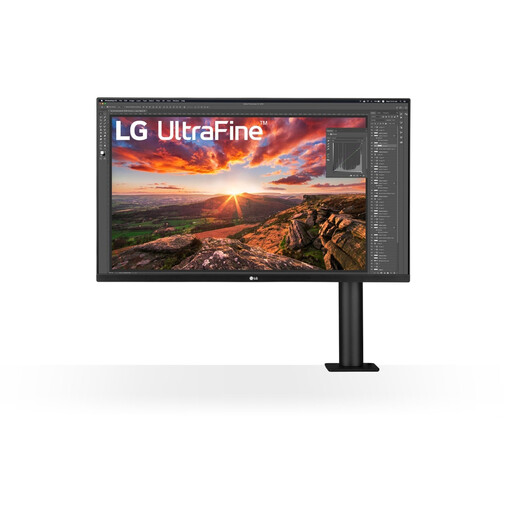
LG 32UN880K 32-inch 4K monitor

LG 32UN880K, 32-inch 4K monitor

A larger screen for map details; measure up to check that the 32-inch diagonal will fit on your shared desk.

32 inch; 3840 × 2160 pixels.

View at Joybuy

Frequently asked questions

Does a monitor for this mapping task need to be 4K?

No, 4K is not essential in every case. An adjustable 23.8-inch QHD model or a 27-inch QHD model may also work; view your own map, legend and text at the intended scale. Choose 4K if the extra resolution will help with detailed work.

How should you set up a monitor at a shared desk?

Adjust the height and viewing angle to suit the user, and minimise reflections. Arboportaal describes workplace screen regulations for employees, including a height-adjustable screen; these requirements do not automatically mean every individual user has to buy one.

Will one USB-C cable work with every laptop?

No, the USB-C connector alone does not tell you whether the laptop can output video or receive sufficient power. Check the features of the laptop port, the charging power required and which cable is suitable. BenQ lists DisplayPort Alt Mode and 65 W power for the PD2705Q; Dell lists power delivery up to 90 W for the P2725DE.

What cancellation period and warranty apply to an online purchase in the Netherlands?

For eligible distance sales, you generally have a 14-day cancellation period, according to the Dutch government. There is no fixed statutory warranty period in the Netherlands; if a product is faulty, the seller is your point of contact. A manufacturer’s warranty or an extended warranty does not replace your statutory rights.

Do screen-work regulations automatically apply to a school project?

No, the requirements described by Arboportaal are aimed at employers and screen-based work. Treat adjustability and minimising reflections as practical considerations, not legal product specifications for every pupil or individual buyer.
