What should you look for when choosing?
Start with the laptop connection, then weigh up the screen layout, image quality and motion handling.
| Factor to consider |
What should you check? |
Which consumers is this for? |
| Laptop power via USB-C |
Check that the port you’re using supports video, its Power Delivery output and your laptop’s charging requirements. |
I want to use one fewer mains plug, so I’m looking for a monitor that can also power my laptop via USB-C. Around 40% of consumers give avoiding a separate laptop charger top priority. |
| Room for windows |
Compare the screen size and resolution with your desk and the way your software windows are arranged. |
If I want to see my editor and preview at the same time, horizontal workspace matters a lot. Around 25% of consumers prioritise room for multiple windows. |
| Detail and colour |
Compare the resolution and stated colour gamut with the content you’re reviewing; consider refresh rate separately. |
For textures and interface elements, I want to take detail and colour into account when choosing. Around 17% of consumers put visual content above their other purchasing priorities. |
| Viewing motion |
Check the refresh rate at your preferred resolution and whether your computer and connection support that setting. |
If I’m reviewing a playable preview, I want to know how motion is displayed and whether my computer can handle the chosen setting. Around 18% of consumers give motion handling top priority. |
Joybuy monitors for this workspace
These Joybuy products suit needs ranging from ultrawide or portable screen space to motion handling and a USB-C laptop setup.
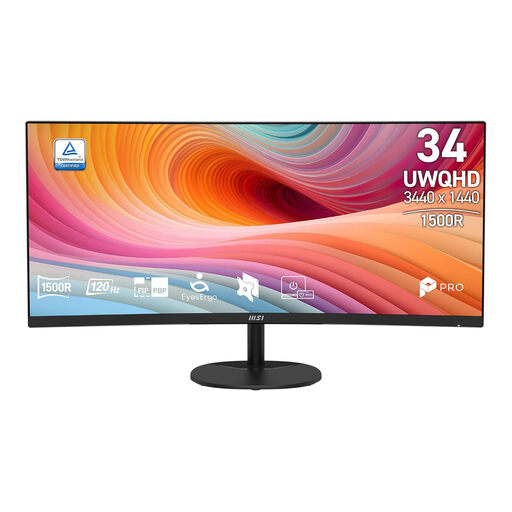 Image unavailable
MSI Pro MP341CQ E12 34" UWQHD 120Hz Curved VA Monitor
An ultrawide option for placing editor windows side by side. The product name specifies 34 inches, UWQHD, 120 Hz and a curved VA panel.
View at Joybuy
 Image unavailable
TECLAST V16H 16" Portable Monitor, 144Hz FHD IPS
A portable second-screen option for working with a laptop. The product name specifies a 16-inch FHD IPS screen, 16:10 and 144 Hz; check that the connections are compatible with your computer.
View at Joybuy
 Image unavailable
TECLAST V16Q Portable Monitor, 2.5K 144Hz IPS
A portable screen for anyone considering resolution and colour when working with level design content. The product name specifies 16:10, 2.5K, 144 Hz and 100% sRGB.
View at Joybuy
 Image unavailable
Dell Pro P3426WEB 34" USB-C Hub Conferencing Monitor
A 34-inch USB-C hub monitor for a laptop-focused workspace. Check that your laptop and the port you’re using support video, and that the charging power is sufficient.
View at Joybuy
 Image unavailable
Dell UltraSharp U3226Q 32" 4K UHD 120Hz QD-OLED Monitor
A 32-inch screen for anyone looking to weigh up detail and motion handling. The product name specifies 4K UHD, 120 Hz and QD-OLED. If you also want to use the monitor to power your laptop, check that your laptop and connection are compatible.
View at Joybuy
Frequently asked questions
Does a USB-C monitor mean I won’t need a laptop charger?
Only if the port you’re using supports video and the monitor provides enough Power Delivery for your laptop. The monitor also needs a mains connection of its own; check your laptop, the port and the charging power of the exact version.
How can I connect my equipment if I have few power sockets?
First check which devices need a mains plug, and bear in mind the stated load of your electrical equipment. Brandweer Nederland advises using undamaged extension leads, not connecting extension leads to one another, and preferably plugging high-power appliances directly into a wall socket.
Where can I compare the energy labels of computer monitors?
The European Commission states that electronic displays such as computer monitors have an energy label with ratings from A to G. Compare the label and information for the exact model, including the figures for HDR use.
What are my rights when I buy a monitor online?
According to the Dutch government, when you buy from a business at a distance, you generally have a 14-day cooling-off period, with some exceptions. You’re also entitled to a product that’s fit for purpose; any additional warranty you buy is separate from this statutory protection.


