
Writers who need large text
If you want to read lines and menus clearly while writing, it helps to adjust display scaling and the font size in your rulebook separately. Microsoft Support explains both settings.


Choose a monitor based on how much enlarged text and page content you want to see at once. Full HD, QHD and 4K offer different resolutions at 27 inches, but none of them automatically makes the text in your document larger. Microsoft Support explains that display scaling and the font size in a document are separate settings. Try your own page with your preferred zoom and scaling, and if you’ll be writing for long periods, check the adjustability and connections of the exact model too.
If you want to read lines and menus clearly while writing, it helps to adjust display scaling and the font size in your rulebook separately. Microsoft Support explains both settings.
If you want to view a print preview, illustration or second document alongside enlarged text, consider how much room remains at a readable scaling setting. Microsoft Support explains how to adjust the screen layout and resolution in Windows.
If you work on a rulebook for long periods, consider how adjustable the stand is and whether it connects to your computer. Dell Netherlands and LG Netherlands describe the adjustment options for the models mentioned.
A good fit if: you mainly edit one column of enlarged text and don’t often use several windows side by side. Dell Netherlands lists Full HD for the P2725H.
Trade-off: at the same screen size, it has fewer pixels than QHD or 4K. Check how much of your page remains visible at your preferred scaling.
A good fit if: you want to combine enlarged text with a view of more page content or a second window. Dell Netherlands lists QHD for the P2725D, while BenQ Netherlands lists it for the GW2790QT.
Trade-off: more pixels don’t automatically make text physically larger. Try the document zoom and system scaling together on your own computer.
A good fit if: you want to see details in text and page layouts, and your computer supports the resolution and connection you need. LG Netherlands lists 4K for the 27UP850K-W.
Trade-off: check that text and controls remain readable at your chosen scaling setting; 4K isn’t a magnification feature in itself.
| Consideration | What to look for | Who is this most important for? |
|---|---|---|
| Readable text | Try one of your own pages with your preferred document zoom and system scaling; check the document font separately. | If I want to read lines clearly while writing, I look at the magnification and adjust the text in the document itself. Around 36% of consumers put readability first. |
| Page overview | View your own document alongside reference material and compare resolutions at a scaling level that’s comfortable for you to read. | If I want to see enlarged text and other material at the same time, I check how much of the page and how many windows remain visible. Around 29% of consumers give this overview top priority. |
| Adjustable working position | Check the adjustment options for the exact model, and whether the stand and desk together allow you to position the screen as you’d like. | For longer writing sessions, I want to be able to set the screen at a comfortable height and angle, so the stand and model’s adjustment options matter. Around 21% of consumers put their working position first. |
| Connectivity | Compare your computer’s video output, cable and power requirements with the monitor’s connections and power supply. | If I want to connect my existing computer easily, I check that the connection provides a picture and meets my charging needs. Around 14% of consumers make ease of connection their top priority. |
Windows scaling changes how things appear on screen, but it doesn’t automatically change the font size in your rulebook.
Check the document text, contrast and print preview separately from the monitor settings. Microsoft Support explains how to change text size in documents and view a print preview.
Dell Netherlands describes the P2725H as a 27-inch Full HD model and the P2725D as a 27-inch QHD model.
BenQ Netherlands lists the GW2790QT as a 27-inch QHD model with USB-C.
LG Netherlands lists the 27UP850K-W as a 27-inch 4K screen with USB-C.
Philips describes the 27E1N1300A/00 as a 27-inch Full HD model with USB-C.
This Joybuy selection includes monitors for writing rulebooks and laying out pages, including Full HD, QHD and 4K models, as well as a 34-inch widescreen model.
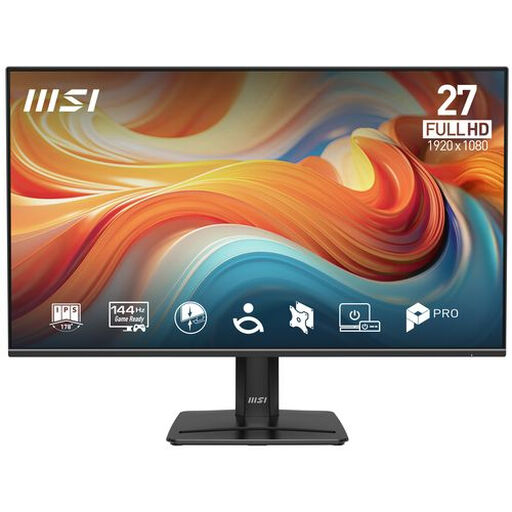 Image unavailable
Could suit editing one column of enlarged text; check how much of the page remains visible at your chosen scaling.
27 inches, 1920 × 1080 (Full HD), IPS, matt screen and tilt-adjustable stand. The product name also mentions 144 Hz and Adaptive-Sync.
 Image unavailable
Could suit you if you want to see details in text and page layouts; adjust the document font separately.
27 inches, 3840 × 2160, 4K UHD, IPS and 60 Hz. The description mentions EasyRead for text documents and a height-adjustable stand.
 Image unavailable
Could suit document work with several windows; check the scaling setting and document zoom on your own computer.
27 inches, 3840 × 2160, 4K UHD and USB-C. The description mentions PIP/PBP modes and a stand with height, tilt and swivel adjustment.
 Image unavailable
Could suit you if you want to combine enlarged text with a view of more page content; readability also depends on scaling and document zoom.
27 inches and 2560 × 1440 QHD. The description lists a matt anti-glare finish, 150 mm height adjustment, tilt, swivel and pivot.
 Image unavailable
Could suit you if you want to view documents or reference material side by side; check that the width and scaling work for you.
34 inches, 3440 × 1440 Wide Quad HD+ and USB-C. The description mentions MultiView and a height-adjustable stand.
No. Resolution and screen scaling change how things look while you’re working, but they don’t automatically change the text in the printed document. Set the font size in your writing software and check the print preview; Microsoft Support explains both settings.
Check whether your laptop’s USB-C port supports video output, how much power your laptop needs and whether the cable is suitable for that connection. BenQ Netherlands lists 65 W for the GW2790QT; that doesn’t automatically mean it’s enough for your laptop.
For online consumer purchases in the Netherlands, there is generally a statutory 14-day withdrawal period after delivery, subject to legal exceptions. This is separate from your statutory rights if a product isn’t as it should be: ACM ConsuWijzer explains that a product must do what you could reasonably expect it to do.
Not on the basis of this writing task alone. For employees in applicable display screen work situations, Arboportaal sets out requirements; under the rule it cites, if you work with a display screen for more than 2 hours a day, the screen and keyboard must not be attached to each other. This rule for employees doesn’t automatically apply to every private board game designer.
The European Commission says computer monitors are covered by the energy labels for electronic displays, with ratings from A to G. Compare the label for the exact model; resolution alone won’t tell you its energy rating.