
Story reader with a small desk
You want to read story text comfortably without the screen and stand taking over your workspace. Coolblue Netherlands recommends considering both readability and the space available on your desk.


First, measure the available width and depth, including the monitor stand. Then consider whether text is easy to read from your usual viewing distance and whether you can position the screen comfortably. For stories that are mainly text-based, the highest refresh rate is not necessarily the most important feature. If you also play fast-paced games, it becomes more relevant. Before buying, check the ports and adjustability of the exact model.
You want to read story text comfortably without the screen and stand taking over your workspace. Coolblue Netherlands recommends considering both readability and the space available on your desk.
You want to position the screen comfortably for longer reading or gaming sessions. Compare the stand’s adjustment options with your setup; advice for professional screen work is not automatically a legal requirement for personal use.
You read interactive stories but also play fast-paced games, so you want to balance readability with refresh rate. Philips and AOC list high maximum refresh rates for specific models; these figures alone do not prove a reading benefit.
Choose this option if: you play fast-paced games as well as interactive stories, and the complete monitor fits on your desk.
Trade-off: check the footprint, adjustability and ports of the exact model. A high Hz rating won’t solve an awkward screen position.
Choose this option if: reading stories is your main activity and you want to adjust the screen height.
Trade-off: a height-adjustable stand also takes up space. Measure its depth and check which connection is compatible with your device.
| What to consider | What should you check? | Who is this important for? |
|---|---|---|
| Desk space | Compare the overall dimensions, including the stand, and leave room for cables. | With a small desk, I want to know whether the screen, stand and cables will fit without getting in the way of my keyboard and mouse. Desk space is the top buying priority for around 36% of consumers. |
| Text readability | Assess text from your usual viewing distance and check your device’s scaling settings. | If I mainly read interactive fiction, I want to follow the text easily from my normal viewing distance. Readability comes first for around 29% of consumers. |
| Screen position | Check the stand’s adjustment options and measure the space needed for your chair and keyboard. | For a longer session, I want to position the screen to suit my setup. Adjustability is the top consideration for around 21% of consumers. |
| Fast-paced games on the side | Check the refresh rate supported by your device through the connection you plan to use; only compare response times when they use the same testing method. | If I play fast-paced games as well as reading stories, I want to know what motion performance the screen and device combination supports. Fast-paced games on the side are the top priority for around 14% of consumers. |
The diagonal measurement doesn’t tell you how wide the monitor is or how much depth the stand takes up. So it may fit your desk differently from what you’d expect based on the screen size alone.
Measure your available workspace and compare it with the overall dimensions, including the stand and space for cables.
Manufacturers may quote response times using different methods. Dell lists separate MPRT and GtG figures for the S2425HSM at different settings.
Only compare response-time claims when the testing methods and conditions match. If you mainly use the monitor for text, you can assess readability and positioning first.
AOC’s product page for the 24G4X is for the UK market. LG lists the 24GS60F-B as discontinued on its Dutch product page.
Check the full model code, the version intended for the Netherlands and the current product status with the retailer.
The S2425HSM is worth considering if screen positioning and a mix of reading and gaming matter to you.
The 24M2N3200A/00 is a compact gaming model to include in your comparison if you also play fast-paced games.
The 24G4X is an example of a compact Fast IPS gaming monitor; the product specifications quoted are from the UK product page.
The 24GS60F-B is a specific model you can use as a comparison point for a compact Full HD gaming monitor.
This selection includes portable 16-inch models and 24-inch monitors for a compact workspace. Compare the complete external dimensions, including the stand, with your desk, and check that your device supports the required connection.
 No image available
A portable 16-inch screen to consider if you’re looking for a smaller monitor setup; remember to allow space for the built-in stand.
According to the product name: FHD IPS, 144 Hz, 16:10, FreeSync, HDR, 2 USB-C ports, Mini HDMI and built-in stereo speakers.
 No image available
A portable monitor to consider if you want to read text and play games on the same screen; check that its dimensions and stand suit your desk.
According to the product name: 16 inches, 2.5K IPS, 144 Hz, 16:10, FreeSync, HDR, 2 USB-C ports and Mini HDMI.
 No image available
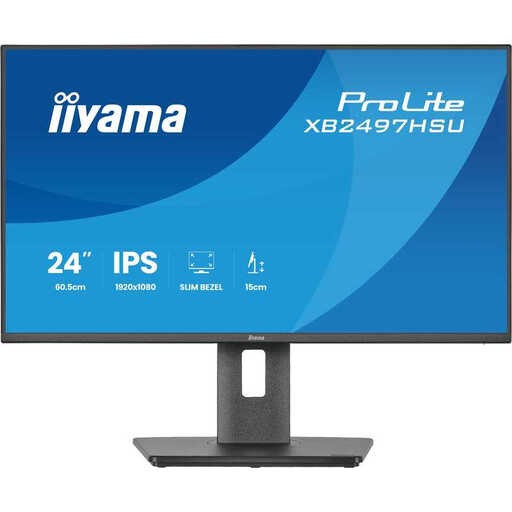
A 24-inch model to compare if you’re looking for a desktop monitor; check its overall dimensions and screen position on your own desk.
According to the product name: Full HD, IPS and 120 Hz.
 No image available
A 24-inch screen to compare if you’re looking for a compact desktop setup; measure the stand and space for cables on your desk.
According to the product name: Full HD, VA panel and 100 Hz.
 No image available
A 24-inch gaming monitor to consider if you also play fast-paced games; check that it fits physically and connects to your device.
According to the product name: Full HD, IPS, 144 Hz, Adaptive Sync, HDMI and DisplayPort.
Measure the available width and depth, including space for the stand and cables. Compare these measurements with the overall dimensions of the complete monitor; the screen diagonal alone isn’t enough.
Not if reading is your main activity. Philips and AOC list high refresh rates for specific gaming models, but screen size, readability and positioning also matter when reading story text. If you also play fast-paced games, factor the refresh rate into your decision.
Check that your computer or console has a connection in common with the exact monitor model. Then set the resolution, text scaling and supported refresh rate, and assess the screen position. Dutch advice for professional screen work does not automatically apply to gaming at home.
For an online consumer purchase, ACM ConsuWijzer states that you have 14 days from delivery to change your mind. The product must also be of satisfactory quality. According to the Dutch government, there is no fixed statutory warranty period in the Netherlands; if a product is faulty, contact the retailer. Check the terms that apply to your specific purchase.
The European Commission states that computer monitors are covered by the energy labels for electronic displays, with a scale from A to G. According to the Dutch government, when you buy a similar new appliance, you can hand your old one in to the retailer; check how this is arranged for your purchase.