
Designer with a busy desk
You want to leave room for sketches, material samples or a laptop. Compare the overall dimensions of the screen and stand, and check whether an arm will fit on the edge of your desk.


First measure the available desk width and depth, then decide what matters most: colour accuracy, fine detail or keeping your workspace clear. A compact colour monitor, a 27-inch 4K model or a screen with an arm will suit different priorities. Always check the full setup, the colour space you need and the connection to your computer.
You want to leave room for sketches, material samples or a laptop. Compare the overall dimensions of the screen and stand, and check whether an arm will fit on the edge of your desk.
You compare digital images with the colours you’re aiming for, so suitable colour modes and calibration options are useful—not just a large screen. BenQ, EIZO, ASUS and LG publish specifications for their relevant monitor ranges.
You look at lines, drawings or several windows, and weigh up the level of detail offered by 4K against the space taken up by a larger screen.
First measure where the screen will go, then choose the task that matters most and, finally, check that it will connect to your computer.
| What to consider | What to look for when buying | Who will find this most important? |
|---|---|---|
| Will the full setup fit? | Measure the available width and depth, the space behind the edge of the desk, and the dimensions with the stand or arm. | I want to leave room for sketches, samples or a laptop. This is the top priority for around 36% of consumers with limited desk space. |
| Is the colour accuracy suitable? | Check the colour space of your files, the stated coverage and the colour modes or calibration options available for the exact model. | When I’m reviewing colours and materials, I want to know which settings support my workflow. Around 29% of consumers put colour accuracy first. |
| Can you see details clearly? | Compare the resolution and screen width, and check that the text size, viewing distance and screen height suit your workspace. | When working with fine lines and drawings, I want to assess details without overlooking the physical space available. This is the top priority for around 21% of consumers. |
| Will it connect to your laptop? | Check whether your laptop can output video via USB-C and compare its power requirements with the monitor’s charging capacity. | I want to connect my laptop easily, so I check for video output and charging capacity. Around 14% of consumers prioritise the laptop connection. |
The diagonal measurement doesn’t tell you how much space the stand or arm takes up. ASUS lists the PA279CRV as 61,22 cm wide and 21,50 cm deep, including the stand; BenQ gives the PD2706UA setup a depth of 463,0 mm.
Before choosing a model, measure the space you have, including room for cables, design materials and any movement of the arm.
A different stand, a suitable arm or changes to your desk setup may require extra work.
Colour gamut, colour mode, calibration and uniformity are different properties. A manufacturer’s stated figure isn’t an independent measurement of the colour performance of your individual unit.
Choose a colour mode that suits your files and check how the exact model can be calibrated.
Calibration may require extra equipment or time to set up.
Specifications can vary between versions. That’s why the regional model code matters when comparing colour coverage, connections or power supply.
Before choosing a version, compare the full model code and key specifications with the manufacturer’s information.
The PD2706UA is a 27-inch DesignVue model with 4K, colour modes and an ergonomic arm, designed for an adjustable design workspace.
The ColorEdge CS2400S is a 24,1-inch 16:10 monitor for anyone looking for a less wide screen and extensive colour settings.
The ProArt PA279CRV is a 27-inch 4K model with a stand that is stated to be relatively shallow.
According to LG, the 27UP850K-W is a 27-inch 4K IPS monitor with an adjustable stand and USB-C.
The options below are 27-inch 4K monitors for anyone who wants to examine fine lines and design details. Check the full dimensions of each model and its connection to your computer.
 No image available
4K resolution is worth considering if you need to assess fine design details.
3840 × 2160 pixels; IPS panel.
 No image available
The stated 4K resolution may be a factor if you want to view fine lines and several design windows.
3840 × 2160 pixels; IPS panel; height-adjustable stand.
 No image available
4K resolution is relevant if viewing detail is a priority in your design work.
Stated dimensions: 613,5 mm wide and 201,8 mm deep. Allow for the full setup when checking that it will fit.
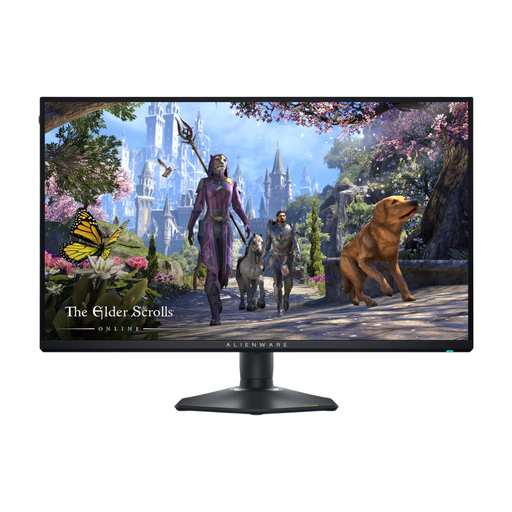 No image available
4K resolution may suit work that involves examining fine design details.
The product description lists 95% DCI-P3 and 10-bit colour depth.
 No image available
The 4K resolution and USB-C connection are worth considering if you want to view fine details and connect your laptop.
IPS panel; USB-C with 65 W Power Delivery. Stated dimensions: 611,5 mm wide and 200,4 mm deep.
Choose based on the width available and what you mainly need to assess. The EIZO CS2400S is 24,1 inches with 1920 × 1200 pixels; the ASUS PA279CRV is 27 inches with 3840 × 2160 pixels and, according to ASUS, is 61,22 cm wide. Measure the full setup for both.
Check that the stand or arm is stable and fits your desk, then adjust the height and viewing position. Arboportaal lists reflections, symbols that are too small and poor lighting conditions as factors that can affect readability. Rules for screen-based work also apply, depending on the working situation.
Check the EU energy label for electronic displays, which runs from A to G. If you buy from a business remotely as a consumer, you’ll often have a 14-day cooling-off period under the rules set out by the Rijksoverheid. Terms and exceptions can vary by purchase.
Rules for screen-based work apply to employers and employees. Arboportaal notes, among other things, that if you work at a screen for more than 2 hours a day, the screen and keyboard must not be attached to each other, and the screen must be height-adjustable. This is not a general product requirement for every private buyer.