What should you look for?
When indexing, your choice depends on which windows you want to see at once, how much desk space you have and how the monitor connects to your computer.
| What to consider |
What to look for |
Who should consider this? |
| Viewing the recording, transcript and fields at once |
Compare the resolution and aspect ratio with your preferred window layout, and measure the available desk width. |
If I want to view source material and index fields side by side, horizontal space is my top priority; around 36% of consumers prioritise seeing everything at once. |
| Readability and adjustability |
Check for height adjustment, and assess text size and screen position at your own workstation. |
For long reading sessions, I want text that’s comfortable to read and a screen position I can adjust; around 29% of consumers prioritise readability and adjustability. |
| Connecting to a laptop |
Check whether the laptop supports video over the connection and whether the stated charging power is sufficient. |
If I work on a laptop, I want to know whether the monitor can display its video output and provide enough power for charging; around 21% of consumers prioritise laptop compatibility. |
| Fitting on a small desk |
Measure the available space and compare it with the screen size and stand dimensions of the model you’re considering. |
With limited desk space, I want a monitor that fits well without dominating my work area; around 14% of consumers prioritise the space available. |
Joybuy monitors for this workflow
These monitors offer options for a compact workspace, extra room for multiple windows and laptop connectivity. Choose according to the resolution, screen size and connections you need.
 No image available
LG UltraWide 34U650A-B 34-inch
Suited to anyone who wants to view a recording, transcript and index fields side by side and has room for a wide screen.
34 inches, 3440 × 1440 pixels, IPS, height adjustment and USB-C power delivery up to 96 W.
Check that it fits across your desk and that your laptop supports the video output and power delivery you need over USB-C.
Joybuy
 No image available
CRUA 49-inch Curved Ultrawide Gaming Monitor
Its 32:9 aspect ratio is worth considering if you want to view multiple work windows side by side and have enough space.
49 inches, DQHD 5120 × 1440 pixels, 165 Hz, 1500R VA panel and a height-adjustable stand.
Check that your desk or VESA mount can support at least 15 kg; two-person installation is recommended.
Joybuy
 No image available
DELL Plus S2725QC 27-inch 4K monitor
A 27-inch option for anyone considering 4K display quality for transcript text and other detailed source material.
3840 × 2160 pixels and USB-C power delivery up to 65 W; the stand is height-adjustable.
Check that your laptop supports video over USB-C and that 65 W meets its charging needs; also check the text scaling on your computer.
Joybuy
 No image available
ASUS ProArt PA278CV 27-inch QHD monitor
Suited to anyone looking for QHD workspace on a 27-inch screen for viewing multiple work windows.
2560 × 1440 pixels, USB-C power delivery up to 65 W, and height and tilt adjustment.
Check that your laptop supports video over USB-C and that 65 W is enough for it.
Joybuy
 No image available
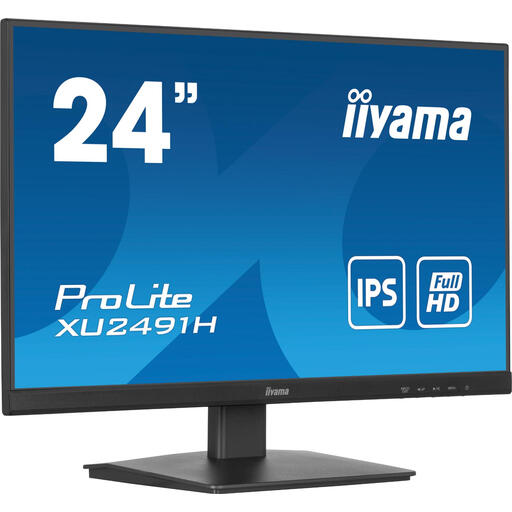
iiyama ProLite 24-inch IPS monitor
A more compact option for a main window or a workspace where room is limited.
23.8 inches, Full HD 1920 × 1080 pixels, 100 Hz, HDMI and DisplayPort; tilt-adjustable and VESA-mount compatible.
It offers less horizontal space for multiple windows than the QHD and ultrawide options mentioned here.
Joybuy
Frequently asked questions
Can a monitor make interviews searchable or add custom index fields?
No. A monitor displays applications; transcription, searchable clips and custom attributes are software features. Dovetail describes transcription and searchable clips, while Lumivero documents how to create custom case attributes in NVivo 15 for Windows. When choosing software, check the exact feature, version and terms.
What should I consider when setting up my monitor?
Adjust the screen position, text size and lighting to suit your workspace. For employees who work at a screen for more than two hours a day, Arboportaal outlines requirements including a height-adjustable screen and workspace setup. This isn’t a general legal specification for every model bought by an individual.
Am I always entitled to exactly two years’ warranty on a monitor in the Netherlands?
No. The Dutch government states that the Netherlands has no fixed statutory warranty period: you’re entitled to a product that works properly for as long as can reasonably be expected. If a product is faulty, contact the seller; a manufacturer’s warranty is in addition to your statutory rights.
Can I simply index and store recorded interviews containing personal data?
First, assess which privacy rules apply to your data processing. The Dutch Data Protection Authority states that you must identify an applicable GDPR legal basis before processing; consent is one possible basis, not automatically the required choice. Don’t keep personal data for longer than necessary. The appropriate period depends on the situation and any other legal obligations; choosing a monitor won’t answer these questions.
What should I check about USB-C besides whether the monitor has a port?
Compare your laptop’s video output and charging requirements with the specifications of the exact monitor, and check which cable you need. Dell specifies USB-C power delivery up to 90 W for the P2725DE; that power rating doesn’t guarantee that every laptop will work fully with a single cable.


