
Sources alongside your lesson plan
You want to keep, for example, a historical source and your lesson plan open at the same time while preparing lessons. The space available on your screen and desk will influence your choice.


If you often want to view historical sources alongside your lesson plan while preparing lessons, an ultrawide screen could work well, provided your desk and laptop can accommodate it. An adjustable 27-inch monitor is an alternative if a more compact setup and a comfortable, adjustable viewing position matter more. Before buying, check that your laptop supports the resolution and connection you choose. USB-C power delivery up to a certain wattage does not automatically mean the connection is suitable for your laptop.
You want to keep, for example, a historical source and your lesson plan open at the same time while preparing lessons. The space available on your screen and desk will influence your choice.
You spend a long time reading or editing documents and source images. As well as resolution, consider text size and whether the screen position suits your workspace.
You’re looking for a screen that fits on your desk and works with your laptop. Check the video connection, power requirements and adjustability separately.
First, decide whether you mainly want to view windows side by side, read comfortably or connect your laptop in a particular way. You can then assess models according to screen size, resolution and connectivity.
| What to consider | What to look for | Who should pay particular attention? |
|---|---|---|
| Sources alongside your lesson plan | Compare the aspect ratio, resolution and physical dimensions with your window layout and desk space. | If I want to view sources and my lesson plan at the same time, I need room for several windows without choosing a screen that won’t fit on my desk. Around 40% of consumers give working with windows side by side their top priority. |
| Readability and screen position | View text at the scale you work with and check the height adjustment, reflections and light levels. | For longer reading sessions, I want text to be comfortable to view and the screen to be easy to position. Around 30% of consumers give readability and an adjustable workspace their top priority. |
| Connecting and charging your laptop | Check the laptop port’s video capabilities, the power required and which cable you need. | If my laptop’s connection is a key factor, I want to know in advance whether the chosen connection will support video and, if needed, charging. Around 20% of consumers give laptop connectivity their top priority. |
| A simple setup | Decide how many windows you use at once and which connections you need. | If I mainly view one document, I don’t want to pay for features I don’t need for my work. Around 10% of consumers give a simple screen setup their top priority. |
On a 27-inch screen, QHD and 4K offer different amounts of screen space. Text size and screen setup still affect how comfortably you can read documents.
View text at the scale you actually work with and check that the screen height and viewing position suit your desk.
A monitor’s maximum charging power alone doesn’t tell you whether it matches your laptop’s power requirements and video capabilities.
Compare the port functions, required charging power and cable requirements of both devices. Depending on the combination, you may need a separate laptop charger or a compatible cable.
The Pro Plus P2725DE is worth considering for a 27-inch QHD workspace with a USB-C hub.
The E Line 346E2CUAE/00 and 27E1N1100A/00 represent different screen sizes and resolutions among the models listed.
The UltraFine 27UP850K-W is worth considering if you’re looking at an adjustable 27-inch monitor with 4K resolution.
These monitors suit different ways of preparing history lessons at home, from viewing a single document to placing sources alongside a lesson plan. Compare the screen space with your desk and check your laptop’s connections.
 No image available
An adjustable 27-inch monitor for viewing detailed documents and source images.
3840 × 2160 pixels, IPS panel, 60 Hz, 4 ms, HDMI and DisplayPort; the stand is height-adjustable.
 No image available
A 27-inch screen with 4K resolution for working with documents and a workspace where you use multiple sources.
3840 × 2160 pixels. The product description lists USB-C with DP Alt Mode and 98 W Power Delivery, KVM, PIP/PBP and a stand with height, tilt and swivel adjustment.
 No image available
An ultrawide screen for viewing historical sources alongside a lesson plan; make sure you have enough horizontal desk space.
21:9 and 3440 × 1440 pixels. The description lists USB-C with 90 W Power Delivery, ethernet, KVM, and height and tilt adjustment.
 No image available
An ultrawide monitor for displaying multiple windows side by side, if your desk has enough horizontal space.
34 inches, 21:9 and 3440 × 1440 pixels. The description lists USB-C, MultiView and a height-adjustable stand.
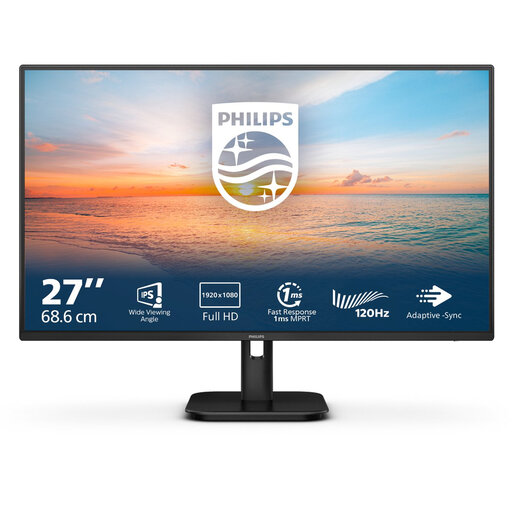 No image available
A straightforward option if you mainly view one document at a time and don’t need extra-wide workspace.
27 inches, IPS and 1920 × 1080 pixels. The description lists HDMI, VGA and a reading mode.
Rules apply to display screen workstations for employees who work at a screen for more than two hours a day. Arboportaal also outlines an employer’s duty of care when employees work from home, as well as the circumstances in which rules may be varied if health and safety remain protected. This is not a general purchase requirement for every private user.
Position the screen directly in front of you, with the top just below eye level, as Arboportaal advises. Adjust the text size and screen position to suit your workspace too; a higher resolution is no substitute for a suitable setup.
No, it depends on the ports, the power required and the cable. For example, the Dell P2725DE and LG 27UP850K-W list USB-C power delivery of up to 90 W and 96 W respectively. Check that the video connection and charging power are suitable for your laptop.
Many online consumer purchases come with a 14-day cooling-off period, according to the Dutch government. In the Netherlands, you’re also legally protected if a product doesn’t meet what you can reasonably expect from it; there is no fixed statutory warranty period. Exactly how this applies depends on the purchase and the circumstances.