
Historical map researcher
You compare historical polder maps and want to read labels as you zoom in. Topotijdreis provides historical topographical maps; assess readability alongside text size and viewing distance.


Start by considering whether you mainly want to read map details, view several project windows side by side, or set up a laptop workstation with the right connections. Then compare readability at your viewing distance, screen adjustment options and your laptop’s connections. A higher resolution or USB-C connection alone doesn’t guarantee a suitable workstation.
You compare historical polder maps and want to read labels as you zoom in. Topotijdreis provides historical topographical maps; assess readability alongside text size and viewing distance.
You keep a map, local project files and notes on screen at the same time. In the PDOK Viewer, you can switch map layers on and off and display them over one another; consider which window layout suits your work.
You regularly connect a laptop and work for longer sessions at the same desk. Arboportaal recommends paying attention to legible symbols and a screen that doesn’t reflect light; also check the connections and adjustment options for your workstation.
Start with the task that matters most to you: reading map details, using windows side by side, adjusting the screen position or connecting your laptop. If possible, test your own map and document layout at the viewing distance you plan to use.
| Consideration | What to check before buying | Who is this most relevant to? |
|---|---|---|
| Readable map details | Compare the resolution at the screen size you’re considering and test labels at your viewing distance; 4K alone doesn’t determine whether small text is comfortable to read. | When I zoom in on historical maps, I want to be able to read plot boundaries and place names at my chosen scale. Around 33% of consumers put readable map details first. |
| Space for work windows | Try your usual layout with a map, project files and notes; also consider how much desk space the monitor takes up. | I want to keep a map alongside local files and notes without constantly switching between windows. Around 27% of consumers prioritise space for work windows. |
| Screen position | Check the adjustment options on the exact model and assess reflections and readability in the workspace you plan to use. | During longer study sessions, I want to position the screen comfortably and read symbols easily. Around 20% of consumers mainly choose based on adjustability and readability. |
| Laptop and power consumption | Check your laptop’s video output, cable and power requirements; compare the EU energy label for the exact monitor variant. | When I connect my laptop, I want to know in advance whether the connection and power supply are suitable and whether I’ll need extra equipment. Around 20% of consumers prioritise laptop connectivity and running costs. |
A high resolution won’t automatically make small map labels readable at the scale and viewing distance you use. The layout of maps, documents and project windows also affects how useful the screen is.
Try your own map and document layout, and check the screen position and viewing distance before you decide.
Your laptop port, cable and monitor must all support the video and power requirements. The presence of a USB-C port alone doesn’t confirm compatibility.
Check your laptop’s port and power requirements against the specifications for the complete monitor model.
Depending on your setup, you may need a suitable cable, a separate laptop charger or a dock. Check in advance which items you already have.
These examples help you compare the specifications of individual models; they aren’t recommendations for each brand’s entire range.
The Dell Pro Plus P2725QE is a 27-inch 4K monitor with hub features for a permanent study setup.
The LG 27UP850K-W is a 27-inch 4K option with an adjustable screen stand.
The Philips 27E1N5600AE/00 offers a 27-inch QHD layout with USB-C.
These Joybuy product picks focus on 4K monitors for viewing map details and project files. Compare the screen size, adjustability and connections of each model to find what suits your workspace.
 No image available
A 27-inch 4K monitor for viewing map details at a permanent study desk.
3840 × 2160 pixels, 60 Hz, 4 ms, HDMI and DisplayPort. The product description lists a height-adjustable stand.
 No image available
A 27-inch 4K model for anyone who wants to view map details and compare the laptop connections listed.
The product name lists 4K at 160 Hz and Full HD at 320 Hz. The description mentions 65 W USB-C power delivery, a KVM switch and a height-adjustable stand.
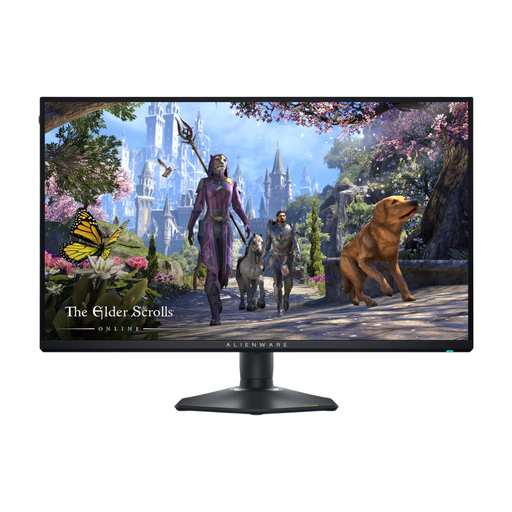 No image available
A 27-inch model with 4K resolution for viewing maps and project files on screen.
The product name lists 3840 × 2160 pixels. The product description mentions an IPS panel and up to 180 Hz at 4K.
 No image available
The 31.5-inch size may suit anyone who wants to view a map and local project windows on a larger screen.
3840 × 2160 pixels. The product description lists 90 W USB-C power delivery, an RJ45 port and an adjustable stand.
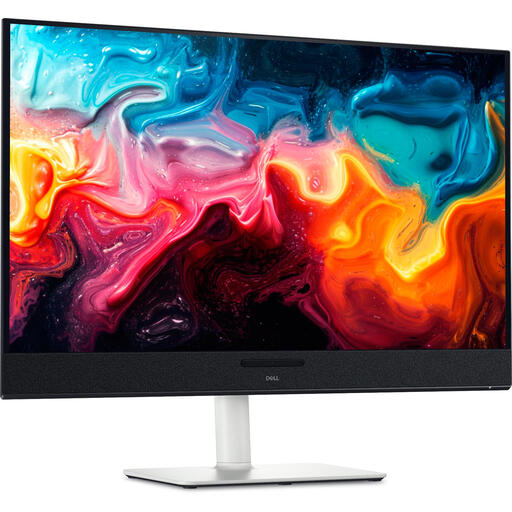 No image available
A 31.6-inch 4K model for viewing map details and project files on a larger screen.
3840 × 2160 pixels. The product specifications list QD-OLED, USB-C power delivery of up to 90 W and a height-adjustable stand.
No. A monitor displays the image from the connected computer; you open your local files on that computer using the relevant software. So check which video connection is compatible with your computer.
Adjust the screen position and symbol size so they’re easy for you to read, reduce reflections and take breaks from screen work. These are workstation tips from Arboportaal; the employer obligations described there apply under their own conditions and don’t automatically apply to personal research.
Only if your chosen laptop port, cable and monitor all support the video and power requirements. Compare your laptop’s specifications with those of the complete monitor model; a USB-C connection alone doesn’t confirm compatibility.
Compare the EU energy label for the exact monitor variant. For online consumer purchases, you generally have a 14-day cooling-off period; the Dutch government explains when it applies and the relevant conditions. There is no fixed legal guarantee period of exactly two years: ACM ConsuWijzer explains that what you can reasonably expect from the product matters, and that you should contact the seller.