
Historical scan proofreader
You compare small or hard-to-read lettering in adverts with the original scan before recording the details. The KB, the National Library of the Netherlands, explains that scan quality affects OCR recognition.


A 27-inch 4K monitor is a sensible choice if you often check small details in historical scans; QHD may suit you if you want to view the scan, OCR text and data-entry fields side by side. With either option, check that text and controls remain comfortable to read at your preferred display scaling. Also consider height adjustment and laptop connections if they matter for your workspace. A monitor cannot create or correct an index: you’ll need suitable software and must check the scan and OCR.
You compare small or hard-to-read lettering in adverts with the original scan before recording the details. The KB, the National Library of the Netherlands, explains that scan quality affects OCR recognition.
You want to refer to the source image, recognised text and your own data-entry fields side by side. The KB describes newspaper scans with OCR, along with descriptive and structural metadata; the custom fields available depend on the software you use.
You spend a lot of time checking and entering information at a screen, and want to adjust your workspace to suit your posture. Dutch rules on working with display screen equipment may apply to employees, depending on their working arrangements and how long they work.
Start with what you most often need to view side by side while indexing. Then check screen positioning and, if you want to connect a laptop with a single cable, compatibility and charging power.
| What to consider | What to look for when buying | Who is this most relevant to? |
|---|---|---|
| Small details in scans | Compare screen size, resolution, zoom and display scaling using a representative scan. | If you often compare small lettering or print details with the scan itself, checking fine detail is your priority. Around 36% of consumers say scan detail is their main need. |
| Scan, OCR and data-entry fields | Open your own indexing software and check that the scan and the fields you need remain easy to read at the same time. | If you want to keep the source image, OCR text and your own fields side by side, the usable window layout is crucial. Around 29% of consumers prioritise this layout. |
| Adjustability | Look for height adjustment and check for reflections; also consider the setup of your entire workspace. | During long data-entry sessions, it can be important to adjust the screen position to suit your workspace. Around 21% of consumers put adjustability first. |
| Connecting a laptop | Check whether your laptop can output video over USB-C and compare its charging requirements with the power delivery of the exact monitor. | If your laptop needs to receive video and power through a single cable, check both requirements before choosing. Around 14% of consumers make a suitable laptop connection their main priority. |
At 27 inches, the Dell P2725QE has a resolution of 3840 × 2160 pixels, while the Dell P2725DE has a resolution of 2560 × 1440 pixels, according to Dell Netherlands. This is a difference in specified resolution, not proof that OCR will be more accurate as a result. With QHD and 4K, it’s worth checking text size and layout using the scaling settings you actually use.
A monitor displays the scan, but it doesn’t change the recognised text. The KB explains that scan quality, among other factors, affects OCR recognition.
Assess the screen based on how it lets you view the source, and check OCR and data-entry fields separately in the software you use.
A USB-C port doesn’t automatically mean that your laptop can output video through it or receive enough power to charge. The monitors mentioned have different specified charging power.
Compare your laptop’s video output and charging requirements with the connections and power specifications of the exact monitor. Make sure you also use a suitable cable.
If your laptop and monitor don’t work fully together over USB-C, you may still need a separate power supply, cable or dock.
For long periods of use, screen position and reflections also matter. Under certain conditions, Dutch rules on working with display screen equipment apply to some employees.
As well as resolution and screen size, check for height adjustment, consider the light in your workspace and assess your entire setup.
The Dutch Pro Plus range includes a 27-inch QHD model and a 27-inch 4K model, so you can weigh the specified resolution against the way you work.
The Dutch models 27E1N5600AE/00 and 27E1N1900AE/00 are examples of a 27-inch QHD model and a 27-inch 4K model respectively.
The FlexScan EV2740X is a 27-inch 4K office monitor for those looking at docking features as well as scan detail.
The Dutch product information for the GW2790QT describes a 27-inch QHD monitor with USB-C.
This selection of Joybuy products includes 4K monitors for checking fine detail and an ultrawide model for viewing a scan and data-entry fields side by side. Compare screen size and resolution with your own software, display scaling and workspace.
 No image available
A 27-inch 4K model to consider if you want to view small details in historical adverts.
3840 × 2160 pixels; 60 Hz; 4 ms; HDMI and DisplayPort; height-adjustable stand.
 No image available
A 4K option for those who want to examine details and also want the option of viewing content side by side; check the layout in your own software.
3840 × 2160 pixels; IPS; 120 Hz; HDR500; FreeSync; PIP and PBP; USB-C 90 W PD; HDMI and DP; height adjustable.
 No image available
A wide screen layout may suit you if you want to view the source image and data-entry fields side by side; check how much room each element has with your own windows.
34.1 inches; 3440 × 1440 pixels; Wide Quad HD; LCD.
 No image available
A 27-inch 4K model to consider if scan detail is your priority when checking adverts.
3840 × 2160 pixels; LCD.
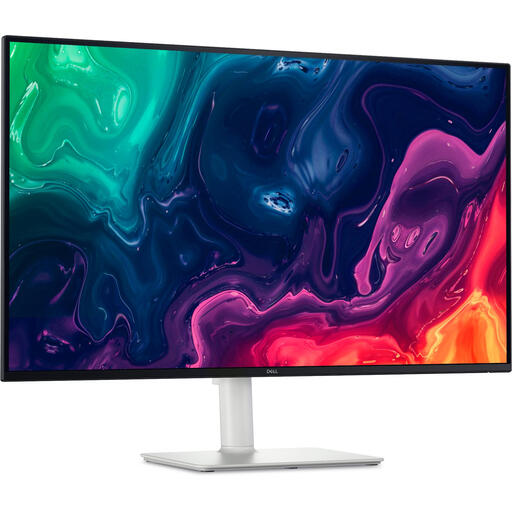 No image available
A larger 4K screen to consider if you want to examine scan detail; assess the desk space required and screen position in your own setup.
31.5 inches; 3840 × 2160 pixels; 4K Ultra HD; LCD.
No. A monitor displays the scan and the application you use; you’ll need suitable software for indexing and custom fields. The KB describes scans, OCR and metadata as components of digital newspaper collections. Compare unclear OCR text with the original scan.
For employees who work with display screen equipment for more than two hours a day, Arboportaal lists specific requirements, including a height-adjustable, non-reflective screen and, when using a laptop, a separate screen or keyboard that can be used independently. Arboportaal also recommends alternating screen work with other tasks or taking breaks. These requirements don’t automatically apply to every individual buyer.
Check whether the laptop can output video through the relevant USB-C port and how much charging power it needs. Compare this with the exact monitor model and use a suitable cable. Dell lists 90 W for the P2725DE and P2725QE; BenQ lists 65 W for the GW2790QT.
When you buy from a business at a distance, you’ll usually have a 14-day cooling-off period; exceptions and the nature of the agreement matter. The seller must also provide a solution if a product is faulty, according to the Dutch government. The Netherlands does not have a fixed statutory warranty period for all products, according to the Dutch government.
A higher screen resolution won’t change OCR recognition. According to the KB, factors such as a lower-quality scan and damaged source material can affect recognition. Use the screen to assess the scan, and check any uncertain OCR text against the source image.