What should you look for when choosing?
First, work out how to reduce reflections at source. Then decide what colour reproduction, workspace and connections you need. Design-focused, versatile 4K and office monitors each have different strengths.
Matte design monitor
A good fit if: you can’t easily avoid window reflections and mainly assess colours and menu details.
Bear in mind: an anti-glare finish won’t automatically eliminate distracting reflections; typical brightness and incoming light also matter.
Compact 27-inch 4K monitor
A good fit if: you’re looking for a smaller screen and want to weigh up daylight visibility, colour work and connections.
Bear in mind: compare the specifications of the exact model; the U2723QE and U2725QE are different Dell models.
4K monitor for laptop and colour work
A good fit if: you often connect a laptop and view menus or images in a wider colour gamut.
Bear in mind: check that the colour gamut suits your project and whether any calibration software is included.
Office and docking monitor
A good fit if: readable interface panels, adjustability and connecting peripherals are priorities.
Bear in mind: check separately that the stated colour gamut suits your game output.
| What to consider |
What to look for |
Who it matters to |
| Reflections and daylight |
Compare the screen coating and typical brightness; look at typical or standard brightness, not just an HDR peak. |
If I’m assessing menu text and contrast next to a window during the day, I want to reduce reflections. Reflections are the main purchase concern for around 36% of consumers. |
| Colour control |
Check your project’s colour gamut, the stated coverage and the available colour mode or calibration options. |
For anyone assessing buttons and images for a colour-sensitive project, colour reproduction comes first. It is the main purchase concern for around 29% of consumers. |
| Workspace and readability |
Compare screen size and resolution with your desk space and preferred scaling; more pixels alone don’t guarantee an interface that’s comfortable to read. |
If I want to see a menu example and design tools at the same time, I look at workspace and readability. Around 21% of consumers have this as their main purchase concern. |
| Laptop and connections |
Check that your laptop supports video over the USB-C port you plan to use, and that the power delivery is suitable for both devices. |
If you want to connect a laptop and peripherals using a suitable connection, that connection comes first. It is the main purchase concern for around 14% of consumers. |
Joybuy products for 4K menu design
These Joybuy monitors are options for 4K menu design, with differences in screen size, colour information, reflection reduction and laptop connections.
 Image unavailable
MSI Modern MD272UPHG 27-inch 4K UHD monitor
Well suited to 4K menu design if you’re looking for a 27-inch screen with a stated wide colour gamut.
3840 × 2160; stated 97% DCI-P3 and 94% Adobe RGB; factory calibration listed; USB-C Power Delivery up to 98 W.
View at Joybuy
 Image unavailable
INNOCN CB27U1 27-inch 4K UHD monitor
Well suited to a 4K workspace next to incoming window light if you want to compare a non-reflective screen with a stated typical brightness.
3840 × 2160; 400 nits typical brightness; 100% sRGB; USB-C Power Delivery up to 90 W; 120 Hz.
View at Joybuy
 Image unavailable
Dell UltraSharp U2725QE 27-inch 4K monitor
Well suited to a compact 4K workspace if you want to weigh up anti-glare, stated brightness and connectivity.
3840 × 2160; 450 cd/m² typical brightness; 99% DCI-P3; Thunderbolt 4. This is the U2725QE, not the U2723QE; check the specifications for the exact model on offer.
View at Joybuy
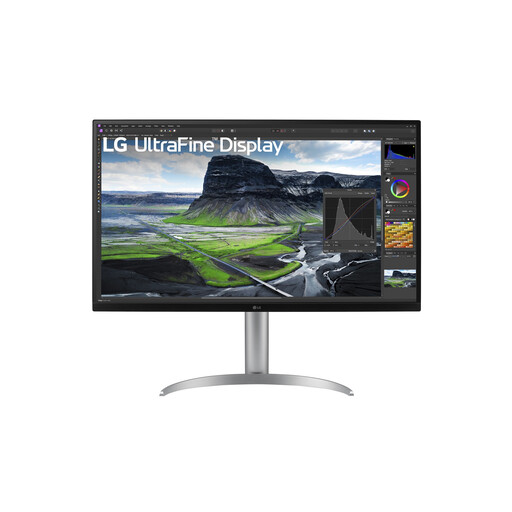 Image unavailable
LG 32UQ850V-W 31.5-inch 4K monitor
Well suited to colourful 4K design work if you need more physical screen space and USB-C connectivity for a laptop.
3840 × 2160; stated 95% DCI-P3; hardware calibration listed; USB-C power delivery up to 90 W.
View at Joybuy
 Image unavailable
BenQ PD3205U 31.5-inch 4K monitor
Well suited to a spacious design workspace if you’re looking for 4K, sRGB colour coverage and an anti-glare coating.
3840 × 2160; 99% sRGB; USB-C Power Delivery up to 90 W. BenQ specifies 250 nits typical brightness; 350 nits is the HDR peak.
View at Joybuy
Frequently asked questions
Will a brighter screen be enough to overcome a window next to your desk?
Not necessarily. Arboportaal advises positioning your viewing direction parallel to the window, and suggests using blinds or moving further away from the window to manage distracting incoming light. Then compare the screen’s typical brightness and finish; an HDR peak isn’t an equivalent specification for this purpose.
What should you check when connecting a laptop?
Check that your laptop supports video over the USB-C port you’re using, and that the monitor’s power delivery is suitable for your laptop. USB-C power delivery varies by model. Then adjust the screen position and colour mode to suit your project and the incoming light.
Is a two-year manufacturer’s warranty the same as your statutory rights?
No. According to the Dutch government, there is no fixed statutory warranty period in the Netherlands: you’re entitled to a product that meets the expectations you can reasonably have of it, and the retailer is your point of contact if something goes wrong. A manufacturer’s warranty or paid-for extra cover comes on top of this.
What rules apply to a monitor in a Dutch workplace?
There are regulations on screen work for employees. Arboportaal notes that for more than two hours of screen work a day, requirements include aspects of the workstation setup; the screen must not reflect light and must be height-adjustable. This is a conditional workplace rule, not a universal product specification for every home buyer.
Should you check the energy label when buying?
Yes, if energy use matters to your decision. EU rules for electronic displays include energy labels and additional product information. Compare the label for the exact model, not just its brightness or HDR rating.


