Choose a monitor you can position comfortably when working both sitting and standing, and that lets you use your form and preview at your preferred display scaling. An adjustable QHD screen can work well for side-by-side windows, while a 16:10 or 3:2 aspect ratio gives you more vertical workspace. Check the video connection and any USB-C power delivery for your laptop separately. Extra pixels are no substitute for testing the form at different zoom levels and in a narrow viewport.
Who should consider this?
If you switch between sitting and standing
You regularly change the desk height and want to reposition the screen without having to adopt an awkward viewing posture. Compare the adjustment options, stand or clamp, and space for cables. Arboportaal recommends a height-adjustable screen when setting up a computer workstation.
If you design forms and work with multiple windows
You want to view the form alongside a preview and, perhaps, code. Focus on the usable window space at your preferred text scaling, not just the stated resolution. The W3C Web Accessibility Initiative explains reflow for content that needs to remain usable in a narrow viewport.
If you work on a laptop
You regularly connect a laptop and want to know in advance whether a single cable can carry the display signal, connect peripherals and provide enough power. Check the features of the port on the exact monitor model, as well as the connection options on your laptop.
What should you look for when buying?
| What to consider |
What to look for |
Who is this important for? |
| Screen position when sitting and standing |
Compare the height and swivel adjustments, and choose a stand or clamp that suits your desk and both working positions. |
If I switch between sitting and standing, I want to be able to position the screen comfortably in either position. Around 33% of consumers rank screen position as their top buying priority. |
| Form and preview side by side |
Try your window layout at the text scaling you work with; also test the form at different zoom levels and in a narrow viewport. |
If you want to view a form, preview and perhaps code at the same time, focus on the usable width at your own scaling setting. Around 27% of consumers prioritise using multiple windows at once. |
| See more form fields at once |
Compare how many lines are visible at a readable scaling, and decide whether 16:10, 3:2 or a rotatable screen suits the way you work. |
If I mainly work through long forms or code, I want to see more content stacked vertically. Around 20% of consumers rank vertical workspace as their top priority. |
| Connecting and powering a laptop |
Check whether the monitor port carries a video signal and whether the power output and cable are suitable for your laptop. |
If you connect a work laptop, you’ll want to know in advance whether the connection also meets its charging needs. Around 20% of consumers prioritise a laptop connection and any power delivery. |
Common pitfalls
-
Assuming USB-C makes a complete laptop dock
According to Dell, the Dell P2425 has a USB-C downstream data port with up to 15 W of power. That’s different from the USB-C hub and up to 90 W of power delivery Dell specifies for the P2725QE.
For the exact model, check which port accepts video and how much power it can supply to your laptop.
You may also need a separate, compatible connection or cable for video or power.
-
Confusing more pixels with a successful accessibility test
A high physical resolution doesn’t automatically show how a form works at high zoom or in a narrow viewport. The W3C Web Accessibility Initiative explains reflow for a narrow CSS viewport.
Test the form separately at different zoom levels and in a narrow viewport, whatever monitor you choose.
-
Focusing only on adjustability and forgetting about mounting
A C-clamp and an adjustable stand place different demands on your desk. With a sit-stand desk, you’ll also need to leave enough room for the cables when the desk moves.
Measure your desk and check the full range of desk and cable movement before choosing a clamp-mounted model.
A clamp-mounted model may require a different support or longer compatible cables.
-
Treating the manufacturer’s warranty as the full statutory guarantee
According to the European Consumer Centre Netherlands, the Netherlands does not have a fixed statutory guarantee period of two years. Your statutory protection is linked to what you can reasonably expect from the product.
Keep your purchase and product information, and report any fault to the seller. Consider any additional manufacturer’s warranty separately.
Brands to consider
LG
The models reviewed offer different options, including an adjustable stand, USB-C connectivity and an Ergo model with a desk clamp.
- LG lists QHD resolution and height, swivel and pivot adjustment for the 27BA45QB-B. According to LG, the 27QN880-B has a C-clamp and up to 60 W of USB-C power delivery.
- The 27BA45QB-B has HDMI and DisplayPort; don’t assume all LG models offer the USB-C power delivery available on the 27QN880-B.
Dell
The models reviewed include a compact 16:10 option and a 27-inch 4K screen with a USB-C hub.
- Dell lists a resolution of 1920 × 1200 pixels and height adjustment for the P2425. For the P2725QE, Dell specifies 3840 × 2160 pixels and up to 90 W of USB-C power delivery.
- According to Dell, the P2425’s USB-C downstream port is for data and supplies up to 15 W; it does not replace a USB-C video connection with power delivery for a laptop.
BenQ
The RD280U is a 3:2 option for anyone who wants to view form fields or code in a more vertical layout.
- BenQ lists a resolution of 3840 × 2560 pixels and a matt finish for the RD280U.
- BenQ’s claims about concentration or reduced eye strain are manufacturer claims and do not establish a proven benefit for this task.
Philips
The Business Monitor 27B2U3601/00 is a QHD option to compare for adjustability and connectivity.
- Philips lists a 27-inch IPS screen with a resolution of 2560 × 1440 pixels and a SmartErgoBase.
- Philips’ claim that the refresh rate reduces eye strain is not an independently proven effect for form design.
Monitors at Joybuy
These Joybuy product picks are suited to form work, with a focus on screen positioning and room for multiple windows.
 No image available
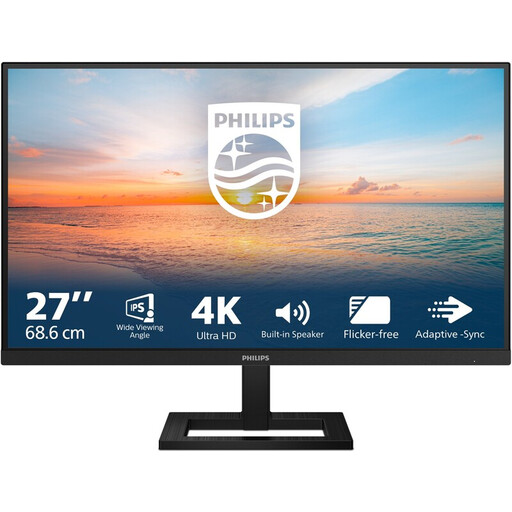
Philips 27E1N1800AE/00 27-inch 4K UHD IPS monitor
Suited to anyone who wants plenty of pixels for a form and preview, and needs to reposition the screen when changing desk height.
3840 × 2160 pixels, IPS panel and height-adjustable stand. Connections: HDMI and DisplayPort.
View at Joybuy
 No image available
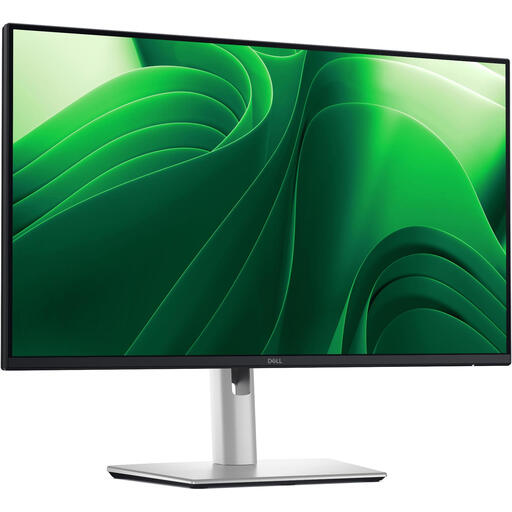
Dell Pro Plus P2425D 24-inch QHD monitor
Suited to anyone who wants a more compact screen and needs to adjust its position when switching between sitting and standing.
2560 × 1440 pixels and 100 Hz. The stand offers height, tilt, swivel and pivot adjustment; connections include HDMI and DisplayPort.
View at Joybuy
 No image available
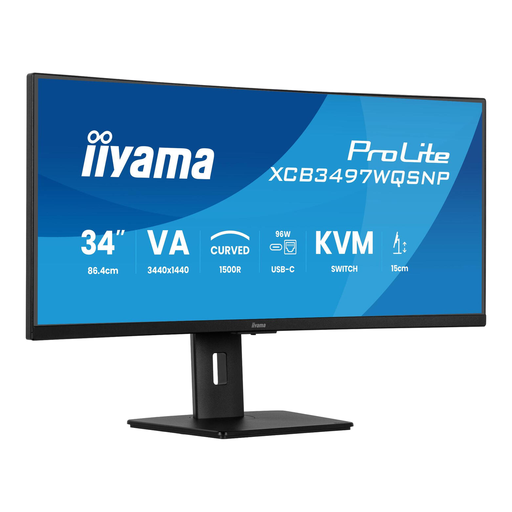
iiyama ProLite 34-inch UWQHD curved monitor
Suited to anyone who wants to view a form and other windows at the same time on a wide screen, and adjust the screen height.
3440 × 1440 pixels, USB-C dock, KVM switch and RJ45 port. The stand offers 15 cm of height adjustment.
View at Joybuy
 No image available
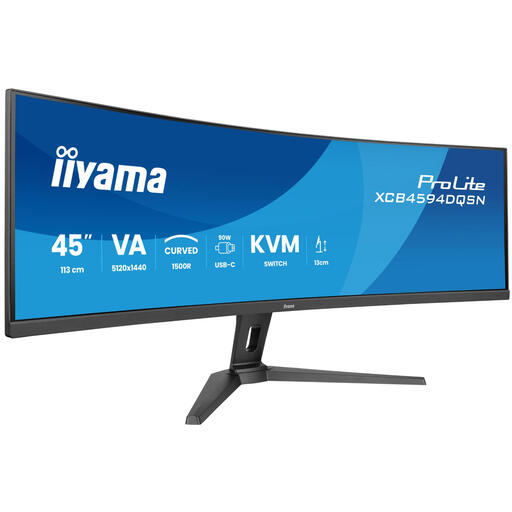
iiyama G-MASTER 45-inch Dual QHD monitor
Suited to anyone who wants plenty of workspace for a form and other windows, and needs to adjust the screen to their working height.
5120 × 1440 pixels, KVM switch, USB-C dock and RJ45 connection. The stand is height-adjustable.
View at Joybuy
 No image available
LG 27GS85Q-B 27-inch QHD monitor
Suited to anyone looking for a QHD screen to view a form and preview side by side, with an adjustable screen position.
2560 × 1440 pixels, Nano IPS panel and HDMI and DisplayPort connections. The stand offers height, tilt, swivel and pivot adjustment.
View at Joybuy
Frequently asked questions
Do I need 4K to check whether a contact form is accessible?
No, you don’t need a 4K monitor to test a form in a narrow viewport. The W3C Web Accessibility Initiative describes reflow for vertically scrolling content at a width of 320 CSS pixels, so test the form at different zoom levels and in a narrow viewport too.
Will a monitor with a desk clamp fit any sit-stand desk?
You can’t tell from the monitor specifications alone. Check that the edge of the desk is suitable for the clamp and that there’s enough room for the cables throughout the desk’s full height range. The LG 27QN880-B is one of the models reviewed that comes with a C-clamp.
Can any USB-C monitor connect my laptop with a single cable?
No, USB-C features vary by model. Dell specifies a USB-C downstream data port with up to 15 W for the P2425, and up to 90 W of USB-C power delivery for the P2725QE. Also check whether the port carries video, and whether the charging capacity and cable are suitable for your laptop.
What are my rights if a monitor I bought online isn’t suitable or develops a fault?
For an online purchase by a consumer, you generally have a statutory cooling-off period of up to 14 days after delivery, with some exceptions. The seller is also responsible if a product doesn’t meet what you could reasonably expect. According to the European Consumer Centre Netherlands, statutory protection in the Netherlands does not have a fixed two-year period. Check the terms that apply to your purchase.
Does a screen used for computer work have to be adjustable?
Arboportaal recommends a height-adjustable screen when setting up a computer workstation. Whether the rules apply to your work depends on your working arrangements and employer; this isn’t a general product requirement for every private buyer.


