What should you look for when choosing?
Arboportaal recommends positioning your line of sight parallel to the window. Then assess reflections, workspace, laptop connections and screen adjustments in the order that best suits your setup.
| What to consider |
What to look for |
Who is it important for? |
| Reflections and readability |
Check the screen coating, adjustability and stated typical brightness. Also assess the light levels where you plan to use it. |
If reflections make it difficult to assess labels and input fields, consider both the window setup and the screen. Around 36% of consumers prioritise reducing reflections. |
| Detail and workspace |
Compare QHD and 4K at the size you want, and check that your preferred text scaling is comfortable to read. |
If you want to view form text and design details at the same time, you can match the resolution to your work and design tools. Around 29% of consumers prioritise interface detail. |
| Laptop connection |
Check that your laptop supports video through the connection you choose, and that the charging power is suitable for your laptop. |
If you want to handle video, data transfer and charging through a monitor connection, check all the functions you need for your devices. Around 21% of consumers prioritise laptop connectivity. |
| Adjustability |
Compare the height and tilt adjustments with the space on your desk and your preferred viewing position. |
If you work at a screen for long periods, you’ll want to set the monitor to a practical height and viewing angle. Around 14% of consumers prioritise workspace adjustability. |
Joybuy monitors for form design
This selection includes QHD and 4K monitors for interface work, with models offering different screen sizes, adjustment options and laptop connections.
 No image available
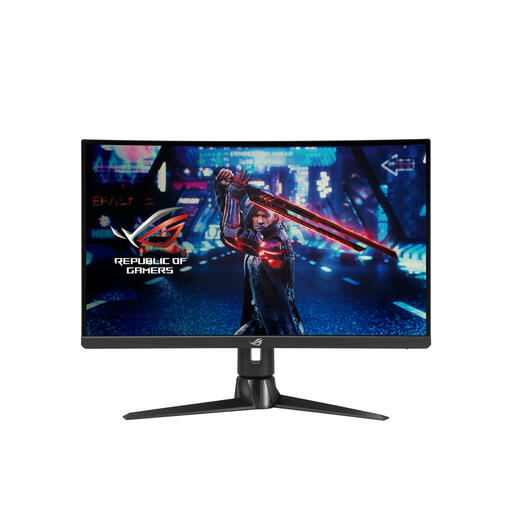
ASUS ROG Swift XG27AQV
A 27-inch QHD screen to consider if you want to assess your form and preview side by side.
2560 × 1440 pixels; matte anti-glare coating; stated brightness of 400 cd/m². The stand is height-adjustable, tiltable and swivels.
Joybuy
 No image available
BenQ PD3225U
A 32-inch 4K model to compare if you want more screen space for interface and form details.
3840 × 2160 pixels; matte anti-glare coating; USB-C with 90 W Power Delivery. The product information lists height adjustment and tilt.
Joybuy
 No image available
Dell UltraSharp U2725QE
A 27-inch 4K option if you want to assess fine interface details and take reflections into account when choosing.
3840 × 2160 pixels; anti-glare screen; stated low reflectivity and typical brightness of 450 cd/m². The stated refresh rate is 120 Hz.
Joybuy
 No image available
Lenovo ThinkCentre Tiny-In-One 27
A QHD monitor to compare if you want to view your form and preview on one screen and adjust the height.
27 inches; 2560 × 1440 pixels; anti-glare screen; typical brightness of 350 cd/m². The height can be adjusted by up to 11 cm. The power adapter must be purchased separately.
Joybuy
 No image available
LG 27UQ850V-W
A 27-inch 4K model to compare if fine detail and a USB-C laptop connection are important to you.
3840 × 2160 pixels; USB-C with 90 W Power Delivery; typical brightness of 350 cd/m². The stand is height-adjustable, tiltable and swivels.
Joybuy
Frequently asked questions
Can I eliminate reflections simply by buying a brighter monitor?
No, don’t assume so: a higher stated brightness will not automatically remove window reflections. For distracting daylight, Arboportaal recommends positioning your line of sight parallel to the window. Then assess whether you need blinds or a different place for the screen.
How should I position a screen beside a window?
If possible, position your line of sight parallel to the window so that daylight does not fall directly on the screen. Then adjust the screen height and viewing angle to suit your workspace.
Do I have a cooling-off period and statutory warranty when buying online in the Netherlands?
For a typical online purchase by a consumer, there is generally a statutory cooling-off period of up to 14 days after delivery, according to ACM ConsuWijzer. Statutory warranty also depends on what you could reasonably expect from the product under normal use; there is not simply a fixed statutory two-year period for every monitor.
Are there rules about reflections in my workspace?
There are regulations on screen work for employees. For more than two hours of screen work a day, Arboportaal recommends, among other things, a height-adjustable screen that must not reflect. The employer must provide a suitable workspace. This is not a general product specification that every consumer has to prove.


