If you usually write in a single document, start with a compact, adjustable screen. If you often keep character profiles or a timeline beside your manuscript, compare a 27-inch QHD screen with the space available on your desk. If you use a laptop, check the video connection and power delivery for the exact monitor model: Dell, for example, specifies different USB-C features for the P2425 and P2425DE. Keyboard shortcuts come from your operating system and writing software, not your monitor.
Who is this choice for?
Writer with one chapter on screen
You want to read your manuscript comfortably while leaving room for your keyboard and notes. A compact screen may suit you if you don’t regularly use two wide windows side by side. Dell lists an adjustable stand for the P2425.
Writer with world-building notes
You want to view your draft alongside, for example, character or timeline notes. A 27-inch QHD screen, such as the Lenovo L27q-4A, is one option to compare with the space available on your desk and the text size you find comfortable.
Laptop writer with a dedicated workspace
You want to adjust the screen to suit you and check that its video connection and any laptop power delivery are compatible with your equipment. Check the specifications for both your laptop and the exact monitor model; Dell, for example, lists different USB-C features for the P2425 and P2425DE.
What should you look for?
Compact 24-inch screen with extra vertical space
A good fit if: you usually edit one chapter and want to keep desk space free. Dell specifies a 24.07-inch, 16:10 display with 1920 × 1200 pixels for the P2425.
Bear in mind: there’s less horizontal space for two windows than on a larger QHD screen. Dell lists a USB-C downstream data port of up to 15 W on the P2425, not a video input or laptop charger.
27-inch QHD for your manuscript and notes
A good fit if: you often use two windows side by side and have room for the screen on your desk. Lenovo lists a 27-inch display with 2560 × 1440 pixels for the L27q-4A.
Bear in mind: a larger screen takes up more space. Lenovo lists HDMI and DisplayPort; check which video output your computer has and which cable you’ll need.
QHD with a USB-C hub on a smaller screen
A good fit if: you’re looking for QHD at around 24 inches and want to connect a compatible laptop with a single connection. Dell lists a 23.8-inch QHD screen and a 90 W USB-C hub for the P2425DE.
Bear in mind: check that your laptop supports the video connection you plan to use and that 90 W meets its power requirements. Text may appear differently at a different display scaling setting than it would on a larger screen.
27-inch 4K with USB-C
A good fit if: you view detailed images as well as text, and your computer supports the 4K output you want. LG lists 3840 × 2160 pixels and USB-C up to 96 W for the 27UP850K-W.
Bear in mind: the extra resolution isn’t automatically necessary if you mainly work with text. Check text scaling and computer compatibility before you choose.
| Consideration |
What to look for |
Who is this important to? |
| Readability of your draft |
Compare the screen and stand dimensions, aspect ratio, and readability at your viewing distance and text size. |
I want to read my chapter comfortably without the screen dominating my desk; around 31% of consumers prioritise readable draft text. |
| Text and notes side by side |
Check that both windows are usable at your preferred text size and that the monitor fits on your desk. |
When I keep character profiles or a timeline open as I write, I want to see my text and reference material at the same time; around 25% of consumers prioritise this kind of workspace. |
| An adjustable workspace |
Check the adjustment options, reflections, light sources and space for your keyboard and screen. |
I want to adjust my screen for longer writing sessions and set up my workspace to suit me; around 25% of consumers prioritise adjustability. |
| Laptop connection |
Compare your laptop’s video output and power requirements with the features and power delivery of the exact monitor port. |
If I want to connect my laptop through the monitor and possibly charge it, I want to know what the port actually supports; around 19% of consumers prioritise this connection. |
Common pitfalls
-
Assuming USB-C makes a monitor a full laptop dock
USB-C doesn’t automatically mean a monitor can carry video and provide enough power to charge a laptop. Dell lists a USB-C downstream data port of up to 15 W for the P2425; for the P2425DE, Dell lists a USB-C hub with 90 W.
Check the video input and power delivery for the exact model and compare them with your laptop.
Relevant brands and models
Dell
The P2425 and P2425DE offer different options: a compact 16:10 screen or a 23.8-inch QHD screen with a USB-C hub.
- Dell specifies a 24.07-inch, 1920 × 1200 display and an adjustable stand for the P2425; for the P2425DE, Dell lists QHD and a USB-C hub with 90 W.
- According to Dell, the USB-C downstream port on the P2425 is for data only and delivers up to 15 W. Don’t treat it as a laptop video input or assume it provides enough charging power.
Lenovo
The L27q-4A we looked at is a 27-inch QHD option for anyone who often views their manuscript and notes side by side.
- Lenovo lists 2560 × 1440 pixels, an adjustable stand, and HDMI and DisplayPort connections.
- Check that your computer’s video output and the cable you need are compatible with the listed connections.
Philips
The 24E1N1300AE/00 is a compact Full HD option with USB-C for a compatible notebook.
- Philips describes this model as supporting video, data and power delivery over USB-C.
- Compare Full HD with the resolution and text size you want to use. Also check that your notebook supports the USB-C connection you plan to use.
LG
The 27UP850K-W is a 27-inch 4K option if you view detailed images as well as write.
- LG lists 3840 × 2160 pixels, an adjustable stand and USB-C up to 96 W for this model.
- 4K isn’t necessarily needed if you mainly work with text. Check text scaling and your computer’s output before choosing a higher resolution.
Monitors at Joybuy
This Joybuy selection includes compact screens for a single text window, larger screens for manuscripts and notes, and models with QHD, 4K or a USB-C hub. Check whether each model’s size, connections and any laptop power delivery suit your workspace.
 No image available
KTC H27T27 Office Monitor, 27-inch QHD
Suited to anyone who often wants to view a manuscript and reference material side by side.
27 inches; 2560 × 1440 (QHD); tiltable stand.
View at Joybuy
 No image available
Philips 27E1N1800AE/00
An option to compare if you’re looking for a larger screen for text and detailed images.
27 inches; 3840 × 2160 (4K UHD); IPS; 60 Hz; HDMI and DisplayPort; height-adjustable stand.
View at Joybuy
 No image available
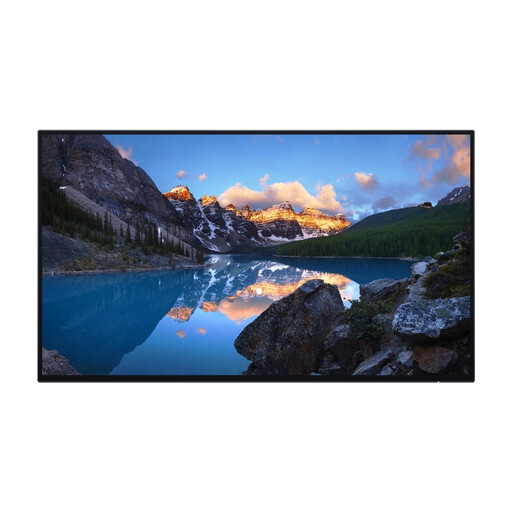
Dell UltraSharp U2424H
Suited to anyone comparing a more compact screen for a single document with options for using two windows.
23.8 inches; 1920 × 1080 (Full HD); IPS; USB hub; height and tilt adjustment.
View at Joybuy
 No image available
Dell Pro Plus P2425DE
Suited to anyone looking for QHD on a smaller screen and wanting to connect a laptop through a USB-C hub.
23.8 inches; 2560 × 1440 (QHD); USB-C hub with 90 W; adjustable stand. Check that your laptop supports the video connection and that 90 W is enough.
View at Joybuy
 No image available
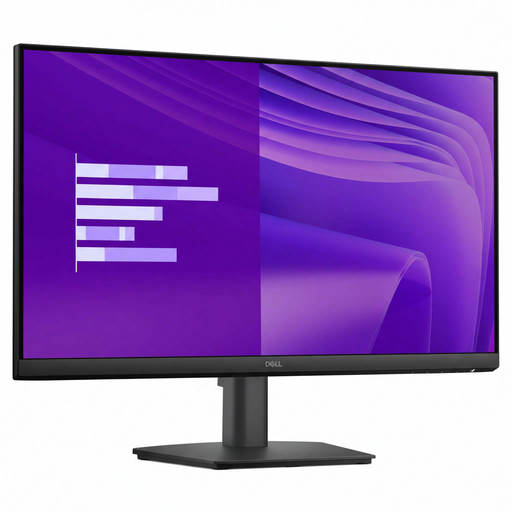
Dell E Series E2425HM
A compact Full HD option to compare if you usually have just one document on screen.
23.8 inches; 1920 × 1080 (Full HD); HDMI, DisplayPort and VGA.
View at Joybuy
Frequently asked questions
Do I need a special monitor for keyboard shortcuts or navigating between chapters?
No. Keyboard shortcuts and document navigation depend on your operating system and writing software. Microsoft Support, for example, explains that Ctrl+F opens the Navigation pane in Word for Windows; check which features your own programme offers.
Is a 27-inch QHD monitor useful for my manuscript and world-building notes?
It could suit you if you often use two windows side by side and have enough desk space. Lenovo lists a 27-inch display with 2560 × 1440 pixels for the L27q-4A; also consider whether your preferred text size and computer output are compatible.
Will every monitor with USB-C charge my laptop?
No, the features and power delivery vary by model. Dell lists USB-C downstream data up to 15 W for the P2425 and a USB-C hub with 90 W for the P2425DE. Check that your laptop supports the video connection you plan to use and that the power delivery is sufficient.
How should I set up my screen for long writing sessions?
Adjust your screen and workspace to suit you, watch out for reflections and light sources in your line of sight, and take breaks from screen work. Arboportaal also recommends looking away regularly and taking microbreaks; this workplace advice isn’t a feature of any particular monitor model.
Is there a fixed statutory warranty period for monitors in the Netherlands?
According to the Dutch government, there is no fixed statutory warranty period that applies to all products. You are still entitled to a product that is fit for purpose; what you can do if a monitor is faulty depends on the circumstances. A manufacturer’s warranty is separate from your statutory rights.


