Monitors at Joybuy
These monitors offer a range of screen sizes and resolutions for viewing your film information at your preferred text size. Bear in mind the space available on your desk, too.
 No image available
Philips 27E1N1800AE/00 27-inch 4K UHD monitor
A 27-inch 4K screen for assessing your catalogue at your preferred scaling setting; enlargement also depends on your settings and software.
3840 × 2160, 60 Hz and 4 ms; HDMI and DisplayPort. The product name mentions a height-adjustable stand.
Joybuy
 No image available
LG UltraGear 34GX900A-B 34-inch curved WQHD monitor
The ultrawide display may suit you if you want to view several catalogue windows side by side; bear in mind how much space the screen takes up.
3440 × 1440 and height adjustment. The product description lists a width of 815,95 mm.
Joybuy
 No image available
INNOCN 40C1U 40-inch ultrawide 5K monitor
A large ultrawide screen for viewing lots of information or windows side by side; check that it will fit in your workspace first.
5120 × 2160, 21:9 and 100 Hz. The description lists USB-C with 65 W PD, HDMI, DisplayPort and a height-adjustable stand. The width with the stand is 944,1 mm.
Joybuy
 No image available
Dell UltraSharp U4924DW 49-inch monitor
The wide display may suit you if you want to see lots of catalogue fields side by side; measure the available space on your desk.
5120 × 1440. The product description lists KVM functionality and USB-C with 90 W power delivery. According to the description, the screen is 121,49 cm wide.
Joybuy
 No image available
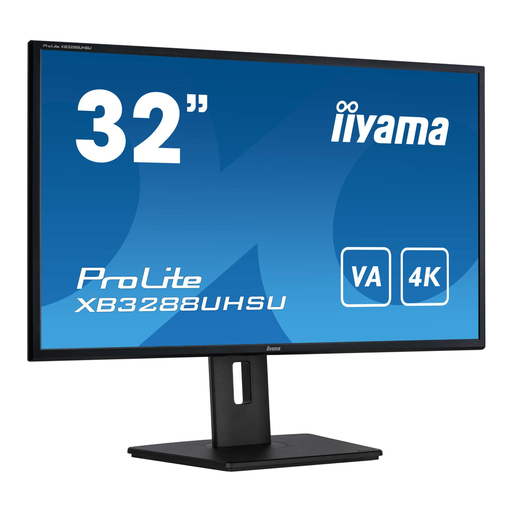
iiyama ProLite 32-inch 4K monitor
A 32-inch screen if you want more physical space for film information alongside enlarged text; check that this size will suit your desk.
3840 × 2160. The product description lists HDMI, DisplayPort, height adjustment and a pivot function.
Joybuy
Frequently asked questions
Will film titles appear larger if I buy a 4K monitor?
No, 4K resolution won’t make text bigger by itself. Microsoft Support explains how to make text larger in Windows or adjust display scaling if you want apps and other elements to appear bigger too. Also test your catalogue software, as customised or older controls don’t always fully support text scaling.
How do you set up a monitor for longer cataloguing sessions?
Adjust the screen height, tilt and display to suit your workspace, then check your catalogue at the scaling setting you use. For employees covered by the Dutch rules on display screen work, Arboportaal outlines additional requirements for employers and workplaces. These don’t automatically apply as requirements for every personal monitor.
What does the energy label tell you about a monitor?
According to the European Commission, computer monitors carry an energy label with classes from A to G. Check the label for the exact version you’re buying; energy efficiency alone won’t tell you whether film titles will be readable at your preferred size.
What are your rights if a monitor bought in the Netherlands doesn’t work properly?
According to the Dutch government, you’re entitled to a product that works properly, and the seller must offer a solution if it’s faulty. There’s no fixed statutory two-year warranty period in the Netherlands; a manufacturer’s warranty is in addition to your legal rights. When you buy online from a business, you’ll also often have 14 days to change your mind, subject to legal exceptions.


