Who is this for?

Reader of archive scans

You read digitised records or registers and want to enlarge the text so it is comfortable to read at your viewing distance. Not every archive document is available digitally: Archieven.nl explains that sometimes you need to view records at the archive service, while scans may be available in other cases.

Researcher comparing sources

You often keep a scan, transcription and notes open side by side. The benefit of a larger screen then depends partly on how comfortably you can read the text and how much desk space you have.

Researcher with a small desk

You share your workspace with textbooks or a laptop, and also need to leave room for the monitor stand, keyboard and any papers.

What should you look for?

Compact screen of around 24 inches

A good fit for: a smaller workspace and mainly reading one scan, register or search result at a time.

Bear in mind: you get less screen space than with a 27-inch model. Dell specifies a 24.07-inch, 16:10 display with 1920 × 1200 pixels and a height-adjustable stand for the P2425. Remember to measure the space needed for the base, too.

27-inch QHD screen

A good fit for: viewing scans and notes side by side, if your desk and viewing distance allow.

Bear in mind: a larger screen takes up more space. Dell specifies a 27-inch display with 2560 × 1440 pixels for the P2725D; choose a text size that you find comfortable to read.

27-inch 4K screen with USB-C

A good fit for: anyone who wants to view plenty of image detail and has a laptop that supports video over USB-C.

Bear in mind: extra pixels do not improve the original scan. LG specifies 3840 × 2160 pixels and USB-C power delivery of up to 96 W for the 27UP850K-W.AEU. Check that your laptop and cable support the features you need.

What to consider What should you check? Who should pay extra attention?
Readable scans and documents View one of your own scans from your intended viewing distance, and consider text size, screen size and resolution together. When I read records at my usual viewing distance, I want to be able to enlarge the text without making it uncomfortable to view. Around 36% of consumers say readable scans are their top priority.
Fitting on your desk Measure the available width and depth, then compare them with the dimensions of the screen and stand. At a shared student desk, I want to leave room for my laptop, keyboard and papers. For around 29% of consumers, fitting on the desk comes first.
Adjustability Check whether the stand is height-adjustable and whether you can position the screen comfortably. During longer research sessions, I want to position my screen properly and set up my workspace comfortably. Around 21% of consumers put adjustability at the top of their list.
Laptop connectivity Compare your laptop’s video outputs and charging requirements with the monitor port’s features and the cable supplied. When I connect my laptop, I want to know whether the same cable carries video and provides enough power. For around 14% of consumers, a compatible laptop connection is the top priority.

Common buying mistakes

  • Assuming a USB-C port turns your monitor into a full laptop dock

    A USB-C connection may only transfer data. Dell describes the P2425’s port as a downstream data port providing up to 15 W, while LG specifies video, data and power delivery over USB-C for the 27UP850K-W.AEU.

    Check each port and your laptop to see whether they support video, data and enough charging power.

    Depending on the connections available, you may need a separate video connection or laptop charger.

  • Comparing screen size alone

    The diagonal measurement does not tell you how much space the monitor and stand take up. Your monitor, stand, laptop, keyboard and papers all need to fit on your desk.

    Measure the available width and depth, then compare them with the full dimensions of the model. Also check that documents fit on screen at a comfortable reading size.

    A screen or stand that does not fit properly may mean you need to rearrange your desk.

  • Expecting 4K to restore details missing from a scan

    More screen pixels do not change the resolution or readability of the original archive file.

    If possible, view a representative scan first, then decide whether extra screen space would help with the way you work.

  • Confusing the manufacturer’s warranty with your statutory rights

    According to the Dutch government, the Netherlands has no fixed statutory warranty period. You are entitled to a product that meets the expectations you can reasonably have of it. A manufacturer’s warranty is separate from this.

    Compare any additional warranty terms with your existing rights, and keep your proof of purchase.

    An additional warranty may be an unnecessary expense if it does not offer any relevant extra cover.

Brands to consider

Dell

The models discussed include a compact 24-inch 16:10 option and a 27-inch QHD option for documents and working with multiple windows.

  • Dell specifies height adjustment and 1920 × 1200 pixels for the P2425; the P2725D offers 2560 × 1440 pixels on a 27-inch screen.
  • The P2425’s USB-C downstream port is not a USB-C video input with laptop power delivery. These features apply to the models mentioned and not automatically to other Dell monitors.

LG

The UltraFine 27UP850K-W.AEU discussed here is a 27-inch 4K model for anyone looking for plenty of pixels and with a compatible USB-C laptop connection.

  • LG specifies height, tilt and pivot adjustment, plus USB-C power delivery of up to 96 W, for this model.
  • These features do not necessarily mean that every laptop will work with a single cable or that every scan will be easier to read.

Philips

The 24E1N1100A/01 is a compact 23.8-inch Full HD IPS model.

  • Philips lists a resolution of 1920 × 1080 pixels and a refresh rate of up to 120 Hz for the 24E1N1100A/01 variant.
  • Check the full model and variant number before applying specifications to a different version in the 24E1N1100A range.

AOC

The 24P4U discussed here is a 23.8-inch IPS office monitor with Full HD resolution.

  • AOC specifies a height-adjustable stand and USB hub for this model.
  • A USB-C connection on the hub does not, by itself, prove that the monitor accepts USB-C video from a laptop.

Joybuy product picks

This selection includes compact 24-inch models and 27-inch 4K models for viewing scans and documents. Check the stand and connection features of each version to make sure they meet your needs.

Philips 27E1N1800AE/00 27-inch 4K UHD IPS monitor

Philips 27E1N1800AE/00 27-inch 4K UHD IPS monitor

A 27-inch 4K model for viewing scans and text documents on a larger screen.

3840 × 2160 pixels; 60 Hz; 4 ms; HDMI and DisplayPort; height-adjustable stand.

View at Joybuy

MSI Modern MD272UPHG 27-inch 4K monitor

MSI Modern MD272UPHG 27-inch 4K monitor

A 27-inch 4K model for anyone who wants to view sources side by side and connect a laptop via USB-C.

3840 × 2160 pixels; USB-C with DP Alt Mode and power delivery of up to 98 W; PIP/PBP display; stand with height, tilt and swivel adjustment.

View at Joybuy

Dell Pro Plus P2425DE 24-inch QHD monitor

Dell Pro Plus P2425DE 24-inch QHD monitor

A compact 24-inch QHD model for viewing documents on a smaller desk.

USB-C with 90 W Power Delivery; the product description says the stand is adjustable.

View at Joybuy

Dell Pro Plus P2425D 24-inch QHD monitor

Dell Pro Plus P2425D 24-inch QHD monitor

A 24-inch QHD model for anyone who wants to view documents on a compact screen.

2560 × 1440 pixels; stand with height, tilt, swivel and pivot adjustment.

View at Joybuy
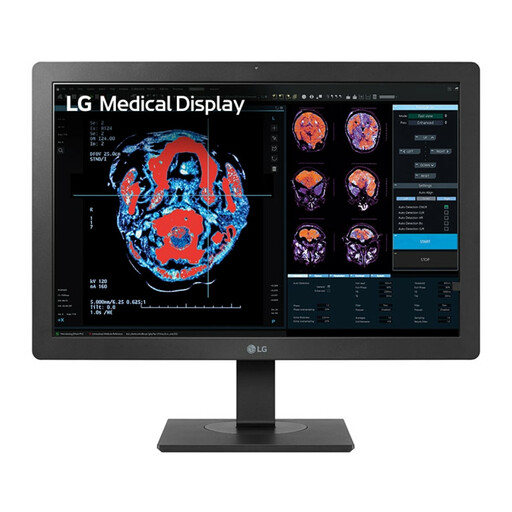
LG 24HR513C-B 24-inch Full HD IPS monitor

LG 24HR513C-B 24-inch Full HD IPS monitor

A compact 24-inch Full HD monitor for viewing documents in a smaller workspace.

1920 × 1080 pixels; IPS panel; USB hub; stand with height and tilt adjustment.

View at Joybuy

Frequently asked questions

Do you need a 4K monitor to read archive scans clearly?

Not necessarily: extra screen pixels do not change the quality of the original scan file. View one of your own scans from your usual viewing distance and choose a text size that you find comfortable to read.

Can you connect and charge any laptop using a single USB-C cable?

No, it depends on the features of the monitor, laptop and cable. Dell describes the USB-C port on the P2425 as a downstream data port providing up to 15 W; LG specifies video, data and power delivery of up to 96 W for the 27UP850K-W.AEU. Check whether your laptop supports video over USB-C and whether the power output meets its charging requirements.

What screen size will fit on a small student desk?

First, measure the available width and depth, including the stand. A monitor of around 24 inches is a more compact option than a 27-inch screen, but check the dimensions of the exact model and leave room for your laptop, keyboard and papers.

Are students legally required to have an adjustable monitor for personal family history research?

The cited Arboportaal regulations are aimed at employers and employees and do not automatically apply to a student using a monitor privately in their own room. Adjustability can still be a practical consideration if you want to position the screen to suit you.

What are your rights when ordering a monitor online in the Netherlands?

According to the Dutch government, online purchases generally come with a 14-day cooling-off period, subject to applicable exceptions. The Netherlands has no fixed statutory warranty period: you are entitled to a product that meets the expectations you can reasonably have of it. A manufacturer’s warranty is separate from these statutory rights.
