First, enlarge the text or adjust the scaling in Windows, then check how much code, of the tournament schedule and documentation remains visible at once; Microsoft Support describes these as separate settings. A 31.5-inch 4K monitor, a 3:2 layout and a 34-inch ultrawide distribute screen space in different ways. Consider whether you need more lines of code or more windows side by side, and check the stand, desk edge and laptop connection too.
Who is this choice relevant to?
Programmers who need larger text
If you need to read code for long periods, start by checking how many lines and how much workspace remain at your preferred text size. Microsoft Support explains the text and scaling settings in Windows, while Arboportaal highlights readability as a consideration when working with screens.
People creating a tournament schedule
If you want to view tables, a schedule or documentation while programming, weigh the space available for windows side by side against the available screen height. Screen layouts from brands including LG, Philips and BenQ show different ways of dividing up that space.
Laptop users with a permanent workstation
If you want to use a monitor with your laptop and peripherals, compare the connection and power requirements of the specific model with those of your laptop. Dell and LG list different USB-C power delivery options for the models discussed here; also check that the stand suits your desk.
What should you look for when enlarging code?
First, adjust the text size in the applications you use. Then consider which screen layout leaves enough room for both your code and the tournament schedule.
| Consideration |
What to look for |
Who is this important for? |
| Readability of enlarged code |
Test your preferred text size or scaling in your own development environment; also compare screen size and resolution. |
I want to read code at my chosen text size without constantly having to search around. Around 36% of consumers rank readability as their top priority. |
| Viewing code and a schedule at the same time |
Compare window layouts at the same text size: wide screen space for windows side by side, or more vertical space for lines of code. |
If I want to keep the schedule or documentation visible while programming, the window layout matters a lot. Around 29% of consumers prioritise being able to see multiple windows at once. |
| Adjustability of your workstation |
Check the height adjustment and tilt; if using a clamp arm, make sure your desk edge is suitable too. Consider reflections where you work. |
I want to position the screen properly at my workstation and minimise distracting reflections. Around 21% of consumers prioritise their workstation setup. |
| Connecting and powering a laptop |
Check that your laptop supports the video connection, and compare its charging requirements with the monitor’s power output. |
If I connect a laptop to my permanent workstation, I want to know whether the connection and power supply will work with my computer. Around 14% of consumers prioritise this connection. |
Things to consider before buying
-
4K doesn’t automatically mean larger text
Resolution describes the number of pixels; your chosen text size and scaling also affect how much code and of the schedule can fit on screen at once.
Test the text size and scaling in your own applications, then compare the physical screen size and layout.
-
Choosing an ultrawide without considering screen height
A wide monitor can give you room for windows side by side, but that doesn’t necessarily leave enough vertical space for code with enlarged text.
Decide whether you value windows side by side or more visible lines of code, then compare screen height at your preferred text setting.
-
Confusing an extended warranty plan with your statutory rights
ACM ConsuWijzer distinguishes between the statutory guarantee and any additional guarantee. A paid plan is therefore not the same as the statutory rights that come with a product.
Before signing up, read exactly what an additional plan covers and keep its terms separate from your statutory rights.
An optional paid warranty plan may incur extra costs.
Brands to consider
LG
The LG 32UN880P-B is a 31.5-inch 4K model with a larger 16:9 workspace and an adjustable clamp arm.
- LG lists an IPS panel, adjustable stand and 60 W USB-C Power Delivery for this model.
- Check that the clamp fits your desk edge and that 60 W meets your laptop’s power requirements.
Dell
The P2725QE is an example of a 27-inch 4K work monitor with a USB-C hub and network port.
- Dell specifies 90 W USB-C power delivery and height adjustment for this model.
- With enlarged text, it’s worth checking how much workspace the 27-inch screen offers at your own scaling setting.
Philips
The E Line 346E2CUAE/00 is a 34-inch ultrawide model for anyone who wants to view wide windows side by side.
- Philips specifies a resolution of 3440 × 1440 pixels and a 21:9 aspect ratio for this model.
- Check that the vertical screen space is sufficient for your chosen text size; Philips’ productivity claims are manufacturer claims.
BenQ
The RD280U is a programming monitor with a 3:2 layout, worth comparing if you’re looking for more vertical space for code.
- BenQ lists a resolution of 3840 × 2560 pixels and coding modes for this model.
- BenQ’s claims about concentration or eye strain don’t prove what effect you’ll personally experience.
EIZO
The FlexScan EV2740X is a 27-inch 4K office monitor with docking options.
- EIZO specifies a resolution of 3840 × 2160 pixels, 163 ppi and 94 W USB-C Power Delivery for this model.
- A 27-inch screen doesn’t automatically provide the larger physical workspace that some people want when using enlarged text.
Joybuy monitors for code with enlarged text
This selection includes monitors measuring 31.5 inches and larger, including a 34-inch model. Compare how the size and listed features suit your layout for code and the tournament schedule.
 No image available
Dell UltraSharp U3226Q 32-inch 4K UHD 120Hz QD-OLED monitor
An option to compare if you’re looking for a large physical workspace for code and a schedule.
32 inches; 4K UHD; 120 Hz; QD-OLED.
View at Joybuy
 No image available
Philips 34B2U5900C/00 34-inch curved dual-mode business monitor
Compare this larger screen size if you’re weighing up a wide layout for viewing code and a tournament schedule.
34 inches; curved; dual-mode.
For USB-C video and power, the connected computer must support the required USB-C standards.
View at Joybuy
 No image available
BenQ PD3225U 32-inch 4K UHD LED monitor
A 32-inch model to include in your comparison if you’re looking for a larger screen for enlarged code.
32 inches; 3840 × 2160 pixels; 4K Ultra HD; LED.
View at Joybuy
 No image available
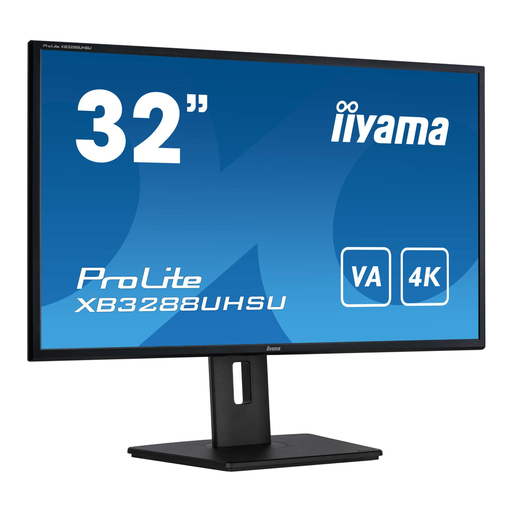
iiyama ProLite 32-inch VA 4K monitor
Compare this 32-inch model if you’re weighing up screen space for code and a schedule.
32 inches; VA panel; 4K resolution.
View at Joybuy
 No image available
BenQ PD3205U 31.5-inch 4K UHD LCD monitor
An option to compare if you’re looking for a large screen for code with enlarged text.
31.5 inches; 3840 × 2160 pixels; 4K Ultra HD; LCD.
View at Joybuy
Frequently asked questions
Should you lower the screen resolution to make text larger?
Not as a first step: Windows has separate settings for text size and for scaling text, apps and other items. Test these settings in your own code editor and schedule; Microsoft Support explains the options available.
What should you check when setting up your monitor on your desk?
Check that the stand or clamp fits your desk and that you can position the screen comfortably. LG lists a C-clamp for the 32UN880P-B, but it won’t necessarily fit every desk edge; also check for distracting reflections at your workstation.
Does USB-C always replace a separate laptop charger?
No, it depends on the laptop and monitor model. LG lists 60 W USB-C Power Delivery for the 32UN880P-B, while Dell lists 90 W for the P2725QE. Also check that your laptop supports video over the connection and how much power it needs.
What Dutch rules apply to screen work as an employee?
According to Arboportaal, employers must ensure that screen work does not pose a risk to health and safety. For employees who work with screens for more than two hours a day, Arboportaal describes requirements for the workstation setup, including screen adjustability. These are not product specifications for every private buyer.
Are you entitled to only two years’ statutory guarantee on a monitor bought online?
No. ACM ConsuWijzer distinguishes between any manufacturer’s or seller’s guarantee and the statutory guarantee that a product must meet what you could reasonably expect. Online purchases from a business are also often covered by a 14-day cooling-off period; check which terms apply to your purchase.


