
Illustrators who focus on detail
You draw fine windmill contours while viewing detailed images. Being able to see small details, with enough room for your artwork and references, is a priority.


Start with what you assess most often: resolution and usable workspace matter for fine contours and reference images, while colour management is more important for colour-critical print work. Then check that the screen size and connections suit your desk and computer. Manufacturer specifications don’t tell you how an individual screen has been set up.
You draw fine windmill contours while viewing detailed images. Being able to see small details, with enough room for your artwork and references, is a priority.
You also create colour-critical work and want to match your screen, colour profiles and output.
You switch between your drawing window and reference images, and want to know whether a single connection can also provide enough power for your laptop.
A good fit if: you want to view fine sails, silhouette edges and references alongside your drawing window.
Trade-off: check that text and controls are comfortable to read from your usual viewing distance. BenQ and LG both list their respective models as 27 inches with a resolution of 3840 × 2160 pixels, but their colour coverage relates to different colour spaces.
A good fit if: you work with colour profiles and print proofs. EIZO lists AdobeRGB coverage and hardware calibration for the ColorEdge CS2740.
Trade-off: choosing a suitable screen alone won’t guarantee a print will match. Calibration, ambient light and paper also matter, as Adobe explains.
A good fit if: you want to connect and charge a laptop at the same time. LG lists up to 96 W of USB-C power delivery for the 27UP850K-W; EIZO lists up to 60 W for the CS2740.
Trade-off: a USB-C port alone doesn’t confirm that your laptop can output a display signal or receive enough power. Check the exact laptop and monitor models.
| What to consider | What to look for when buying | Who should pay particular attention? |
|---|---|---|
| Contours and reference details | Compare screen size and resolution together. BenQ and LG list the PD2705U and 27UP850K-W respectively as 27 inches with a resolution of 3840 × 2160 pixels. | I want to assess fine sails and edges without losing sight of my drawing window or references. Around 37% of consumers prioritise assessing detail. |
| Colour for your intended output | BenQ lists 99% sRGB for the PD2705U; EIZO lists AdobeRGB >99% and hardware calibration for the CS2740. Compare the colour space with your output profile: coverage doesn’t measure the colour accuracy of your individual unit. | If my illustration is going to print, I want to assess colours using the profile for the final output. Around 27% of consumers give colour-critical output top priority. |
| Connecting and charging a laptop | LG lists up to 96 W of USB-C power delivery for the 27UP850K-W, while EIZO lists a maximum of 60 W for the CS2740. Also check that your laptop and monitor support the display signal you need. | I want to connect my laptop with one cable, but only if it also carries a display signal and provides enough power. Laptop compatibility is a top priority for around 18% of consumers. |
| Matching features to how you work | Decide whether your workflow requires sRGB, a wide colour gamut or hardware calibration. These features aren’t automatically necessary for every digital silhouette illustration. | I want to spend on features I’ll actually use. Around 18% of consumers put this consideration first. |
A stated coverage figure describes the colour space a model can reproduce according to the manufacturer. It doesn’t tell you how accurately an individual unit is set up without the right profile.
Compare the same colour space and decide whether your workflow requires calibration and colour profiles.
Colour management can take time for calibration and profile settings; you may also need calibration equipment.
The LG and EIZO models reviewed list different maximum USB-C power outputs. A connection alone also doesn’t prove that a laptop supports the display signal you need.
Check your laptop’s display signal support and charging requirements, as well as the connections on the exact monitor model.
Depending on the connections, you may need a separate power or display cable as well as USB-C.
Tweakers’ June 2023 selection is a historical recommendation; it doesn’t confirm which version is currently available or what sales terms apply.
Use the guide only as a reference for its time, and check the current model version and terms separately.
The DesignVue/Creative Pro range is worth considering if you’re looking for a 27-inch 4K screen for illustration in an sRGB workflow.
According to LG, the UltraFine 27UP850K-W combines a 27-inch 4K screen with an adjustable stand and USB-C for a laptop workspace.
The ColorEdge CS2740 is worth considering if you use a colour-managed workflow, for example when preparing work for print.
The UltraSharp U2725QE is worth a look if you’re considering a 27-inch 4K monitor with a built-in hub.
This selection includes 4K monitors for drawing and reference images, along with a USB-C to HDMI cable accessory. Check that the connections and features of each product suit your computer and workflow.
 No image available
Could suit you if you want to view illustrations and references on a 31.5-inch screen.
The product name lists QD-OLED, 4K UHD, 165 Hz, 0.03 ms and USB-C. Check which connections and screen features your drawing workflow requires.
 No image available
Could suit you if you’re looking for a 27-inch 4K screen for drawing and detailed references.
The product name lists 4K UHD, IPS and 180 Hz. Check that the screen size and features suit your workspace and how you plan to use it.
 No image available
Could suit you if you’re considering a 32-inch screen for illustrations and references.
The product name lists 4K UHD, 120 Hz and QD-OLED. Compare the screen size and connections with the space on your desk and your computer.
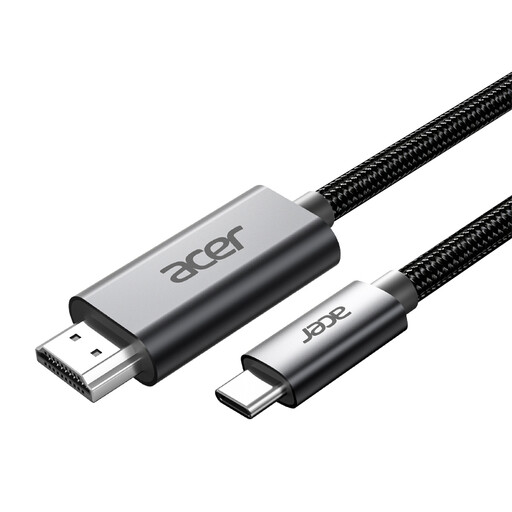 No image available
This is a cable accessory, not a monitor. Consider it only if you need a USB-C to HDMI connection.
The product name lists 4K@60Hz and a length of 2 m. Check that your computer’s USB-C output supports the display connection you need.
 No image available
Could suit you if you’re considering a 27-inch screen for drawing and reference images.
The product name lists 4K UHD, 120 Hz and QD-OLED. Check that the connections and features suit your computer and intended output.
No. A higher resolution can show more detail at the same screen size, but decide whether you need it based on your drawing window, references and how easy the interface is to read.
Set up calibration and colour profiles to suit your workflow, and use a soft proof if needed. Adobe also points out that ambient light and paper affect how closely a print matches the screen; the monitor alone doesn’t determine the match.
For eligible online purchases made at a distance from a business, Dutch consumers generally have a 14-day cooling-off period, according to the Dutch government. This is separate from faults: the Netherlands has no fixed statutory warranty period, and the seller is your point of contact if there’s a problem with a product.
According to the Dutch government, you can take an old appliance to the shop or online service where you buy a new, similar appliance, to a collection point or to your local council’s recycling centre.