
Writers with limited desk space
You want to set up a separate screen without the stand, keyboard or writing materials taking up too much room. So compare the space needed for the complete set-up, not just the screen size.


Start by considering the space taken up by the monitor stand, and what you need for your keyboard and reference materials. Then choose a screen resolution and adjustability to suit your writing. A 16:10 screen gives you more vertical pixels than Full HD, while QHD offers more pixels for text and reference materials; with either option, check that the text remains comfortable to read. If you use a laptop, also check the video connection, cable and whether USB-C provides power.
You want to set up a separate screen without the stand, keyboard or writing materials taking up too much room. So compare the space needed for the complete set-up, not just the screen size.
If you often switch between your dissertation, notes and source material, extra vertical space or a higher resolution could be useful. Also consider what text size you find easy to read.
You want to set the screen at a comfortable height and check that it’s compatible with your laptop’s ports. With USB-C, check whether the connection supports video and, if needed, provides enough power.
First, measure the space available for the monitor and stand. Then compare the screen space for your documents, and finally check that the connections are compatible with your laptop.
| What to consider | What to look for | Who it matters to |
|---|---|---|
| Desk space | Measure the usable width and depth, then compare them with the dimensions of the exact model, including its stand. Leave room for your keyboard and reference materials too. | I don’t want the stand to take over my writing space; around 36% of consumers give available desk space top priority. |
| Adjustable viewing position | Check which height, tilt and swivel adjustments the stand on your chosen model offers, and whether you can use them at your desk. | When I’m writing for a long time, I want to adjust the screen to suit my viewing position without it getting in the way. Around 29% of consumers prioritise adjustability. |
| Space for text and reference materials | Dell Netherlands lists 1920 × 1200 for the P2425 and 2560 × 1440 for the P2425D. Compare these with Full HD, and check that the text is easy to read at your preferred text size. | I want to work with my document and reference materials clearly, while keeping text comfortable to read. Around 21% of consumers make space for documents and reference materials their top priority. |
| Laptop connection | Check your laptop’s video output, the monitor’s connection and the cable. Dell lists a USB-C data port of up to 15 W for the P2425; for the P2425E, Dell specifies power delivery of up to 90 W. | I want to know whether my laptop can send a video signal and whether the monitor can provide enough power, if needed. Around 14% of consumers put the laptop connection first. |
The screen size doesn’t tell you how much room the monitor and stand will take up on a small desk. The base may use space you also need for a keyboard, papers or a document holder.
Measure the available space and compare it with the dimensions of the complete set-up. If necessary, mark out the space for the monitor, keyboard and reference materials before you choose.
A different stand or mounting solution may mean changing your desk set-up.
Dell describes the USB-C port on the P2425 as a data port of up to 15 W; it’s not the same as the USB-C hub on the separate P2425E.
Check the port’s function, your laptop’s video capabilities, the power required and which cables are included for the exact model.
Depending on your laptop and the connection you choose, you may need a separate video cable or charging adapter.
The Dutch Government states that the Netherlands has no fixed statutory warranty period. A manufacturer’s warranty is in addition to your right to receive a product that works properly.
Keep your proof of purchase and contact the retailer if the product is faulty.
The Pro Plus models mentioned here include a range of options around 24 inches, including 16:10, QHD and a USB-C hub version.
According to LG’s Dutch product information, the LG 24BA550-B is a 23.8-inch Full HD IPS monitor with an adjustable stand.
Philips offers, among other options, a 23.8-inch Full HD model and a separate version with a USB-C dock.
These Joybuy products are compact Full HD options for working with documents. Check the specified connections, adjustability and desk space required for each model.
 No image available
A compact Full HD option for viewing documents. Before you buy, check that the stand will fit in the space available on your desk.
The product information lists a 23.8-inch screen, 1920 × 1080 resolution, a VA panel, 100 Hz, HDMI and VGA. According to the description, the charger is not included as standard.
 No image available
A Full HD model for working with documents. Compare the screen resolution with the text size you find comfortable.
The product name lists a 24-inch screen, Full HD, 100 Hz and a VA panel.
 No image available
The adjustable stand described could be useful if you want to change your viewing position; also check how much desk space the base takes up.
The product information lists a 23.8-inch screen, 1920 × 1080 resolution, an IPS panel, and height and tilt adjustment.
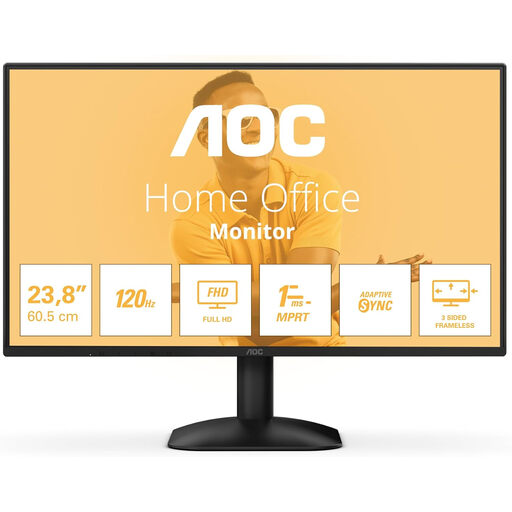 No image available
A Full HD option for documents. Check that the available connections are compatible with your computer.
The product information lists a 1920 × 1080 resolution, an IPS panel, HDMI and DisplayPort.
 No image available
The product name mentions both office work and gaming; for dissertation work, focus on the resolution, connections and how much room the stand takes up.
The product name lists a 24-inch screen, Full HD, IPS, 144 Hz, Adaptive Sync, HDMI and DisplayPort.
It depends on the space you need: according to Dell, the P2425 offers a resolution of 1920 × 1200 for more document height than Full HD, while the P2425D offers 2560 × 1440. Then check that your window layout remains easy to read at your usual text size.
Position the monitor so you can adjust your viewing position without the stand, keyboard or reference materials getting in the way. For screen-based work, Arboportaal recommends alternating with other work or taking a break; an adjustable monitor doesn’t replace that.
No. Check that the port supports video and that your laptop can handle the required USB-C video mode and charging power. Dell specifies a USB-C data port of up to 15 W for the P2425 and power delivery of up to 90 W for the separate P2425E; for video over USB-C with the 24B1U5301H/00, Philips lists DP Alt Mode as a requirement.
According to the Dutch Government, online purchases from a business often come with a 14-day cooling-off period. You also have the right to receive a product that works properly; there is no fixed statutory warranty period in the Netherlands, and the retailer is your point of contact if a product is faulty. Check which terms and conditions apply to your purchase.
No. An adjustable stand doesn’t replace alternating screen-based work with other tasks or taking a break. Arboportaal describes this approach for employees doing screen-based work; you should also position your monitor to suit your workstation and viewing position.