What should you look for when choosing?
First measure the space taken up by the monitor stand. Then decide how much importance you place on colour management, extra pixels and a straightforward laptop connection.
| What to consider |
What to look for |
Who should consider this? |
| Desk space |
Compare the width and depth with the stand attached, and check whether there’s still room for your graphics tablet. |
If I want to use my drawing input device alongside the screen, checking the footprint comes first. Around 36% of consumers give desk space top priority. |
| Colour reproduction |
Compare sRGB coverage and calibration features with the colour space required for your intended output. |
If you work with colours that you want to manage precisely, consider the workflow that suits your needs rather than looking only for a wide colour gamut. Around 29% of consumers put colour control first. |
| Detail and workspace |
Consider the resolution alongside the screen size, viewing distance and space for controls. |
If extra pixels and room for drawing panels matter more than a compact setup, compare the desk width and depth you’ll need too. Around 21% of consumers prioritise detail and workspace. |
| Laptop connectivity |
Check whether USB-C supports video, how much power delivery you need and which cables your setup requires. |
If you want fewer cables on your desk, check that your laptop supports the same video and power features. Around 14% of consumers make connectivity their top priority. |
Joybuy products for a compact drawing setup
This selection includes portable 16-inch screens and compact desktop monitors for a digital drawing setup. Compare their physical dimensions and, for USB-C models, check that the connection is compatible with your computer.
 No image available
TECLAST V16Q portable monitor
The portable 16-inch size may suit you if you have limited desk space.
The product name lists 2.5K, 144 Hz, IPS, 100% sRGB and a 16:10 aspect ratio.
The listed connections are 2 USB-C ports and Mini HDMI. Check which cables and features your computer requires.
View at Joybuy
 No image available
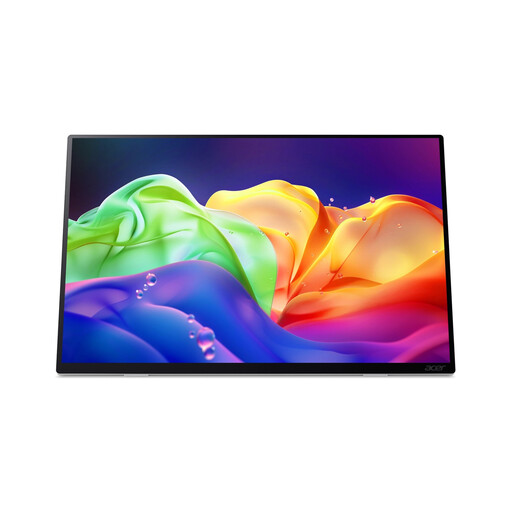
Acer ProDesigner PE160WUT
This portable 16-inch screen is an option to take with you or use in a compact workspace.
The product name lists an OLED touchscreen with a resolution of 2880 × 1800 and a refresh rate of 120 Hz.
View at Joybuy
 No image available
HP Series 5 Pro 23.8-inch FHD USB-C Monitor, 524pu
The 23.8-inch size suits anyone looking for a compact desktop monitor.
The product name lists Full HD and USB-C. Check whether your computer’s USB-C port supports video and whether its power delivery meets your needs.
Full HD has fewer pixels than 4K, so consider how much canvas space and detail you need too.
View at Joybuy
 No image available
ASUS ProArt PA248CNV
The 24.1-inch size may suit a workspace where you need to balance screen space against the room available.
The product name lists 1920 × 1200 pixels. Measure the space needed for the stand and check which connections your computer requires.
View at Joybuy
 No image available
iiyama 24-inch IPS monitor with Windows Hello camera and microphone
This 24-inch monitor is one option to compare with the space available on your desk.
The product name lists an IPS screen, a built-in Windows Hello camera and a microphone. Check the footprint of the exact model too.
View at Joybuy
Frequently asked questions
Do I always need to buy a 4K monitor for digital painting?
No, it depends on your workspace and how you want to divide the screen between your canvas and controls. The 24.1-inch creative models reviewed offer 1920 × 1200 pixels. The BenQ PD2705U is 27 inches and offers 3840 × 2160 pixels, but it needs more space.
What should I consider when setting up my monitor?
Measure the stand and position the screen so text and drawing panels are easy to read, without distracting reflections. Arboportaal identifies small symbols, reflections and poor ambient lighting as factors that can make a screen harder to read.
Does every USB-C connection support video and charging?
No. Check the capabilities of both the monitor and the laptop. In particular, make sure the laptop supports video through that USB-C port and that the available power delivery suits your needs.
What are my rights when buying online in the Netherlands?
When you buy online from a business, you generally have 14 days to change your mind; the Dutch government describes this as the general rule in many cases. You’re also covered by the legal guarantee if, under normal use, the product doesn’t do what you could reasonably expect. The seller is responsible for this.


