
Student designing flashcards
You design lots of text on small flashcards and want to check the layout properly, without automatically opting for the biggest screen.


Start with the desk space you have and the text size you use when designing your flashcards. A compact Full HD monitor may be enough for straightforward digital layouts, while QHD or 4K could be useful if you want to see finer details or keep more design windows open. Dell lists the P2425H as a 23.8-inch monitor with a resolution of 1920 × 1080 pixels; BenQ gives the PD2506Q a 25-inch screen and 2560 × 1440 pixels, while LG lists the 27US550-W as a 27-inch model with 3840 × 2160 pixels. If you print your flashcards, calibration, lighting and your printer-and-paper combination matter too. Adobe describes colour management as a workflow, so a stated colour gamut alone cannot guarantee a matching print.
You design lots of text on small flashcards and want to check the layout properly, without automatically opting for the biggest screen.
You use the same desk for studying and designing, so the monitor’s size and the adjustability of its stand affect how you arrange your workspace.
You want to check how colours look on paper, so you also need to consider colour profiles, lighting and the combination of printer and paper.
First, measure your desk space, then decide how much detail you want to see while designing. Next, check that the connections and colour workflow suit your laptop and the way you use your flashcards.
| What to consider | What to look for | Who might value this more? |
|---|---|---|
| Readable layouts and colour | Compare the screen size and resolution with the details you want to check. For printed materials, calibration, lighting and your printer-and-paper combination also matter; Adobe describes these as parts of colour management. | I want to check small text and design elements clearly; around 33% of consumers give readable layouts and colour their top priority. |
| Desk space and screen position | Measure the available width and depth, and check the dimensions of the screen and stand. Also see whether the height and viewing angle can be adjusted. | If I also use my desk for books and study materials, I want to know how the monitor will fit; around 25% of consumers prioritise desk space and screen position. |
| Features to suit your needs | First decide what workspace and features you need for designing flashcards and studying. Extra pixels or connections are only relevant if they suit the way you work. | I want to choose features that genuinely suit my design work and studies; around 25% of consumers give suitable features top priority. |
| Laptop connection | Check your laptop’s video output, the monitor’s video input and which cables you need. For USB-C, check video support and charging power too. | If I want to connect my laptop with one cable, it needs to support video and provide the charging power I need; around 17% of consumers prioritise the laptop connection. |
According to Dell, the USB-C downstream port on the P2425H is for data only. BenQ, on the other hand, lists USB-C video with DisplayPort Alt Mode for the PD2506Q. The same connector shape does not necessarily mean the port has the same function.
Compare the exact port features on the monitor and laptop, and check that your laptop supports video over USB-C.
Adobe describes calibration, ambient light and the printer-and-paper combination as parts of colour management. A stated colour gamut alone does not determine how a flashcard will look on paper.
If you print your flashcards, set aside time for colour management and test prints too.
The iiyama ProLite XB2497HSU-B1 and the older XUB2497HSU-B2 have different model codes. iiyama marks the XUB2497HSU-B2 as EOL and names the XB2497HSU-B1 as its successor.
Check the full model code and the specifications of the version you’re considering.
The Dutch government explains that a legal guarantee is separate from an extended warranty, and that the retailer must provide a solution if there’s a problem with a product.
Check exactly what an additional contract covers, and keep it separate from your legal rights.
The Dell P2425H is a useful example of a compact Full HD monitor with an adjustable stand.
The BenQ PD2506Q is an example of a 25-inch QHD monitor with stated colour features.
The LG 27US550-W is an example of a larger 4K IPS monitor.
The ProLite XB2497HSU-B1 is an example of a compact monitor with a focus on adjustability.
This selection focuses on monitors for designing flashcards and studying, including larger 4K screens and QHD options, as well as a portable model.
 No image available
An option to consider if you have room for a larger screen and want to design flashcards at a high resolution.
 No image available
A portable screen to consider if you want a compact workspace for viewing fine design details.
 No image available
A 27-inch QHD option to compare if you want to view fine design details on a larger screen.
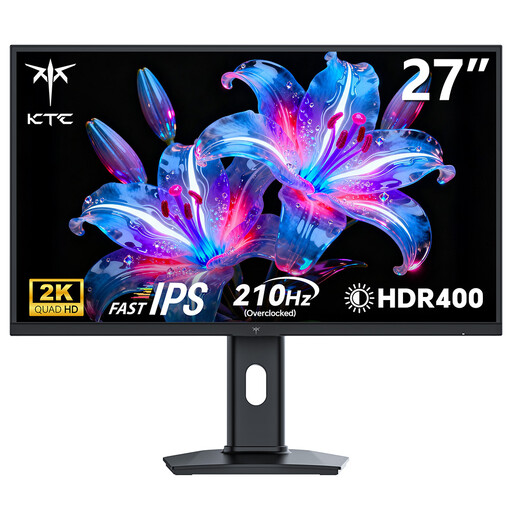 No image available
A 27-inch QHD option to consider if you want to design flashcards on a larger screen.
 No image available
A 27-inch 4K option to compare if you want high resolution and an adjustable screen position.
No. The combination of screen size and resolution should suit your desk and the text size you work with. There are compact Full HD and QHD options as well as larger 4K screens; choose based on the details you actually want to check.
Treat your monitor as part of a colour workflow. Adobe lists calibration, ambient light and profiles for the printer and paper you use as things to consider; a stated colour gamut alone cannot predict how the print will look.
No. Check which features the USB-C port supports on both the monitor and your laptop. Dell lists the USB-C downstream port on the P2425H as data-only, while BenQ lists DisplayPort Alt Mode and up to 65 W Power Delivery for the PD2506Q.
The Arboportaal guidance referred to applies to employees who use display-screen equipment under the stated conditions. This does not automatically mean there is a general legal requirement for every student designing flashcards at home, though adjustability can help you adapt the monitor to your workspace.