
Designer with a small desk
You review design files at a single workstation and weigh the screen space and stand depth you need against the detail you want to see on screen.


When reviewing circular design files on a small desk, choose according to what matters most to you: fine detail, colour accuracy or a practical laptop connection. BenQ lists the PD2506Q as a 25-inch model with 2560 × 1440 pixels; ASUS and EIZO list 1920 × 1200 pixels for the PA248CRV and CS2400S, with different colour and calibration features. Also measure the space needed for the stand, and check that your laptop supports video over USB-C and receives enough power.
You review design files at a single workstation and weigh the screen space and stand depth you need against the detail you want to see on screen.
You compare digital or printed work and are looking for a colour space and calibration options that suit the intended output.
You want to connect a monitor to your laptop and check that the ports and cables are compatible with your existing equipment.
First, work out how much space, colour accuracy and detail your work calls for. Then compare the connections and other features of the exact model.
| What to consider | What should you check? | Who should give this more weight? |
|---|---|---|
| Will the monitor fit on the desk? | Measure the available width and depth, including the stand. If you’re using a monitor arm, check the VESA size and make sure the arm and desk are suitable. | If I have limited desk depth, I want to know whether both the screen and stand will fit; around 26% of consumers put physical fit first. |
| Will the colours be right for the final output? | Work out which colour space your work requires, then check coverage, factory calibration and any options for calibrating it later. | When I assess digital or printed designs for colour, I want to choose the right colour space; around 26% of consumers prioritise colour accuracy. |
| Will details be easy to see? | Compare the native resolution, aspect ratio and screen size. Try your own files to see whether text and controls are comfortable to read. | When I view drawings or design windows side by side, I focus on visible detail and workspace; around 21% of consumers put these first. |
| Is the connection compatible with my laptop? | Check video support, charging power, the ports you need and the cables at both ends. Also consider whether you’ll use the built-in webcam. | If I want to use my laptop with as few separate connections as possible, I look for a suitable connection; around 16% of consumers prioritise ease of connectivity. |
| How important are energy use and lifespan? | Compare the energy label for the exact model and check the information on support, repairs and warranty separately. | When choosing a monitor for long-term use, I also want to consider energy and support information; around 11% of consumers name this as their main priority. |
The diagonal measurement doesn’t tell you how much space the casing and stand take up. On a shallow desk in particular, the stand can determine how much workspace you have left.
Measure the space for the screen and compare it with the dimensions including the stand. If you’re using a monitor arm, check the VESA mount for the exact model too.
The colour space and calibration options you need depend on your design workflow. Manufacturer specifications alone can’t tell you how colours will look across your complete setup.
First decide whether you’re assessing digital or printed output, then check for a suitable colour space and calibration method.
Video over USB-C may depend on your laptop’s capabilities. The monitor’s stated charging power may also differ from what your laptop needs.
Check video support and charging power for both your laptop and monitor, and make sure the cable supports both functions.
A different full model code, such as U2424H versus U2424H_WOST, doesn’t automatically mean the model and included accessories are the same.
Compare the full model code and check what’s included with the specific version.
The PD2506Q is a 25-inch model for anyone looking to combine extra pixel space on a single screen with specified colour modes.
The ProArt PA248CRV is a 24.1-inch 16:10 model for anyone who values a compact stand and USB-C.
The ColorEdge CS2400S is a 24.1-inch model for workflows where AdobeRGB and hardware calibration matter.
The 24B1U5301H/00 is a 23.8-inch Business Monitor for laptop setups where connectivity and video calls matter.
The UltraSharp U2424H is a 23.8-inch Full HD model for general screen use, with an adjustable stand.
This selection includes monitors for reviewing detail, colour work and laptop use in a compact workspace. For each model, check the desk space required and whether the specifications suit your workflow.
 Image unavailable
A 24-inch QHD option for anyone who wants to review design details without moving up to a larger screen size.
The product information lists 2560 × 1440 pixels and an adjustable stand. The description mentions up to 85% recycled material, as well as EPEAT Gold and Climate+.
 Image unavailable
An option for anyone looking for QHD resolution, specified sRGB coverage and an adjustable stand.
The product information lists 27 inches, 2560 × 1440 pixels, 100% sRGB, factory calibration and USB-C with 65 W Power Delivery. Its larger size takes up more width than a monitor in the 24-inch class, so measure your workspace.
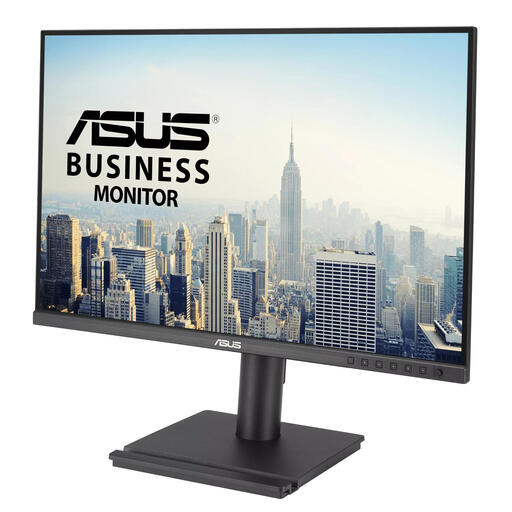 Image unavailable
A 24.1-inch 16:10 option if vertical workspace and an adjustable viewing position are important to you.
The product information lists 1920 × 1200 pixels, an IPS panel and a stand that adjusts for height, tilt, swivel and pivot. It has fewer pixels than QHD models.
 Image unavailable
A 24.1-inch option for sRGB or Rec. 709 work where laptop connectivity also matters.
The product information lists 1920 × 1200 pixels, 100% sRGB and Rec. 709 with factory calibration. It also mentions USB-C with 90 W Power Delivery and an RJ45 port. It has fewer pixels than QHD models.
 Image unavailable
A 23.8-inch option for a compact laptop setup with an integrated USB-C dock.
The product information lists Full HD 1920 × 1080 pixels, an IPS panel and an adjustable stand. The dock is described as featuring USB-C, up to 65 W Power Delivery, Gigabit Ethernet and a USB hub. Full HD has fewer pixels than WUXGA and QHD models.
First measure the available width and depth, including space for your keyboard and the monitor stand. BenQ lists the PD2506Q as a 25-inch model with 2560 × 1440 pixels; ASUS lists the PA248CRV as a 24.1-inch model with 1920 × 1200 pixels. The right combination depends on your available space and the interface scaling that makes your work easy to read.
No. Check the support offered by both your monitor and laptop. Philips requires USB-C DP Alt Mode on the connected device for video over USB-C with the 24B1U5301H/00. Also compare your laptop’s power requirements with the stated charging capacity: BenQ lists 65 W for the PD2506Q, and ASUS lists 96 W for the PA248CRV.
If consistent colour accuracy matters, check both the required colour space and whether you can adjust the monitor later. EIZO lists hardware calibration with ColorNavigator for the CS2400S. A factory-calibration claim for another model isn’t a measurement of your own setup.
Yes. The European Commission lists computer monitors as electronic displays covered by energy labelling rules. Compare the label for the exact model; an energy class alone doesn’t tell you its full environmental impact or lifespan.
The Dutch government lists several options for old electrical appliances from households, including returning them when buying a similar appliance and using municipal collection services. The take-back scheme it describes doesn’t apply to business equipment.