Which factors should you consider?
Start by considering the light in your room, then decide which combination of calibration, colour space and connections suits your work. The percentages indicate which factor is the priority for consumers in this buying scenario.
| Factor |
What to look for |
Who should give this more weight? |
| Reflections and window light |
Consider the position of the window, your viewing direction and the screen; then compare the coating and, if appropriate, a monitor hood. |
If I work beside a bright window, I want to assess colour differences without incoming light distracting me. Around 36% of consumers say reflections and changing window light are their main buying concern. |
| Consistent screen colour |
Check whether the exact model supports hardware calibration or has a built-in sensor, and which process is right for you. |
When I compare edits at different times, I want to know how to manage the display on my own setup. Around 29% of consumers prioritise consistent on-screen colours. |
| Colour space for prints |
Compare the Adobe RGB specification for the exact model, and take calibration and your print workflow into account. |
If I also assess my photos for printing, I look at the stated colour space and how I can compare the screen display with my workflow. Around 21% of consumers say comparing prints is their main buying concern. |
| Screen space and laptop connectivity |
Check the resolution, USB-C display support and the charging power your laptop needs. |
For a setup where I edit and use other windows at the same time, I want plenty of detail and a connection that works with my laptop. Around 14% of consumers give laptop convenience and workspace the highest priority. |
Joybuy products for colour work
These Joybuy products suit print-focused colour work, regular colour checks and mixed laptop and editing setups. Compare their stated features with the light and connections in your own workspace.
 Image unavailable
MSI MAG 322UP QD-OLED E16 31.5-inch 4K UHD monitor
Worth comparing if you’re looking for an anti-reflective surface and Adobe RGB coverage for print-focused work.
The product information lists 98% Adobe RGB. It also advises against displaying static images at high brightness for long periods and recommends using the OLED care features.
View at Joybuy
 Image unavailable
Dell UltraSharp U3226Q 32-inch 4K UHD 120Hz QD-OLED monitor
An option to compare if you combine regular colour checks with print-focused work.
The product information lists an integrated automatic colourimeter, 94% Adobe RGB and a removable shading hood included in the box.
View at Joybuy
 Image unavailable
INNOCN CB27U1 27-inch 4K UHD monitor
Worth comparing for print-focused work if you also need a USB-C connection for your laptop.
The product information lists 3840 × 2160 pixels, 99% Adobe RGB, a non-glare surface and USB-C Power Delivery of 90 W. Power delivery will only work with a laptop that supports this connection and feature.
View at Joybuy
 Image unavailable
KTC M27P6 27-inch 4K MiniLED monitor
Worth considering for a mixed-use setup if you want to compare a 4K monitor with USB-C laptop connectivity.
The product information lists 4K at 160 Hz or FHD at 320 Hz, 145% sRGB, a built-in KVM switch and USB-C Power Delivery of 65 W. Check that the connection is compatible with your laptop.
View at Joybuy
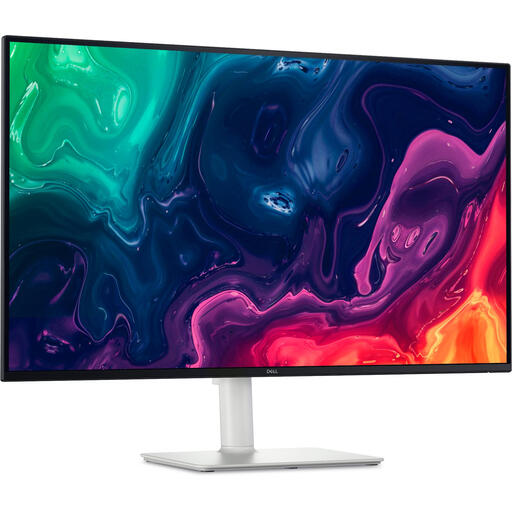 Image unavailable
Dell Plus S3225QS 31.5-inch 4K monitor
Worth comparing if you’re looking for a 4K screen with a matte finish for a workspace affected by ambient light.
The product information lists 3840 × 2160 pixels, a matte anti-glare surface and height adjustment.
View at Joybuy
Frequently asked questions
Is a brighter screen enough when you sit beside a window?
Not necessarily. For reflections, Arboportaal recommends positioning your viewing direction parallel to the window and using blinds if needed. Only compare brightness figures when they use the same definition: ASUS lists 350 cd/m² typical brightness for the PA279CRV, as well as 400 cd/m² HDR peak brightness.
How can you keep colour comparisons useful as daylight changes?
Keep direct light off the screen and try to maintain similar ambient lighting when calibrating and assessing colours. Adobe recommends using a colorimeter to calibrate a screen; a model with an integrated sensor, such as the CG2700S described by EIZO, is another option.
Is a monitor hood always included?
It varies by monitor and offer. BenQ’s Dutch product information lists a monitor hood for the SW272U. For any other specific model, check what’s included in the box.
What rights do you have when buying online as a consumer in the Netherlands?
According to ACM ConsuWijzer, online purchases generally come with a cancellation period of up to 14 days after delivery, subject to exceptions. You also have a legal guarantee if, under normal use, a product doesn’t do what you were entitled to expect; a manufacturer’s warranty doesn’t replace this right.
Are there Dutch workplace requirements for a monitor beside a window?
For employers, Arboportaal sets out requirements for display screen workstations, including a non-reflective, height-adjustable screen and suitable lighting. The conditions for applying these requirements, and any exceptions, depend on the situation; they aren’t general purchase requirements for every private user.


