Start by considering how easy the screen is to read at your workstation: assess reflections and visibility in daylight, and don’t rely on the stated brightness alone. For fast motion, independently tested motion clarity and the display mode your computer can output are important; for colliders, logs and parameters, resolution and workspace matter more. Based on the available model-specific information, it isn’t possible to determine conclusively how suitable the models reviewed here are beside your window.
Who is this choice relevant to?
Tester beside a bright window
Wants to see contact points and colliders when daylight or a window is reflected on the screen. Assess reflections rather than relying solely on a high brightness rating; RTINGS.com explains how ambient light, peak brightness and reflection handling all affect visibility.
Fast-collision tester
Watches a simulation in motion and wants to distinguish screen blur or overshoot from what the application itself is displaying. RTINGS.com explains how pixel transitions and overshoot can cause motion artefacts.
Debugging with lots of windows
Views the scene, parameters and logs at the same time, and may value usable screen space and a comfortable working position more than the highest refresh rate. Unity Technologies explains how the Physics Debug window can display visual information about physics in a scene.
What should you look for when choosing?
Fast-motion test display
When to choose it: if you mainly view collision events in a continuous simulation and your computer can output the desired display mode.
Trade-off: 240 Hz doesn’t prove that the calculations are correct or that the screen will be easy to read beside your window.
Focus on the scene and debugging data
When to choose it: if you mainly inspect the scene, colliders and logs, a QHD work monitor with usable screen space could be a good fit.
Trade-off: a stated response time isn’t an independent measurement of motion clarity; check visibility beside your window too.
QHD with a higher stated refresh rate
When to choose it: if you want to combine editor space with a higher stated refresh rate.
Trade-off: Philips’ 0.5 ms Smart MBR rating applies to a specific mode and isn’t directly comparable with an independent response-time measurement.
| What to consider |
What should you check? |
Who is this important for? |
| Visibility beside a window |
Look for a model-specific assessment of direct and total reflections; also check whether you can adjust the screen position. |
If I test beside a bright window, I want to be able to see contact points and details in my own setup. Around 36% of consumers put daylight readability first. |
| Motion clarity |
Compare independent response tests at the refresh rate and overdrive setting you actually use. |
For fast collision events, I want to distinguish screen blur and overshoot from the simulation. Motion clarity is the top buying priority for around 29% of consumers. |
| Space for the scene and debugging data |
Check your preferred window layout, resolution, viewing distance and stand adjustability. |
If I inspect the scene, colliders and parameters side by side, I want enough workspace and a suitable screen setup. Around 21% of consumers give debugging space their highest priority. |
| Display mode and connection |
Check your computer’s video output, the monitor connection and the supported combination of resolution and Hz. |
Before choosing a particular display mode, I want to know whether my computer can output it through the connection available. For around 14% of consumers, this compatibility is the main consideration. |
Things to watch out for when buying
-
Don’t choose based only on cd/m² or the ‘matt screen’ label
Ambient light and direct or diffuse reflections all affect what you see on screen. A brightness figure alone therefore doesn’t tell you how clearly test details will remain visible in your setup.
Look at model-specific reflection assessments and check whether you can move the monitor relative to the window.
-
Don’t take the lowest advertised response time as proof of motion clarity
Response time, overdrive and overshoot can all affect how motion is displayed. Figures from different testing methods aren’t automatically comparable.
Compare independent measurements at the refresh rate and setting you plan to use in practice.
-
Don’t confuse the manufacturer’s warranty with your statutory rights
According to the Dutch government, the Netherlands has no fixed statutory two-year warranty period; the retailer is your point of contact if a product is faulty.
Read any additional manufacturer’s warranty terms separately, and don’t treat them as a replacement for your statutory rights.
Relevant brands to consider
LG
The UltraGear 27GR83Q-B is a QHD model for anyone viewing moving test images.
- LG specifies QHD and 240 Hz for this model. RTINGS.com rates its response time as fast at different refresh rates.
- RTINGS.com also reports some visible blur and low native contrast. This doesn’t tell you how easy the model is to read beside a bright window.
Dell
The Pro 27 Plus P2725D is a QHD work monitor to consider when viewing your scene and debugging panels.
- Dell specifies a 27-inch screen, QHD at 100 Hz and an adjustable stand.
- The stated 5 ms GTG in Fast mode is a manufacturer’s figure, not an independent assessment of motion clarity. You’ll need to assess visibility beside a window separately.
Philips
The Evnia 27M2N5500/00 is a QHD option with a stated refresh rate of 180 Hz.
- Philips lists 180 Hz and 0.5 ms Smart MBR for this model.
- The Smart MBR figure applies to a specific mode and isn’t directly comparable with an independent pixel response-time measurement. It doesn’t establish how well the monitor handles reflections beside your window.
Joybuy monitors for moving test images
The Joybuy products below are gaming monitors for displaying moving test images. Check that the resolution, refresh rate and connections suit your computer, and assess reflections at your own workstation.
 Image unavailable
MSI MAG 272QPF E20 27-inch QHD 200 Hz gaming monitor
Could suit viewing moving test images; check whether your computer supports the desired display mode.
27-inch, QHD (2560 × 1440), 200 Hz and Rapid IPS according to the product listing.
Joybuy
 Image unavailable
AOC Q27G42XNE 27-inch Quad HD 180 Hz monitor
A gaming monitor to consider for moving test images; check in advance which display mode your computer can output through the connection you choose.
27-inch, 2560 × 1440 and 180 Hz according to the product listing. The title lists 2× HDMI 2.0 and 1× DisplayPort 1.4.
Joybuy
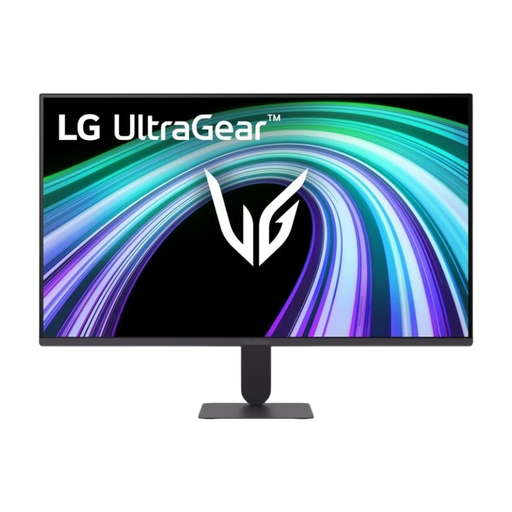 Image unavailable
LG UltraGear 27G411B-B 27-inch Full HD gaming monitor
Could suit moving test images; compare Full HD with the resolution you need for scene and debugging details.
27-inch, Full HD, 144 Hz and IPS according to the product listing.
Joybuy
 Image unavailable
Philips Evnia 27M2N3500NF 27-inch QHD 144 Hz IPS gaming monitor
Could suit you if you want to combine QHD scene details with moving test images; check whether your computer supports the desired mode.
27-inch, QHD (2560 × 1440), 144 Hz and IPS according to the product listing.
Joybuy
 Image unavailable
LG UltraGear 24G414B-B 24-inch Full HD gaming monitor
Could suit moving test images if a 24-inch screen and Full HD resolution meet your workspace and detail requirements.
24-inch, Full HD, IPS and 144 Hz according to the product listing.
Joybuy
Frequently asked questions
Can a faster monitor confirm that the collision calculations are correct?
No. A monitor displays the output, but it doesn’t check the collision calculations. Inspect the collision geometry and contact information in your development environment; Unity Technologies describes the Physics Debug window for this purpose.
How should I set up my testing area beside a window?
First, check whether light sources are reflected directly on the screen and assess visibility in your actual setup. Then check the resolution, refresh rate and, if relevant, the overdrive setting: reflections and motion artefacts are separate considerations.
What purchase and warranty rights apply in the Netherlands?
For qualifying distance purchases, the Dutch government generally specifies a 14-day cooling-off period. If a product is faulty, the retailer is your point of contact; the Netherlands has no fixed statutory two-year warranty period.
Are there EU rules for a monitor’s energy label?
The European Commission lists energy labelling and ecodesign requirements for electronic displays. This information alone doesn’t tell you how clearly collision images will appear or how well a monitor handles reflections.


