What to prioritise when buying
Start with the window layout you need. Then check the connections and workspace setup, and weigh up the other features against the purchase price.
| What to consider |
What to look for |
Who this matters to |
| Readable workspace |
Compare the screen’s aspect ratio and resolution, and try your usual editor, terminal and diff layout at the text size you want. |
When I’m reading code, test output and differences at the same time, I want to be able to follow lines clearly at my usual text size. Around 36% of consumers put a readable workspace above other buying priorities. |
| Laptop connection |
Check video output through the laptop port, the monitor’s USB-C features, the cable and the power output required for charging. |
When I use my laptop in different workspaces, I want to know whether one connection can handle the display, peripherals and, if needed, charging. Around 29% of consumers rank a reliable laptop connection as their top buying priority. |
| Adjustable workspace |
Check the height adjustment, tilt and space required for the stand alongside your chair and keyboard. |
During long programming sessions, I want to adjust the screen to suit my workspace and take breaks from screen work. Around 21% of consumers put workspace adjustability first. |
| Purchase price |
Compare the exact models based on the features you’ll use, and check the energy information for the specific model. |
If I don’t need a hub or extra display features, I mainly want to pay for features that suit the way I work. Around 14% of consumers rank the purchase price relative to the features they use as their top priority. |
Joybuy products
This selection includes ultrawide WQHD models and 27-inch 4K and QHD monitors for reviewing code, output and version differences, including models with laptop and hub features.
 No image available
Dell Pro P3426WEV 34.1-inch Curved WQHD USB-C Hub Monitor
Could suit you if you want to view code, output and version differences side by side in a wide workspace.
The product name lists a 34.1-inch curved WQHD IPS monitor with webcam, 100 Hz and 90 W Power Delivery.
View at Joybuy
 No image available
MSI Modern MD272UPHG 27-inch 4K UHD Monitor
Could suit you if fine image detail on a 27-inch screen matters when reviewing code and output.
The product name lists 68.6 cm (27 inches), 3840 × 2160 pixels and 4K UHD.
View at Joybuy
 No image available
INNOCN CB27U1 27-inch 4K UHD Monitor
Could suit you if 4K detail and connections for multiple sources are part of what you’re looking for.
The product name lists 3840 × 2160 pixels, IPS, 120 Hz, HDR500, FreeSync, PIP and PBP, USB-C with 90 W Power Delivery, HDMI and DP, and a height-adjustable stand.
View at Joybuy
 No image available
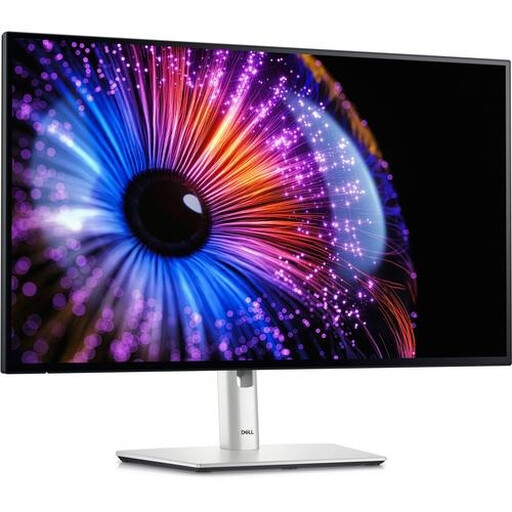
Dell UltraSharp U2724DE 27-inch QHD Monitor
Could suit you if you’re looking for a 27-inch QHD layout for code, output and your everyday window setup.
The product name lists 68.6 cm (27 inches), 2560 × 1440 pixels, Quad HD and LCD.
View at Joybuy
 No image available
iiyama ProLite 34-inch UWQHD Curved Monitor
Could suit you if you’re looking for a wide workspace and docking features for a laptop or multi-computer setup.
The product name lists USB-C docking, LAN, KVM and a height-adjustable stand with a 15 cm range.
View at Joybuy
Frequently asked questions
Do you need a special monitor for Git or version control?
No. Choose a monitor based on how clearly you can read your editor, terminal, test output and diff windows. The models reviewed differ in aspect ratio, resolution and connections. Special coding modes are optional manufacturer features, not a requirement for version control.
Is one USB-C cable always enough for video and charging?
No. Check whether the laptop port supports video through DisplayPort Alt Mode or a suitable Thunderbolt connection, whether the monitor provides video and Power Delivery through the port you intend to use, and whether the cable and charging power are suitable for your laptop. Dell Support explains that a USB-C port without video support won’t transmit a video signal.
How should you set up a monitor for long programming sessions?
Adjust your workspace as a whole and take breaks from screen work. Arboportaal highlights prolonged screen work as something to be mindful of and lists workplace requirements for employees under the conditions set out there. This doesn’t mean any particular monitor model is automatically suitable for everyone.
What are your options if a monitor bought online disappoints or breaks?
For a consumer purchase made online in the Netherlands, ACM ConsuWijzer says you generally have a 14-day cooling-off period that ends 14 days after delivery; check the applicable exceptions and returns policy. Your statutory rights are separate from this if the product is faulty: ACM ConsuWijzer explains that you’re entitled to a product that meets what you could reasonably expect from it.
Does a computer monitor need an energy label?
The European Commission says EU energy labelling and ecodesign rules also cover computer monitors, subject to certain exceptions. For a specific model, compare the product information or EPREL data, and don’t assume an energy rating you haven’t checked for that version.


