
Developer who works with code and documentation side by side
Wants to keep the editor, sample data and locally stored reference material in view, so pays attention to screen layout and readability.


If you often work with code and locally stored documentation at the same time, choose a layout that suits your needs. BenQ Netherlands describes the RD280U as a 3:2 model with extra emphasis on vertical workspace, while 16:9 offers a wider layout. A USB-C docking monitor is only useful if your laptop outputs video through that port and its charging capacity is suitable; Dell Support warns that features can vary between laptops. Also check that the screen size and stand suit your workspace.
Wants to keep the editor, sample data and locally stored reference material in view, so pays attention to screen layout and readability.
Reads code and documentation for long periods and wants to adjust the screen and workspace to suit their needs.
Wants to connect and disconnect their laptop easily, but needs to check which video and charging features it supports.
| What to consider | What should you check? | Who is this important for? |
|---|---|---|
| Room for your editor and documentation | Compare the aspect ratio, resolution and physical dimensions; see how your windows fit at a text size that’s comfortable to read. | If I want to view code and documentation at the same time, I look at the screen’s height-to-width ratio; around 36% of consumers prioritise workspace. |
| Readability of code and figures | Check the resolution of the exact model and assess the text at the viewing distance and scaling you use. | I want to read code, documentation and columns of figures comfortably; around 29% of consumers put readability at the top of their list. |
| Adjustability of your workspace | Check whether the monitor can be height-adjusted and tilted, and bear in mind the space available on your desk. | When programming for long periods, I want to adjust the screen to suit my workspace; around 21% of consumers prioritise this adjustability. |
| Connecting and charging your laptop | Check your laptop’s manual for video output and power requirements, and check the connections on the monitor and cable. | If I want to connect and charge my laptop with as few cables as possible, I check compatibility first; around 14% of consumers prioritise easy laptop docking. |
Not every USB-C port on a laptop supports video output. Dell Support recommends checking the specifications of your particular laptop.
Read your laptop’s manual and compare its video output and power requirements with the monitor before choosing docking features.
Depending on your laptop, you may need a separate video cable, adapter or power solution.
The models listed range from Full HD to 4K, while a 3:2 screen also has a different height-to-width ratio. Screen size alone won’t tell you how your windows and text will fit.
Compare the aspect ratio and resolution, and see how your code, columns of figures and documentation look at a text size that’s comfortable for you.
According to its specifications, the MSI PRO MP271A E2 can be tilted but is not height-adjustable. Arboportaal recommends positioning the screen directly in front of you, with the top just below eye level.
Check the adjustment options on the exact monitor model and consider how you can position it to suit your desk.
If the stand doesn’t suit your setup, you may need a separate monitor arm or a different desk layout.
The RD280U is a dedicated 3:2 model for anyone looking for more vertical workspace.
The S2725QC is a 27-inch 4K USB-C model with a conventional 16:9 layout.
Philips says the 27E1N5600AE/00 combines a 27-inch QHD screen with USB-C.
The PRO MP271A E2 is a 27-inch Full HD setup.
The ThinkVision T27UD-40 is a 27-inch 4K model with USB-C docking.
These product choices are suited to using a monitor for programming and viewing documentation. Check the dimensions, connections and features supported by your laptop for each model.
 No image available
A 34-inch screen may suit you if you want to view code and documentation side by side; check that it fits on your desk.
34 inches; 3440 × 1440 pixels; Wide Quad HD.
 No image available
Worth considering if you want to arrange code and documentation on a conventional widescreen display.
27 inches; 3840 × 2160 pixels; IPS panel and height adjustment according to Dell.
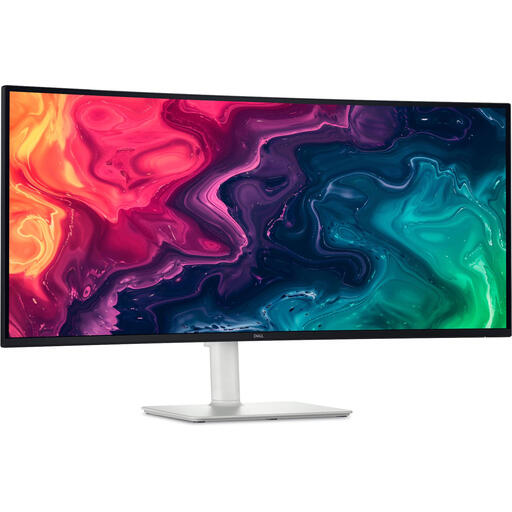 No image available
The 34-inch model may suit you if you want to view two work windows side by side; bear in mind the width of your desk.
34 inches; 3440 × 1440 pixels; Wide Quad HD.
 No image available
A larger screen may suit you if you want to view code and documentation across a spacious workspace; measure your desk first.
31.5 inches; 3840 × 2160 pixels; 4K Ultra HD.
 No image available
A 27-inch QHD model to consider if this size and resolution suit your window layout and text scaling.
27 inches; 2560 × 1440 pixels; Quad HD.
No. A monitor displays code and documentation, but it doesn’t determine whether documents are available offline. Arrange to save and open them locally on your computer or storage device, and look for a monitor with a suitable window layout, text scaling and connection.
Not every USB-C port on a laptop supports video output. Check your laptop’s manual to see which features its port supports, then compare these with the monitor port and cable requirements.
Arboportaal recommends placing the screen directly in front of you, with the top just below eye level, so that you look slightly downwards. Adjust the height to suit the rest of your workspace.
ACM ConsuWijzer states that when you buy online, you have a statutory cooling-off period of up to 14 days after the product is delivered. You’re also entitled to a statutory warranty: if a product used normally doesn’t meet what you could reasonably expect, the seller is responsible for providing an appropriate solution. A voluntary manufacturer’s warranty doesn’t replace this statutory right.
The obligations described by Arboportaal apply to employers and employees. The setup tips mentioned may also be useful for a personal project, but they don’t create a general legal obligation for private monitor buyers.