
Code reader
You spend a lot of time working with source code and documentation, so you want text that’s easy to read and enough vertical screen space.


If you mainly want to see lots of lines of code at once, compare a 3:2 screen with a conventional monitor. If you prefer to work with windows side by side, an ultrawide layout may suit you better. Also consider adjustability, and check that the ports and charging function work with your laptop. Local storage for your planner is handled by the computer and software, not the monitor.
You spend a lot of time working with source code and documentation, so you want text that’s easy to read and enough vertical screen space.
You want to keep your code, calendar view and test results side by side while you build.
You switch between your laptop and a permanent workstation, so you pay particular attention to the display connection, charging and screen positioning.
| What to consider | What should you check? | Who is this important for? |
|---|---|---|
| Readable code and vertical screen space | Compare the resolution and aspect ratio of the exact model. Also consider readability from your viewing distance and at your chosen scaling setting. | When I read long code files, I want text that’s easy to scan and enough lines on screen. Around 33% of consumers give readable code and vertical screen space top priority. |
| Code and planner on screen together | Compare the number of horizontal and vertical pixels, and measure the available desk width. | When I want to see my editor, planner and test window side by side, I focus on the window layout and the space on my desk. Around 27% of consumers prioritise having several windows side by side. |
| An adjustable workstation | Check that the stand offers enough adjustment for your setup, and consider light and reflections. | When I work at my screen for long periods, I want to be able to adjust its position to suit my workstation. Around 20% of consumers give workstation adjustability top priority. |
| Connecting to a laptop | Check video support, the cable and charging capacity. Make sure both the computer and monitor support daisy-chaining. | When I connect my laptop to a permanent workstation, I want to know whether the chosen connection supports the display, peripherals and, if needed, charging. Around 20% of consumers prioritise laptop connectivity. |
A high resolution doesn’t automatically determine whether you can see more lines of code vertically or more windows side by side. The 3:2, 16:9 and 21:9 models mentioned offer different ways to use the screen space.
First, sketch out which windows you want to use at the same time. Then compare the resolution and aspect ratio.
A USB-C port doesn’t guarantee that your computer can send video, charge or daisy-chain a monitor connection. For the Thunderbolt 4 daisy-chaining mentioned, Philips specifies a limit of 3840 × 2160 at 60 Hz and 8-bit.
Before buying, check the ports and features on both your laptop and the exact monitor model.
If your computer and monitor don’t share the features you need, you may need a different cable or connection solution.
The monitor displays your planner and code, but it doesn’t determine how the application stores or restores data.
Check local storage and any backup options on your computer and in the software.
The RD280UG is a 3:2 option for anyone looking for relatively generous vertical screen space while programming.
The U2725QE is a 27-inch 4K option for anyone considering a conventional screen with a wide range of connections.
The 34BA75QE-B is an ultrawide option for anyone who wants to view several windows side by side or work with two computers.
The 27E1N1600AE/00 is a 27-inch QHD option; the separate 27B2U6903/00 is a 27-inch 4K model with Thunderbolt 4.
This selection includes 27-inch 4K and QHD screens, as well as 34-inch options for viewing code and your planner side by side. Compare the specifications with your workstation and laptop connection.
 No image available
A 27-inch 4K screen for anyone who wants to view code and their planner on a conventional-sized display.
4K UHD (3840 × 2160), IPS, 60 Hz, 4 ms, HDMI, DisplayPort and a height-adjustable stand.
 No image available
The curved 34-inch screen is an option for anyone who wants to view code and their planner side by side. Bear in mind the desk space you’ll need.
 No image available
A 27-inch 4K option for anyone who wants to view code on a conventional-sized screen and display multiple video sources.
3840 × 2160, IPS, 120 Hz, USB-C with 90 W Power Delivery, PIP and PBP, HDMI, DisplayPort and a height-adjustable stand.
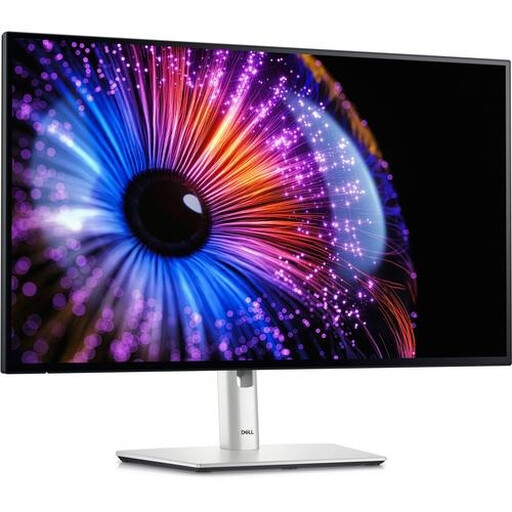 No image available
A 27-inch QHD option for anyone who wants to view code and their planner on a conventional-sized screen.
2560 × 1440 pixels. If you’re using Thunderbolt, check that your computer and cable are compatible.
 No image available
This 34-inch monitor is an option for anyone who wants to view code and their planner side by side. Check that it will fit on your desk.
3440 × 1440 pixels.
No. A monitor displays your code and planner; local storage and any backups are handled by your computer and software.
Only if your computer, cable and monitor support the required video function and the monitor provides enough charging power. Daisy-chaining requires specific DisplayPort, USB-C DisplayPort Alt Mode or Thunderbolt support; HDMI alone isn’t enough.
Use the monitor’s adjustability to position the screen to suit your workstation, and reduce reflections by adjusting your setup and lighting. For employees who work at a screen for more than 2 hours a day, Arboportaal outlines additional workstation requirements. These aren’t general purchasing requirements for every home user.
When you buy online from a business, you’re often entitled to a 14-day cooling-off period, subject to exceptions outlined by the Dutch government. A purchase from a private seller isn’t automatically covered by the same rules. If a product is faulty, contact the seller about your statutory guarantee. The Dutch government states that the Netherlands has no fixed statutory guarantee period.