What should you look for when choosing?
First decide how you want to arrange your code, score interface and documentation. Then check that the size, connections and adjustability suit your desk and computer.
| What to consider |
What to look for |
Who is this important for? |
| Viewing code and documentation |
Compare the aspect ratio, resolution and text size with the window layout you use. |
If I read long sections of code and game rules, I want to know whether more screen height or room for side-by-side windows better suits the way I work. Around 36% of consumers say text and window visibility is their main buying priority. |
| Connecting to your computer |
Check the computer’s video output, the inputs on the exact monitor model and whether its charging capacity suits your laptop. |
When using a laptop, I want to know in advance whether one cable can carry video and, if needed, power, so I can choose the right connection. Around 29% of consumers say laptop compatibility is their top priority. |
| Adjustability for extended use |
Check the height adjustment, tilt and any VESA mounting options, and position the monitor to suit your workspace. |
If I spend long periods working at a screen, I want to adjust its position to suit my posture and lighting. Around 21% of consumers prioritise adjustability for regular or extended use. |
| Desk-friendly size |
Measure the available width and depth, including the stand or monitor arm. |
On a smaller desk, I want a screen that physically fits, even if that means less room for side-by-side windows. Around 14% of consumers say fitting their workspace is their main buying priority. |
Monitors on Joybuy
This selection of Joybuy products includes 27-inch monitors for a conventional workspace and 34-inch models for a wider window layout. Before deciding, check the resolution, connections and dimensions of each model.
 No image available
LG UltraFine 27U711B-B, 27-inch 4K IPS monitor
A 27-inch option for viewing code and documentation on a conventional desktop screen.
4K resolution, IPS panel and HDR10.
Joybuy
 No image available
MSI PRO MP275Q, 27-inch QHD monitor
A 27-inch monitor for viewing code and documentation in a conventional 16:9 workspace.
2560 × 1440 pixels, IPS panel and 100 Hz.
Joybuy
 No image available
LG UltraWide 34U511A-B, 34 inch
An ultrawide model for anyone who wants to arrange an editor and documentation side by side.
21:9 aspect ratio and 2560 × 1080 pixels.
Joybuy
 No image available
Philips 6000 series 34B2U6603CH/00, 34 inch
An ultrawide option for viewing several windows side by side and connecting a laptop and peripherals.
3440 × 1440 pixels, Thunderbolt 4, Smart KVM and up to 100 W USB Power Delivery. The description lists height adjustment and swivel.
Joybuy
 No image available
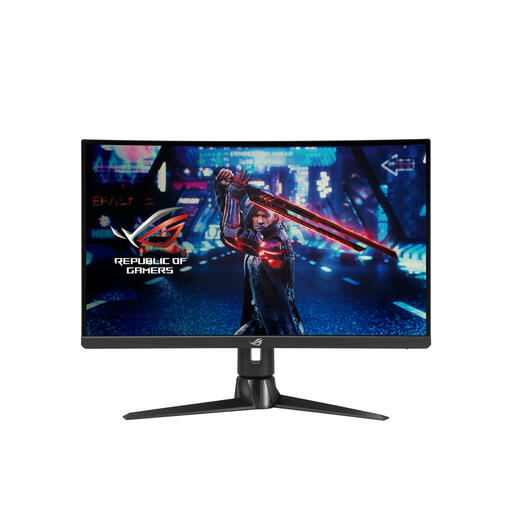
ASUS ROG Swift XG27AQV, 27-inch QHD monitor
A 27-inch option for viewing code and documentation on a conventional screen.
2560 × 1440 pixels, IPS panel and 2900R curvature. The description lists height, tilt and swivel adjustment.
Joybuy
Frequently asked questions
Will a monitor make my game rules and documentation available offline?
No. A monitor is a display for a connected computer, not storage for your documents. Save your game rules locally and, before going offline, check that you can open your editor, files and any tools you need without an internet connection.
Can I always connect my laptop with a single USB-C cable?
No, it depends on the video and power capabilities of both the laptop and the monitor. Dell Netherlands lists USB-C with DisplayPort Alt Mode and up to 90 W power delivery for the P2725DE. Check that your laptop supports this video connection and that the power output meets your charging needs.
What should I consider when positioning a monitor for extended use?
Adjust the screen to suit your posture and lighting, and check that the stand or monitor arm fits on your desk. Arboportaal highlights the potential strain on the neck, shoulders and arms from working at a screen. The workplace regulations described apply to employees under the relevant conditions; they are not a general minimum requirement for every personal monitor purchase.
What warranty and cooling-off period apply when buying online in the Netherlands?
According to ACM ConsuWijzer, your statutory rights apply alongside any guarantee offered by the retailer or manufacturer. For a monitor bought online, you will generally have a cooling-off period of up to 14 days after delivery, subject to applicable exceptions. Check the terms before you buy.
Should I check the energy label when buying a monitor?
Yes. According to the European Commission, electronic displays such as computer monitors carry energy labels on a scale from A to G. Compare the energy label and product information sheet for the exact model; the label will not tell you which screen layout is best for your work.


