
Reader of detailed diffs
You mainly review text changes and want code to look sharp and readable at a practical text size. RTINGS.com notes that text clarity is partly subjective, so compare the display using your own scaling settings.


Start with the text size and screen layout that make diffs comfortable to read: extra pixels are no help if they mean you have to make the text too small. Choose a wider screen if you want to view a diff alongside documentation, or an adjustable screen with the right laptop connection if positioning and connectivity matter more. If you’re considering USB-C, check separately that your laptop supports video through that connection and that the charging power is sufficient.
You mainly review text changes and want code to look sharp and readable at a practical text size. RTINGS.com notes that text clarity is partly subjective, so compare the display using your own scaling settings.
You want to keep a diff open alongside documentation or a terminal. A wider screen can work well for this kind of layout, provided it suits your desk and viewing distance.
You regularly connect and disconnect your laptop, or want to adjust the screen height. Check how adjustable the monitor is and whether your laptop, cable and monitor support the display and charging features you need.
First decide whether readability, room for windows, screen positioning or laptop connectivity matters most to you. Then compare the relevant resolution, dimensions and connections.
| What to consider | What should you look for? | Who is this important for? |
|---|---|---|
| Readability of code and diffs | Compare text at your own font size and viewing distance, and consider the panel finish too. | I mainly read small differences in a diff and want to assess text clearly at my usual viewing distance; around 36% of consumers give readability top priority. |
| Room for windows | Check the screen’s aspect ratio, resolution and width of your desk. See whether windows fit side by side at your preferred text size. | If I want to view a diff, documentation or terminal at the same time, horizontal space matters; around 29% of consumers prioritise having multiple windows open at once. |
| Adjustable workstation | Check whether the screen height can be adjusted and whether the monitor will fit comfortably on your desk. | If I need to position the screen properly at my workstation, I mainly look at its adjustment options; around 21% of consumers prioritise their working posture. |
| Connecting and charging a laptop | Compare your laptop’s video output, the charging capacity you need, the stated Power Delivery output and the cable. | I want to connect my own laptop appropriately and possibly charge it through the monitor; around 14% of consumers make connectivity their top priority. |
A higher resolution alone doesn’t tell you whether code will be easy to read with your scaling settings.
Compare text at the font size and viewing distance you plan to use, and take reflections into account.
Video transfer and power delivery are separate functions. A USB-C connection doesn’t guarantee that your laptop supports both.
Check your laptop, cable, video support and charging requirements before opting for a single-cable setup.
According to LG, the LG 34BA75QE-B has a 21:9 screen with 3440 × 1440 pixels; the extra space is mainly horizontal.
Choose a screen to suit your window layout: do you want to compare windows side by side, or see more code vertically?
ACM ConsuWijzer states that your statutory guarantee still applies even if you haven’t bought additional cover.
Compare any extra cover with your statutory rights and read the seller’s terms and conditions.
AOC describes the U27E4CV as a 27-inch monitor with 3840 × 2160 pixels, height adjustment and USB-C docking with 90 W Power Delivery.
LG specifies that the 34BA75QE-B has a 34-inch 21:9 screen with 3440 × 1440 pixels and USB-C with 90 W Power Delivery.
ASUS describes the PA278CV as an adjustable 27-inch QHD monitor with USB-C and 65 W Power Delivery.
Dell specifies that the U2724DE is a 27-inch QHD monitor with height adjustment and a Thunderbolt 4 hub.
BenQ specifies a resolution of 3840 × 2560 and dedicated coding modes for the RD280U.
These product picks include high-resolution 27-inch screens and wider models for working with multiple windows. Check that each model’s dimensions, connections and setup suit your workspace.
 Image unavailable
Suitable if you want to view code and diffs on a high-resolution 27-inch screen.
3840 × 2160 pixels; IPS; 60 Hz; 4 ms; anti-glare finish; height-adjustable stand.
Check that text remains comfortable to read at your usual scaling and viewing distance.
 Image unavailable
Suitable if you want to arrange a diff and other windows side by side on a wide screen.
49 inches; curved IPS screen; 5120 × 1440 pixels; KVM; USB-C with 90 W Power Delivery; described as suitable for use as two screens.
Bear in mind how much desk space you’ll need.
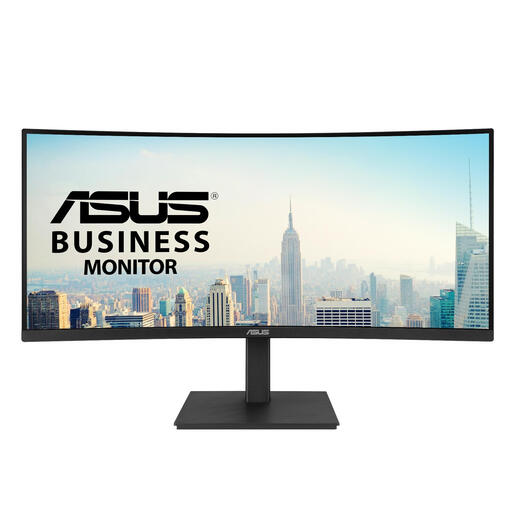 Image unavailable
Suitable if you want to place multiple work windows side by side and adjust the screen height.
3440 × 1440 pixels; 21:9; USB hub; height-adjustable stand.
The product description lists a glossy screen surface, so bear in mind that light may fall on the screen and cause reflections.
 Image unavailable
Suitable if you’re looking for a high-resolution 27-inch screen and want to connect a laptop via USB-C.
3840 × 2160 pixels; IPS; USB-C with video, data and up to 65 W Power Delivery; height-adjustable and tilting stand.
Check that your laptop supports the USB-C video feature you need and that 65 W meets your charging requirements.
 Image unavailable
Suitable if you want to display a diff alongside other windows or show two devices at the same time.
3440 × 1440 pixels; 21:9; Picture-by-Picture (PBP).
The extra screen space is mainly horizontal, so check that it will fit on your desk.
No. Assess the text using your preferred scaling, font size and viewing distance. Resolution and pixel density play a part, but text rendering and the panel finish matter too.
Not without checking compatibility. AOC lists DisplayPort Alternate Mode and 90 W USB power delivery for the U27E4CV; check that your laptop’s video output, cable and charging requirements are compatible.
Arboportaal advises positioning the screen directly in front of you, with the top just below eye level, and tilting it so you look straight at it. Take lighting and reflections into account too.
For employees, Arboportaal outlines obligations covering matters such as breaks and workstation setup. If you work at a screen for more than two hours a day, the screen and keyboard must not be attached to one another; laptop users must be able to use a separate screen or keyboard. This is not a product specification for every private buyer.
According to the European Commission, computer monitors are covered by the energy-labelling rules for electronic displays. For a consumer purchase, the Dutch statutory guarantee depends on what you could reasonably expect from the product; ACM ConsuWijzer does not specify a fixed statutory period. For online consumer purchases, you generally have 14 days from delivery to change your mind, with some exceptions.