
Tester with a small desk
You want to assess a checkout on an external screen, but the monitor and stand need to fit in your student room.


Start by checking how much desk space you have. A compact Full HD screen works well for tests where you mainly view a single browser window, while a higher resolution gives you more room to place windows side by side. Also check that the monitor is adjustable and compatible with your laptop’s video output. A simulated mobile view is no substitute for testing on a real phone, as Chrome for Developers explains.
You want to assess a checkout on an external screen, but the monitor and stand need to fit in your student room.
You want to view a browser and developer tools at the same time, so resolution and aspect ratio matter.
You regularly connect a laptop and want to check in advance which video connection and screen adjustments will suit your setup.
First measure the available space, then decide how many windows you want to view at once. Finally, check the connection and adjustability for your laptop setup.
| What to consider | What to look for | Who is this important for? |
|---|---|---|
| Desk space and positioning | Measure the available width and depth, and check the dimensions including the stand. A larger screen won’t automatically solve a cramped setup. | If I have limited space, I want to know whether both the screen and stand will fit. Around 42% of consumers give saving space and positioning their top priority. |
| Workspace during testing | Compare the resolution with the number of windows you want to view at once. LG Netherlands lists 1920 × 1080 for the 24BA450-B; Dell Netherlands lists 1920 × 1200 for the P2425 and 2560 × 1440 for the P2725D. | If I want to view the checkout and testing tools side by side, I look at the available screen space. Around 33% of consumers put viewing multiple test windows first. |
| Laptop connection and adjustability | Check your laptop’s video output and the inputs on the exact monitor model. Dell Netherlands describes the P2425’s USB-C port as a downstream data port with up to 15 W power delivery, not a video input; LG lists an adjustable stand for the 24BA450-B. | When I use the monitor in different workspaces, I want to know in advance whether the connection and screen position will work for me. Around 25% of consumers make connectivity and adjustability their main consideration. |
Use a custom viewport to make quick checks at mobile widths. Chrome for Developers also describes testing where the page runs on an actual mobile device. This remains important when you want to assess how it behaves on a real phone.
Resizing your browser simulates a viewport, but it doesn’t mean the checkout is running on a real phone.
Use the simulation for quick checks, and test on a real device when mobile behaviour matters. Chrome for Developers describes both testing options.
For the Dell P2425, Dell describes the USB-C connection as a downstream data port with up to 15 W power delivery, not a video input.
Check what the port does on the exact model and see which cables are included. Depending on the connections, you may need a suitable video cable or adapter.
On a small desk, the stand needs to fit too; screen size and adjustability are separate factors to consider when positioning your monitor.
Compare the dimensions including the stand with your available desk space, and decide whether you need height adjustment for your setup.
According to LG Netherlands, the LG 24BA450-B is a 23.8-inch Full HD IPS monitor with an adjustable stand.
The Dell Pro Plus models reviewed come in different sizes and resolutions: the P2425 is 24.07 inches with 1920 × 1200 pixels, while the P2725D is 27 inches with 2560 × 1440 pixels.
Philips Netherlands describes the 24E1N1100A/00 as a 23.8-inch Full HD IPS monitor with 1920 × 1080 pixels.
This selection includes compact Full HD monitors and larger, higher-resolution screens for checkout testing and testing tools.
 No image available
Suited to a setup where you want to view the checkout and testing information at the same time. Check that the video connection works with your laptop.
27 inches; resolution 2560 × 1440 pixels.
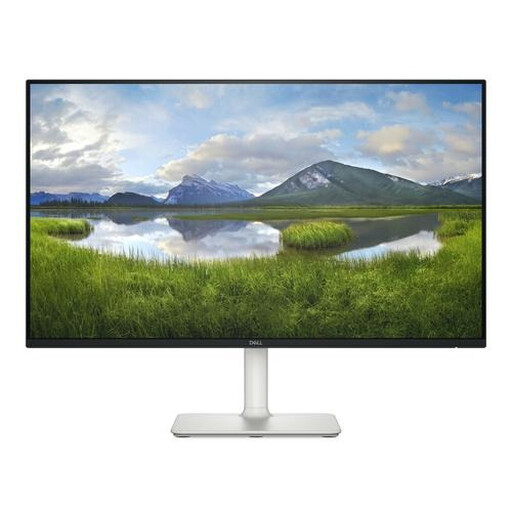 No image available
A compact Full HD option if you usually assess one checkout window at a time. Check that the HDMI connection works with your laptop.
23.8 inches; resolution 1920 × 1080 pixels.
 No image available
For a compact Full HD setup. Check that the specified height and tilt adjustment suit your workspace.
23.8 inches; resolution 1920 × 1080 pixels.
 No image available
Its smaller size is an option when you need an extra screen in a limited workspace. Check which connection your laptop needs for this model.
15.6 inches; resolution 1920 × 1080 pixels.
 No image available
Suited to anyone who wants more workspace on a 24-inch screen. Check that the exact model supports video, data and 90 W Power Delivery over USB-C.
24 inches; resolution 2560 × 1440 pixels.
No, not as a complete check on a real phone. Chrome DevTools can simulate mobile screen sizes; Chrome for Developers also describes remote debugging, where the page actually runs on a mobile device. Use a simulation for quick checks and a real device when on-device behaviour matters.
Compare your laptop’s video output with the video input on the exact monitor model and check which cable you need. Dell lists HDMI and DisplayPort for the P2425; according to Dell, its USB-C downstream port is a data port with up to 15 W power delivery, not a specified video input.
Adjust the monitor to suit your workspace and take breaks from prolonged screen work; Arboportaal warns that working at a screen for long periods can lead to health problems. Follow the manufacturer’s instructions for cleaning and moving the exact model you choose.
According to the Dutch Government, you’re entitled to a product that works properly under the statutory guarantee. For distance purchases, you’ll usually have a 14-day cooling-off period; check the terms and exceptions that apply to your purchase. A manufacturer’s or retailer’s guarantee is in addition to your statutory rights.
Yes. The European Commission states that electronic displays, including computer monitors, have an energy label on the A–G scale. You can use the label to compare this aspect of different models.