
Vandaag of morgen in huis

Kwaliteit gegarandeerd

Welkomstaanbiedingen ontgrendelen: GRATIS bezorging | Tot 80% korting | Gratis 30 dagen JoyPlus-proefperiode
Download de app
Buying a monitor seems straightforward: choose a size, compare the price and check the number of connections. In practice, problems often only become apparent after a few weeks. The screen may be too low, a laptop may not support video over USB-C, or the chosen resolution may not suit the screen size.
The following three pitfalls are common:
A Full HD monitor with 1920 × 1080 pixels is practical for office work, browsing and general home use. At 23.8 inches, the pixel density is generally higher than on a 27-inch screen with the same resolution. As a result, text may appear sharper on the smaller screen.
For 27 inches, Quad HD at 2560 × 1440 pixels can be a logical middle ground. A 4K monitor with 3840 × 2160 pixels provides plenty of detail for photo editing, spreadsheets and multiple windows, but it also requires more graphics processing power. With an ultrawide monitor, you should also check that your desk is wide enough. A 34-inch screen with 3440 × 1440 pixels takes up considerably more space than a standard 24-inch monitor.
An IPS monitor is known for its wide viewing angles and colour reproduction according to the product specifications. This makes IPS an interesting option for office work, photography and design. For a gaming monitor, the refresh rate, response time and Adaptive-Sync support are particularly important, alongside the panel type.
Pay attention to the difference between the stated measurement methods. A response time of 1 ms MPRT is not automatically the same as 1 ms GtG. Therefore, compare specifications measured using the same method. A higher refresh rate can display movement more smoothly, but the effect depends on the source, graphics card and connection being used.
For a laptop workstation, a USB-C monitor is useful when a single cable can handle video, data and power. Check the number of USB ports and the power output. A monitor with 100 W Power Delivery may be suitable for certain business laptops, but the laptop and cable must support this as well.
Also look at:
An ergonomic monitor with an adjustable stand is not automatically suitable for every user. Measure the depth of your desk and check whether the top edge of the screen can be positioned roughly at eye level. A monitor stand, riser or monitor arm can provide additional flexibility.
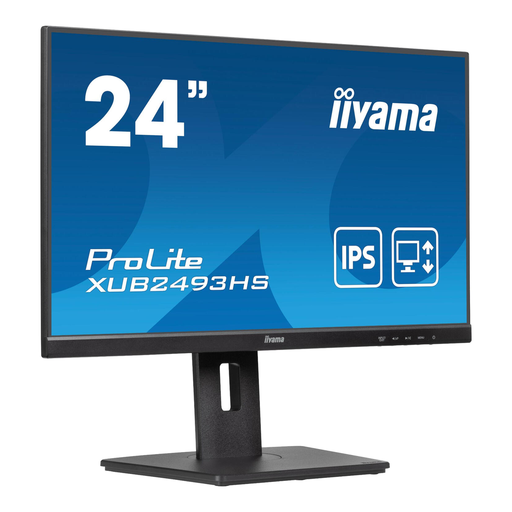
Why it suits this profile: A 23.8-inch Full HD monitor provides a clear, manageable workspace for studying, administration, working from home and everyday internet use. The included HDMI cable makes the basic set-up straightforward.
The product specifications state that it has an IPS panel, Full HD resolution, a matte finish and height adjustment of up to 15 cm. This means you do not need to replace the stand straight away.
100 Hz refresh rate, 178° viewing angle, built-in speakers and VESA 100 mm support.
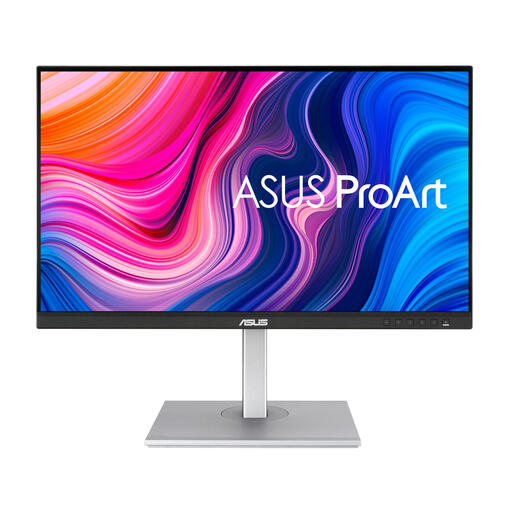
Why it suits this profile: For creative professionals, resolution, colour coverage and connection options are more important than an extremely high refresh rate.
The product specifications list Quad HD, 100% sRGB and USB-C with up to 65 W Power Delivery. However, check that your laptop accepts this power output.
2560 × 1440 pixels, four USB ports, height-adjustable stand, and DisplayPort, HDMI and USB-C.
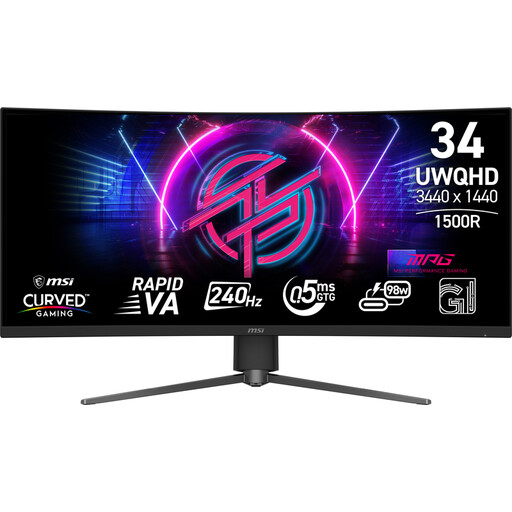
Why it suits this profile: This ultrawide gaming monitor is designed for users who need a wide view and high refresh rate for fast-paced games.
The specifications list 240 Hz, Adaptive-Sync and DisplayPort 1.4a. Check beforehand that your computer can make use of this refresh rate and resolution.
34 inches, 3440 × 1440 pixels, 21:9 aspect ratio, 1500R curvature and an adjustable stand.
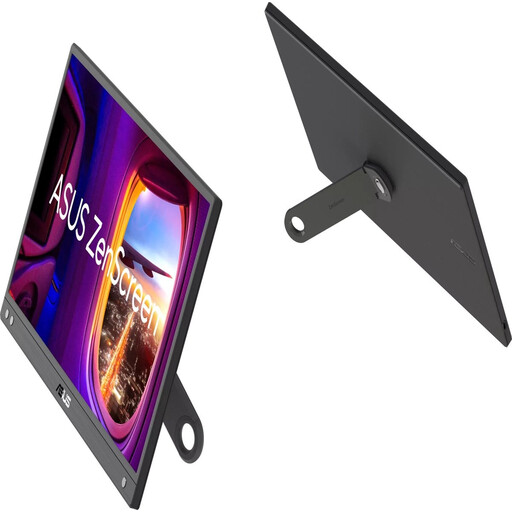
Why it suits this profile: A portable monitor is suitable as a second screen when travelling, at flexible workstations or in a compact home office.
The monitor uses USB-C as a video input and has a built-in 360° stand. However, check that your device supports video over USB-C.
15.6-inch Full HD IPS panel, 60 Hz, anti-reflective finish and a weight of approximately 780 grams without the stand.
We have put together a complete, up-to-date list of products that fully meet these strict selection criteria and the applicable European safety regulations.
A separate monitor stand is suitable when you mainly need extra height. According to the product specifications, the Neomounts NSMONITOR20 supports up to 10 kg and is adjustable from 4.6 to 16.8 cm. The storage space and cable management help keep a compact desk tidy.
For greater freedom of movement, a monitor arm is more practical. Always check the screen weight without the stand and the VESA pattern. The Neomounts FPMA-D550SBLACK supports one screen weighing up to 8 kg, for sizes from 13 to 32 inches, with tilting, swivelling and rotating functions. For two screens, the FPMA-D550DDVBLACK is suitable for two screens measuring from 10 to 32 inches. The product specifications state a maximum of 6 kg per screen and VESA 75 × 75 or 100 × 100 mm.
Only mount an arm on a stable desk and do not exceed the stated load capacity. After installation, check that the cables are not under tension and that the screen cannot tilt forwards.
For a single workstation, 23.8 or 24 inches is often practical with Full HD. If you use several windows side by side, you could consider a 27-inch Quad HD monitor or a 34-inch ultrawide monitor. Measure your viewing distance and desk space beforehand.
Not always. The USB-C port must support video via DisplayPort Alt Mode. Also check the charging capacity and whether the USB-C cable is suitable for video. According to the product information, some HP monitors do not include the charger as standard.
Its lifespan depends on daily use, heat, settings, and the quality of the power supply and cables. A monitor may technically last longer than the warranty period, but components such as the connections, stand and backlight may wear out sooner. Keep your proof of purchase and manual, and position the screen in a sufficiently well-ventilated place.
