
Household budget planner who uses multiple windows
You want to view charts or a second source while updating your expenses. The usable window layout matters more than screen size alone.


Choose a monitor based on how you usually arrange your windows and the space available on your desk: a single spreadsheet calls for something different from a layout with charts and a second window. Also check that you can position the screen comfortably while sitting and standing, and that its connections are compatible with your laptop. A higher resolution or USB-C connection alone is no guarantee.
You want to view charts or a second source while updating your expenses. The usable window layout matters more than screen size alone.
You regularly change your working position and want to position the screen comfortably whether sitting or standing.
You want to know whether the video connection, peripherals and, if needed, laptop charging will work with your laptop through the available connections.
Best for: one main window and limited desk space.
Trade-off: fewer pixels for side-by-side windows than the QHD and ultrawide options reviewed.
Best for: a spending overview with, for example, a chart or source window, without opting for a 34-inch screen.
Trade-off: check that your windows fit comfortably at your preferred text size.
Best for: viewing lots of columns or windows side by side, if your desk is wide enough.
Trade-off: the screen takes up more width and is less useful if you usually work with just one window.
Best for: those looking for higher pixel density who want to set the text scaling themselves.
Trade-off: more pixels do not automatically mean more usable window space at your chosen text size.
| What to consider | What should you check? | Who is this important for? |
|---|---|---|
| Space for windows | Try viewing your usual spreadsheet and chart side by side at a readable text size. Then compare the screen width with the space available on your desk. | If I want to see expenses, a chart and possibly a second window at the same time, readable side-by-side space is my priority. That is why around 36% of consumers prioritise space for windows. |
| Screen position when sitting and standing | Check whether the stand or a compatible monitor arm can position the screen comfortably at both desk heights. Arboportaal advises placing the top of the screen slightly below eye level. | If you switch between sitting and standing, you’ll want to adjust the screen to suit both positions. For around 29% of consumers, adjustability is the main priority. |
| Laptop connection and charging | Check your laptop’s video output, the monitor’s video input and the cable. If you also want to charge your laptop, compare the power required with the power supplied. | If I want to connect my laptop with a single cable and perhaps charge it through the monitor, the devices and cable all need to be compatible. Around 21% of consumers prioritise laptop compatibility. |
| Compact basic setup | Measure the available space and decide whether you need a second window, USB-C video or laptop charging. A USB-C data port is not automatically a video input. | If you usually work with one main window and want to keep your desk clear, a simpler screen may be enough. Around 14% of consumers prioritise a compact basic setup. |
Laptop and monitor ports can have different functions. For example, Dell says the USB-C port on the Dell P2425H is a downstream data port, not a USB-C video input for a laptop.
Before buying, check the video and power specifications of your laptop, monitor and cable separately.
The 27-inch QHD, 27-inch 4K and 34-inch ultrawide models reviewed differ in pixel layout and physical width. Your text scaling also affects how much you can comfortably view.
Try your usual combination of budget spreadsheet, chart and source window at a readable size, and measure the available desk space.
The Dutch government says that the Netherlands has no fixed statutory warranty period. A commercial warranty is additional.
Check what cover an extended warranty offers and read the terms and conditions before taking it out.
The models discussed include a compact Full HD option and an adjustable 27-inch QHD option with a USB-C hub.
The E Line 346E2CUAE/00 is a 34-inch ultrawide option for anyone who wants to view lots of columns or windows side by side.
The UltraFine 27UP850K-W is an adjustable 27-inch 4K option.
This selection includes compact Full HD monitors, 27-inch QHD and 4K models, and 34-inch ultrawide screens for household budgeting and changing working positions.
 No image available
The 34-inch 21:9 format may suit anyone who wants to view lots of columns or windows side by side.
Specifications include WUHD resolution of 5120 × 2160, USB-C up to 140 W, a USB hub and KVM. The stand is described as offering height, swivel and tilt adjustment.
 No image available
A 27-inch QHD model for anyone who wants to combine a spreadsheet with a chart or source window and adjust the screen position.
Specifications include 2560 × 1440 pixels, HDMI 2.0 and DisplayPort 1.4. According to the description, the stand offers 130 mm of height adjustment, tilt, swivel and pivot.
 No image available
This 27-inch 4K model may be worth considering if you want higher pixel density; adjust the text scaling to a size you can read comfortably.
Specifications include 3840 × 2160 pixels, USB-C with DP Alt Mode and up to 98 W power delivery, plus PIP/PBP and an adjustable stand.
 No image available
The 34-inch ultrawide format is an option for anyone who wants to arrange lots of columns or windows side by side; measure the available desk width first.
Specifications include 3440 × 1440 pixels, a 21:9 aspect ratio and Picture-by-Picture display.
 No image available
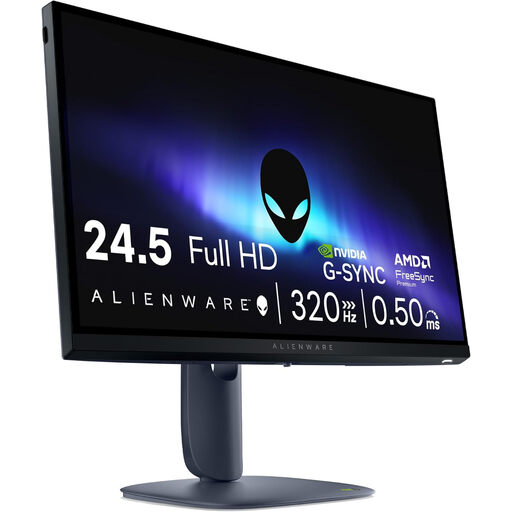
A more compact Full HD option for a setup with one main window and limited desk space; its resolution offers fewer pixels for side-by-side windows than the QHD and ultrawide options.
Specifications include 24.5 inches, 1920 × 1080 pixels, HDMI 2.1 and DisplayPort 1.4. The description mentions a height-adjustable stand.
Readjust your workstation, position the screen directly in front of you and place its top slightly below eye level. Arboportaal also recommends changing position regularly; a monitor or working while standing does not replace that variation.
No. To use DisplayPort video via USB-C, your computer’s port must support that feature. Check your laptop’s documentation and the cable specifications; also check separately whether you want to charge your laptop through the monitor.
According to the European Commission, electronic displays, including computer monitors, are covered by energy labelling. Compare the label or product information for the exact models; resolution alone does not provide a reliable comparison of power consumption.
No. The Dutch government says that the Netherlands has no fixed statutory warranty period; with normal use, you can expect a product to last for a reasonable length of time. If a product is faulty, the seller is responsible for putting things right. An additional manufacturer’s or paid warranty does not replace this right.
The advice from Arboportaal referred to here concerns workplace guidance and does not, in itself, establish a legal obligation for private use when managing a household budget. Still, adjust the screen position to suit both your sitting and standing posture; different rules on applicability may apply in an employment relationship.