What should you look for?
Start with your main task: assessing prints, retouching digitally or fitting the monitor into a shared workspace.
| What to consider |
What to look for when buying |
Who is this important for? |
| Greyscale and uniformity |
Check the exact model’s calibration options and whether it offers uniformity correction. Assess the monitor in the lighting conditions of your workspace too. |
If I want to assess subtle tonal differences in a face and background, I look beyond a single contrast figure. Around 33% of consumers put greyscale, shadow detail and uniformity first. |
| Print preview |
Check whether you can calibrate the monitor and whether your software supports soft-proofing with the profile for your intended output. |
If I want to estimate how an edited portrait will look in a particular print, I take the difference between screen and paper into account. Around 27% of consumers prioritise how well the display matches black-and-white prints. |
| Detail for retouching |
Consider screen size and native resolution together, and check that the connections are compatible with your computer. |
When I’m editing fine portrait details and want to see the photo alongside my tools, both detail and workspace matter. For around 20% of consumers, retouching detail is the top buying priority. |
| Fitting into a home office |
Check the video support and laptop charging power, the model’s connections, and how windows and lamps will affect the screen’s position. |
If I also use the monitor for other work at home, I want a practical setup and laptop connection. Around 20% of consumers put how well it fits into a home office above other buying factors. |
Joybuy monitors for portrait editing
These Joybuy products are 4K monitors with different screen sizes and panel types. Check the connections and other features of the model that suits your workflow.
 Image unavailable
Philips 32E1N1800LA, 32-inch, VA, 4K UHD
A 32-inch 4K monitor for anyone who wants to view portrait detail on a large screen.
3840 × 2160 pixels; 60 Hz; 300 cd/m²; 2× HDMI and DisplayPort; tiltable stand; speakers.
Joybuy
 Image unavailable
Dell UltraSharp U3226Q, 32-inch, 4K UHD, QD-OLED
A 32-inch 4K model for anyone who wants to combine portrait detail and workspace on a large screen.
120 Hz; QD-OLED panel.
Joybuy
 Image unavailable
Philips 27E1N1800AE/00, 27-inch, IPS, 4K UHD
A 27-inch 4K monitor for anyone who wants to view portrait detail on a more compact screen.
3840 × 2160 pixels; 60 Hz; 4 ms; HDMI and DisplayPort; height-adjustable stand.
Joybuy
 Image unavailable
BenQ PD3225U, 32-inch, 4K UHD
A 32-inch 4K monitor for anyone who wants to view portrait detail and make the most of a large screen’s workspace.
3840 × 2160 pixels; 4K Ultra HD; LED.
Joybuy
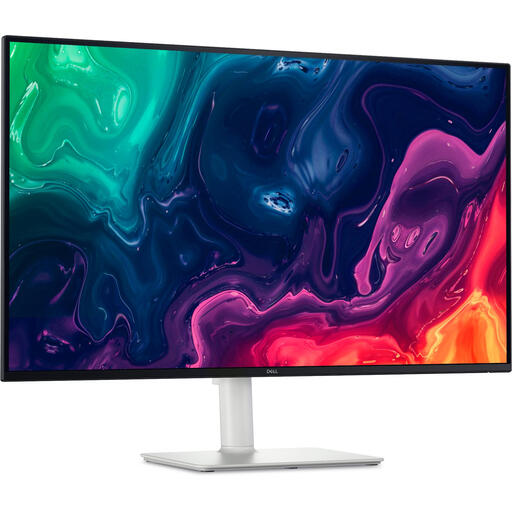 Image unavailable
Dell Plus S3225QS, 31.5-inch, 4K UHD, LCD
A 31.5-inch 4K monitor for anyone who wants to view portrait detail on a large screen.
3840 × 2160 pixels; 4K Ultra HD; LCD.
Joybuy
Frequently asked questions
Is a dedicated black-and-white mode enough to assess portraits for printing?
No. A black-and-white mode alone won’t show you how a specific print will look. BenQ lists a B+W mode for the SW272U; Adobe describes soft-proofing with the profile for your intended output as a way to preview a print. You should also calibrate your monitor for your editing workflow.
What should I check before connecting a laptop with a single USB-C cable?
Check whether the USB-C port on your laptop supports video, then compare the laptop’s charging requirements with the power output of the exact monitor model. Manufacturer specifications list up to 60 W for the EIZO CS2740, 90 W for the BenQ SW272U and 96 W for the ASUS PA279CRV; these figures don’t guarantee that every laptop can be charged by them.
How should I care for the screen surface?
BenQ recommends unplugging its monitors and cleaning the screen with a slightly damp microfibre cloth, using very little liquid and no firm pressure. For other models, follow the relevant instructions too, especially if the screen has a special coating.
What warranty and cancellation rights apply when buying as a consumer in the Netherlands?
For normal use, ACM says the seller must put right, free of charge, a product that doesn’t meet what you could reasonably expect. This could mean a repair, replacement or refund. The Dutch government states that many qualifying distance purchases come with a 14-day cooling-off period, subject to exceptions. This is separate from a remedy for a faulty product.
Where can I take my old monitor when I buy a new one?
For consumer purchases, the Dutch government describes a like-for-like take-back scheme: the seller takes back an old, similar electrical appliance free of charge. You can also ask your local council’s recycling centre. The take-back rules for consumers don’t necessarily apply to business equipment.


