
Counter with a small desk
You process counts and want to leave room for your keyboard, mouse and notes. The position of the screen and stand is therefore an important consideration.


When setting up on a small desk, start by considering the space available and your viewing distance. A 23.8-inch QHD monitor combines a compact screen size with 2560 × 1440 pixels, while a 27-inch QHD monitor needs more physical space. A 24-inch 16:10 WUXGA model gives you a different working area, but fewer pixels overall than QHD. Before choosing, also check the stand, adjustability and connection to your computer.
You process counts and want to leave room for your keyboard, mouse and notes. The position of the screen and stand is therefore an important consideration.
You compare count data with maps or other windows. Think about the resolution, text scaling and viewing distance that work best for you.
You regularly connect a laptop and are looking for the right combination of video connection, power delivery and adjustment options. Check both the laptop and the monitor.
Ideal for: a small workspace where you want to view count data alongside a map or results window.
Consider: check that text is comfortable to read at your viewing distance and that the stand fits your desk.
Ideal for: anyone who mainly works through long tables or forms and wants a 16:10 workspace.
Consider: WUXGA has fewer pixels overall than QHD; Dell describes the P2425E as a 24-inch WUXGA model.
Ideal for: anyone who has enough space and viewing distance after measuring up, and would prefer a larger physical display.
Consider: this screen takes up more space than a compact QHD model; LG lists QHD resolution for the 27BA65QB-B.
| Consideration | What to look for | Who should pay particular attention? |
|---|---|---|
| Desk space | Measure the available width and depth, then check the monitor's dimensions, including the stand. | If you also need room for input devices and notes, you'll want to know whether the complete setup will fit. Around 31% of consumers give desk space their highest priority. |
| Count data and map details | Compare the resolution of the exact model and assess text and screen scaling at your own viewing distance. | If you want to view data alongside maps or results windows, a clear, readable display is essential. Around 25% of consumers put information detail first. |
| Screen position | Check the height adjustment and other adjustment options, and leave room for your keyboard and mouse. | If you regularly work at a screen, you'll want to position the monitor to suit you. Around 25% of consumers give adjustability and working posture their highest priority. |
| Connection to your computer | Compare your laptop's video output with the monitor's inputs, and check whether USB-C power delivery and a particular cable are needed. | If you connect your laptop frequently, you'll want to know whether the video and power requirements match what both devices support. Around 19% of consumers put connectivity at the top of their list. |
A higher resolution doesn't guarantee that text will be comfortable to read at every viewing distance. Dell lists QHD at 2560 × 1440 pixels for the P2425DE; Philips gives the same resolution for the 24B2U3601/00. Dell describes the P2425E as a 16:10 WUXGA screen with 1920 × 1200 pixels.
A screen's diagonal measurement doesn't tell you how much desk space the stand will take up. Your complete setup also needs to leave room for your input devices.
Measure the space available and compare it with the dimensions of the model, including the stand. Check that the suggested placement works for your workspace.
If the stand doesn't fit the space available, you may need to find another way to position the monitor.
A USB-C port on the monitor doesn't prove that your laptop can output video through that connection or charge at the power available.
Compare your laptop's video output and charging requirements with the connections and power delivery of the exact monitor model. Also check which cable you'll need.
LG marks the 24QP750P-B as discontinued, so an existing model listing doesn't necessarily mean it's currently available to buy.
When considering a specific offer, check the full model number and current product status.
According to the Dutch government, there is no fixed time limit for statutory warranty in the Netherlands.
Keep your purchase and product information, and contact the seller if a fault develops.
Dell offers both compact QHD and 16:10 WUXGA models for this comparison.
The business-focused 24B2U3601/00 is a compact QHD monitor with USB-C.
The 27BA65QB-B is a larger QHD option; the 24QP750P-B is an older compact QHD model.
These Joybuy products offer a range of options for a compact workspace: QHD, WUXGA and Full HD, in different sizes and with various connections.
 Image unavailable
A 24-inch QHD monitor for a compact workspace and comparing count data with maps.
2560 × 1440 pixels. The product description lists height and tilt adjustment, USB-C Power Delivery up to 90 W and RJ45.
 Image unavailable
A 24-inch QHD option for a small workspace where you want to view count data and maps in detail.
2560 × 1440 pixels. The product description lists height, tilt, swivel and pivot adjustment.
 Image unavailable
A 23.8-inch Full HD option for anyone who values a compact screen and adjustability; its lower resolution means fewer pixels overall than QHD.
Full HD, 100 Hz and IPS. The product description lists an adjustable stand, USB-C Power Delivery up to 65 W, a USB hub and RJ45.
 Image unavailable
A 24.1-inch WUXGA monitor with a 16:10 workspace for compact work areas and long tables; WUXGA has fewer pixels overall than QHD.
1920 × 1200 pixels. The product description lists 13 cm of height adjustment, VESA mounting, a USB hub with four USB-A ports and USB-C Power Delivery up to 96 W.
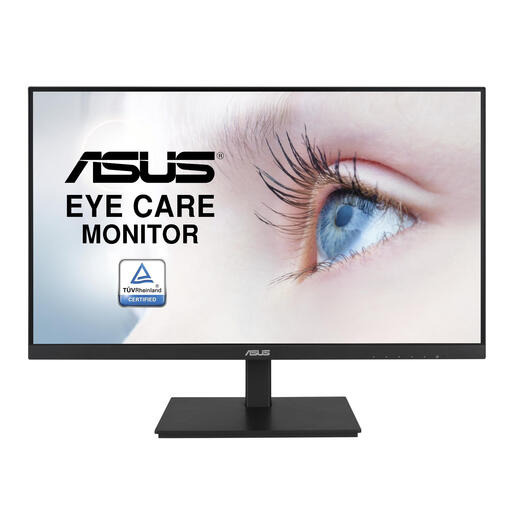 Image unavailable
A 23.8-inch Full HD monitor for a compact workspace; its resolution has fewer pixels overall than QHD for detailed count data and maps.
1920 × 1080 pixels. The product description lists an IPS panel, height adjustment, VESA mounting and a USB hub.
No, not if desk space is the limiting factor. In that case, first compare a compact 23.8-inch QHD screen with the space you have available. A 27-inch QHD screen gives you a larger physical display if you can position it comfortably; both sizes are listed at 2560 × 1440 pixels.
Position the monitor at a height and in a place that suit your workspace, and leave room for your keyboard and mouse. Consider the lighting and glare too. Arboportaal sets out specific employer obligations for employees; these don't automatically amount to product specifications for every private buyer.
For the models you're considering, compare the applicable EU energy label and the model information in EPREL. The European Commission gives an energy label scale from A to G for electronic displays. The specific energy class depends on the individual model.
No. According to the Dutch government, there is no fixed statutory warranty period in the Netherlands: the product must meet what you could reasonably expect from it. If a fault develops, contact the seller; any additional manufacturer's warranty doesn't replace your statutory rights.
For distance purchases from a business, you usually have a 14-day cooling-off period; the Dutch government also lists some exceptions. Check which terms and conditions apply to your purchase.