What should you look for?
One ultrawide monitor
Best for: a long timeline and extra windows that you regularly want to view side by side. LG lists a resolution of 3440 × 1440 pixels for the 34U650A-B.
Bear in mind: check that the monitor and stand will fit on your desk; extra screen space won’t manage project versions.
Adjustable 27-inch QHD monitor
Best for: a workspace where you mainly use one project window or have less space. Dell and BenQ both describe 27-inch QHD models.
Bear in mind: the 27-inch QHD models reviewed have fewer horizontal pixels than the 34-inch ultrawide LG monitor mentioned above.
Two monitors
Best for: software and a computer that support the windows you want to display separately. Ableton explains how to use a second window across two monitors.
Bear in mind: check video outputs, positioning and cables; Ableton warns that not every detailed view can appear in both windows at the same time.
Your main considerations are the window layout you want, reading comfort, laptop connections and the space available on your desk.
| Consideration |
What to look for |
Who is this important to? |
| Timeline and secondary windows |
Compare horizontal resolution, window layout at your scaling setting and the available desk width. |
If I want to see the timeline alongside notes or file windows, horizontal space is a major factor. Around 36% of consumers are mainly looking for a clear overview of the timeline. |
| Readability and positioning |
Check text scaling, reflections and height adjustment; assess small controls from your usual working distance. |
During long sessions, I want to keep waveforms and controls easy to read and position the screen comfortably. Around 29% of consumers put reading comfort first. |
| Laptop and peripheral connections |
Check whether your laptop and monitor both support video over the same connection, and whether the charging power is suitable for your laptop. |
When I regularly connect my laptop, I want to know whether the connection carries video and supplies enough power. Around 21% of consumers prioritise easy connectivity. |
| Desk space |
Measure the available width and depth, and compare them with the monitor’s dimensions, including the stand. |
If my desk has limited space, I want to know how much room the monitor and stand will take up before anything else. Around 14% of consumers say desk space is their main concern. |
Joybuy monitors for this workspace
These computer monitors are intended for a visual audio-editing workspace with a timeline and secondary windows: four ultrawide models and one 27-inch QHD model. Compare the screen space with your desk, computer and preferred window layout.
 Image unavailable
LG UltraWide 34U650A-B 34-inch
An ultrawide model for viewing a timeline and extra windows side by side; measure your desk space first.
LG lists a 34-inch 21:9 IPS screen with a resolution of 3440 × 1440 pixels for the 34U650A-B.
View at Joybuy
 Image unavailable
INNOCN 40C1U 40-inch ultrawide monitor
An ultrawide screen for arranging a timeline and additional windows across one workspace; check that its size will fit on your desk.
The product name lists 21:9, 5120 × 2160 pixels, IPS and PIP/PBP.
View at Joybuy
 Image unavailable
Dell UltraSharp U4924DW 49-inch
This wide model may suit a workspace where you want to view lots of timeline and secondary windows side by side; bear in mind the desk width you’ll need.
The product name lists 5120 × 1440 pixels and an LCD screen.
View at Joybuy
 Image unavailable
Philips 49B2U6903CH/00 49-inch
A wide workspace for placing a long timeline and extra windows on one screen; compare its dimensions with your workspace.
The product name lists 5120 × 1440 pixels and Dual QHD.
View at Joybuy
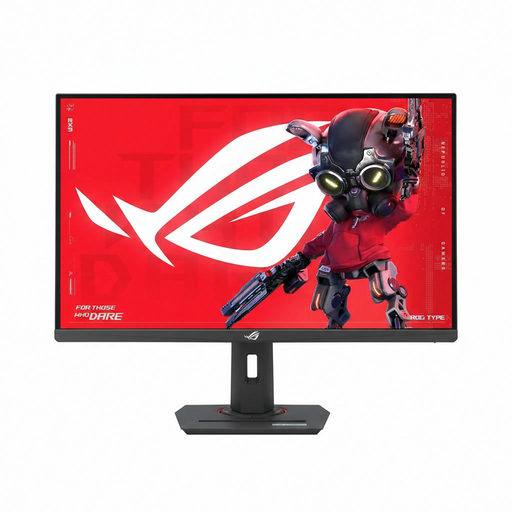 Image unavailable
ASUS ROG Strix XG27ACMS 27-inch
A 27-inch QHD option for a workspace that doesn’t need the same wide panel as the ultrawide models.
The product name lists 2560 × 1440 pixels and an LCD screen.
View at Joybuy
Frequently asked questions
Can a larger monitor store my different edit versions?
No. A monitor displays what your software opens; the software determines how versions are stored. Ableton explains that related Live Sets using the same audio files can be saved in the same project folder, and that the backup folder contains the ten most recently saved versions. Check how your own programme handles this.
Can I use two software views at the same time?
It depends on your programme and screen setup. Ableton Live, for example, supports a second window across two monitors or on one large screen, but not every detailed view can appear in both windows at the same time.
What should I check about USB-C and adjusting the monitor?
Check whether your laptop can output video through the connection you’ve chosen and whether the monitor’s charging power is suitable for your laptop. Also check the cables included, and adjust the screen height and text scaling so that small controls are easy to read from your viewing distance.
Are there any requirements for my screen-based workspace?
According to Arboportaal, rules on screen-based work apply to employees. For employees who work with a screen for more than two hours a day, the portal lists, among other things, a separate monitor or keyboard when using a laptop, and a height-adjustable monitor. These requirements aren’t a standard product specification for every private buyer.


