
Vandaag of morgen in huis

Kwaliteit gegarandeerd

Welkomstaanbiedingen ontgrendelen: GRATIS bezorging | Tot 80% korting | Gratis 30 dagen JoyPlus-proefperiode
Download de app
A monitor arm can free up desk space, improve cable management and let you position your screen more precisely. However, not every monitor mount is suitable for every desk or screen. An arm that looks adjustable on paper may not have enough load capacity in practice, may not fit your VESA pattern or may take up too much space behind your desk.
For home workers, gamers, IT users and office professionals, four common buying pitfalls are particularly important:
Always check the maximum weight per screen. For a dual monitor arm, the stated weight limit usually applies to each monitor; for a triple-screen model, check the weight of each screen individually.
A monitor arm for 17 to 27 inches is not automatically suitable for every 27-inch monitor. Check:
An ultrawide or curved monitor needs extra consideration. Its screen width and centre of gravity may differ from those of a flat screen. According to the product description, the Neomounts NM-D775BLACKPLUS is designed for curved screens up to 49 inches and a maximum weight of 18 kg.
The most common VESA patterns in this selection are 75 x 75 mm and 100 x 100 mm. These measurements refer to the distance between the mounting holes on the back of the screen.
Measure the horizontal and vertical distances, or check your monitor’s manual. Also look out for a recessed mounting point. An adapter plate may help, but check in advance whether one is available for your screen.
An adjustable monitor arm may offer features such as:
A desk monitor stand is often easier to position, while a clamp or grommet-mounted model frees up more desk space. When mounting the arm, check the desktop thickness and the position of any cable grommets. Before securing the arm permanently, make sure the screen can move freely without hitting a wall, shelf or second monitor.
The recommendations below are based on the stated screen sizes, VESA support, load capacities and adjustment options. Before buying, also check the current product specifications and the dimensions of your desk.
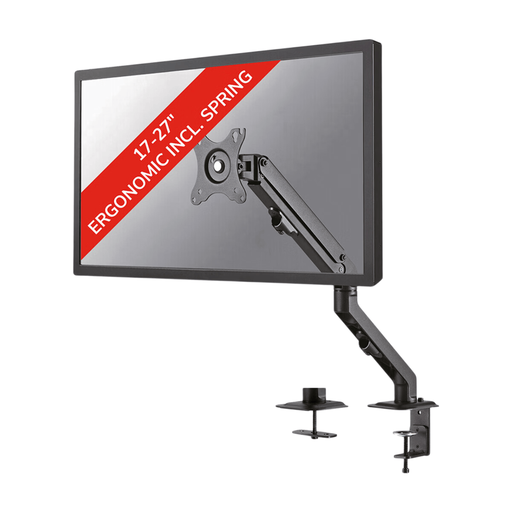
Why it suits this user: A single monitor arm for a standard home office, with both clamp and grommet mounting included.
The product details state that it supports screens from 17 to 27 inches, weighing up to 7 kg, with VESA 75 x 75 and 100 x 100 mm.
Tilts up to 130°, rotates 360°, swivels 180° and includes cable clips for routing.
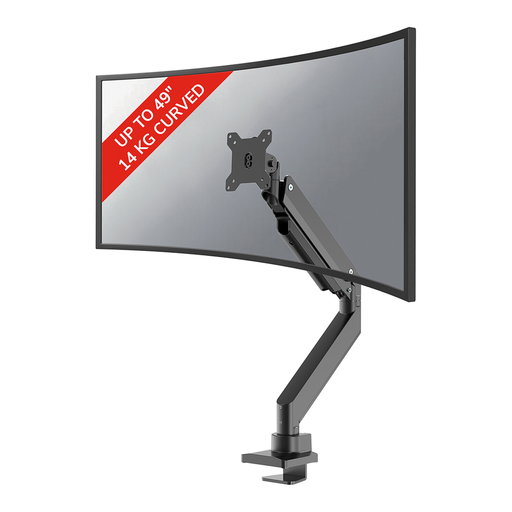
Why it suits this user: For users with a large curved or ultrawide screen who need a wide range of adjustment.
The specifications explicitly state that it supports curved screens up to 49 inches and weighing up to 18 kg.
Gas spring, depth adjustment from 0 to 63 cm and cable management; VESA 75 x 75 and 100 x 100 mm.
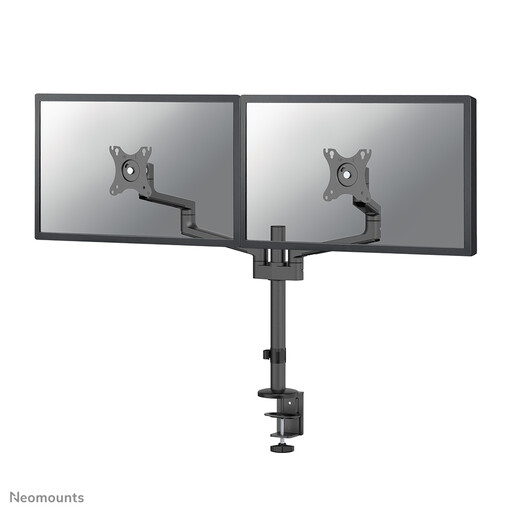
Why it suits this user: For home workers and multitaskers looking for a dual monitor arm that takes up little desk depth.
This model is designed for two screens up to 27 inches, weighing up to 8 kg each. According to the product description, its short upper arm reduces the depth required.
Manual height and depth adjustment, 360° rotation, cable management and clamp or grommet mounting.

Why it suits this user: For dashboards, trading rooms or workstations with three screens side by side.
The product details state that it supports three screens from 10 to 27 inches, weighing up to 6 kg each, with VESA 75 x 75 or 100 x 100 mm.
Quick-release system, tilt, rotation and swivel; a 180° stop limits contact with a wall or partition.
We’ve put together a complete, up-to-date list of products that meet these strict selection criteria and current European safety regulations.
A monitor arm won’t automatically solve all your cable and space problems. A desk CPU holder can position a desktop tower under or beside the desk. Check its weight capacity, the width of your computer case and its ventilation openings. According to the product information, the Neomounts CPU-M100BLACK adjusts to fit computers from 12 to 21 cm wide and has a maximum load capacity of 10 kg.
For use on the go, there are separate accessories such as a magnetic car phone holder or a phone holder for a bicycle or scooter. Check whether your phone or case needs a magnetic ring. If you use a suction-cup model, the surface must be smooth, clean and dry. Also position your phone holder so that it doesn’t obstruct your view or the car’s controls.
No. Check the VESA size, weight and screen size. A screen without a VESA mount may sometimes be fitted using an adapter, but you’ll need to check this for each model.
That depends on its stated load capacity. Adjust the spring according to the instructions and stay within the maximum weight limit. A gas spring is no substitute for a sturdy desk mount.
First, check that your desktop is suitable and choose a clamp or grommet mount. Tighten all the connections, attach the screen according to its VESA pattern and test the range of movement slowly. After installation, check again that the clamp and screws are still firmly secured.
