
Vandaag of morgen in huis

Kwaliteit gegarandeerd

Welkomstaanbiedingen ontgrendelen: GRATIS bezorging | Tot 80% korting | Gratis 30 dagen JoyPlus-proefperiode
Download de app
A monitor arm can free up desk space, position your screens more effectively and keep cables out of sight. However, not every desk-mounted monitor arm is suitable for your screen or desk. An arm that looks right on paper may sag, wobble or offer too little room to move once it’s installed.
So don’t focus only on the number of screens or an attractive price. Check the technical specifications, mounting options and dimensions of your monitor carefully.
A monitor arm for 32-inch screens isn’t automatically suitable for every 32-inch monitor. The weight of the monitor matters just as much. A heavy screen with its stand, built-in power supply or wide casing can put more strain on the arm than you might expect.
Always check:
With a dual monitor arm, check the load capacity per screen, not just the total load capacity.
Most models in this selection use VESA 75x75 mm or 100x100 mm. These measurements refer to the distance between the mounting holes on the back of the screen. If your monitor has a different pattern, you may need an adaptor.
A monitor without suitable VESA holes can’t simply be attached to a standard monitor arm. Check your screen’s manual or product specifications before buying.
A desk mount uses either a clamp on the edge or a grommet mount fitted through a hole in the desktop. A thin, delicate or hollow desk may not be suitable for multiple screens. A monitor arm for 6 screens also puts much more strain on the desktop than a single arm.
Check:
A single adjustable monitor arm is well suited to a simple workspace, gaming setup or ultrawide monitor. For multitasking, a dual monitor arm or a monitor arm for 2 screens is more practical. A monitor arm for 3 screens is suitable for tasks such as video editing, financial dashboards or a wide workstation setup.
A monitor arm for 6 screens is mainly designed for specialist workstations. Pay particular attention to the stability of your desk and the total load. According to the stated product specifications, the FPMA-D700D6 supports six screens from 19 to 27 inches, up to 8 kg per screen.
A gas spring monitor arm generally makes it easier to move a screen up, down, forwards and backwards. The gas spring does need to be adjusted to match the monitor’s weight. If the load is too light or too heavy, the arm may not move as smoothly or steadily.
Manual models use fixed pivot points or a mechanical height adjustment. They may be suitable if you only adjust your screen occasionally and mainly want to set up a fixed workstation.
Look beyond the term “full motion”. Check the individual specifications for:
A monitor arm with cable management helps route cables along the arm. This keeps your desk tidier, but cable clips can’t make short cables longer or loosen taut connections. Leave enough slack when installing the arm.
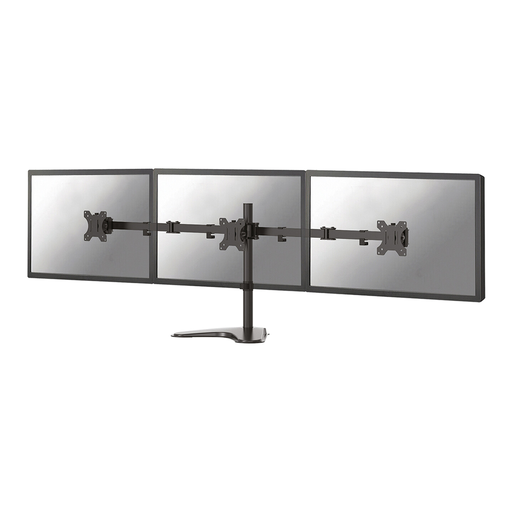
Why it’s a good fit: This dual monitor stand is designed to create a tidy workspace with two screens of up to 32 inches. Its manual adjustment is suitable if you don’t move your screens around often.
The load capacity is specified as 8 kg per screen, and the 75x75 and 100x100 mm VESA patterns are clearly listed.
Height adjusts from 0 to 46 cm, depth adjusts from 4 to 40 cm, and it includes cable management.
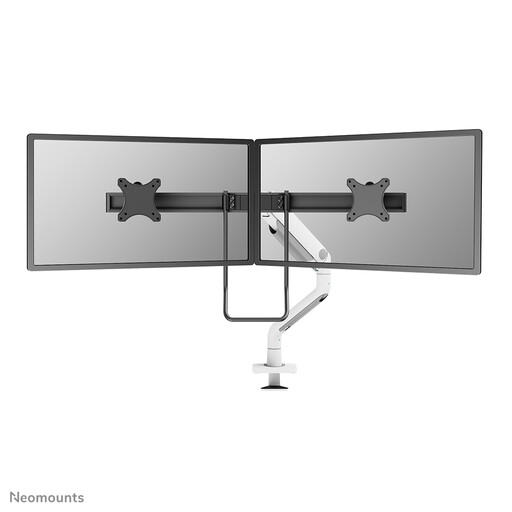
Why it’s a good fit: If you regularly realign two screens, you’ll benefit from the gas spring height adjustment and independent positioning. The arm is designed for screens of up to 32 inches.
The model specifies a load capacity of 8 kg per screen, VESA 75x75 and 100x100 mm, and a 180° rotation stop for positioning near a wall.
Height adjusts from 19,1 to 52,7 cm, depth adjusts up to 71 cm, and it has integrated cable management.

Why it’s a good fit: This arm is designed for a large or curved ultrawide monitor. Its reinforced head and stated load capacity make it suitable for screens of up to 49 inches.
The product specifications distinguish between flat screens weighing up to 18 kg and curved screens weighing up to 14 kg. This helps prevent a single general load rating from being misinterpreted.
Gas spring adjustment, VESA 75x75 and 100x100 mm, a 180° rotation stop and cable management.
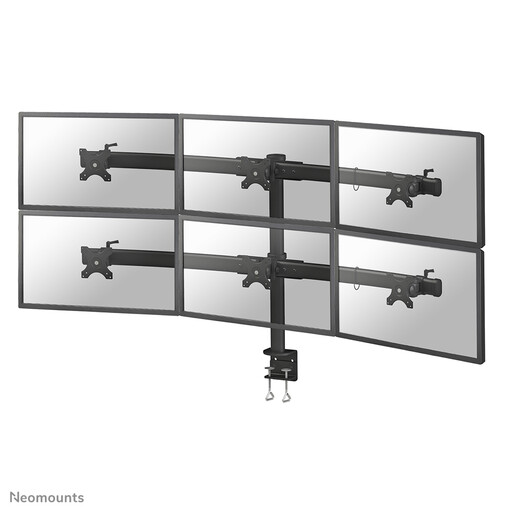
Why it’s a good fit: This monitor arm for 6 screens is designed for workstations where several sources need to be visible at once, such as control rooms or trading desks.
The specifications list six screens from 19 to 27 inches, a maximum of 8 kg per screen, and VESA 75x75 or 100x100 mm.
Height adjusts from 22 to 70 cm, with swivel, tilt and rotation options.
We’ve put together a complete, up-to-date list of products that meet these strict selection criteria and comply with current European safety regulations.
No. Suitability depends on the thickness and sturdiness of the desktop, as well as the shape of its edge. A stable surface is especially important when you’re using multiple screens. Also check whether you need a clamp or a grommet mount.
Its lifespan depends on the load, installation and how often you adjust it. Don’t exceed the maximum load capacity, and check the screws, clamps and pivot points regularly. For a gas spring arm, make sure the tension is set to suit the screen’s weight.
No. A standard monitor arm doesn’t use electricity. The power is used by the connected monitors and any computer equipment. A model with cable management doesn’t change that; it simply keeps the cables organised along the arm.
