
Vandaag of morgen in huis

Kwaliteit gegarandeerd

Welkomstaanbiedingen ontgrendelen: GRATIS bezorging | Tot 80% korting | Gratis 30 dagen JoyPlus-proefperiode
Download de app
A monitor arm can free up desk space and give you more flexibility when positioning your screen. However, not every monitor mount is right for every workspace. A heavy ultrawide monitor needs a different type of support from a lightweight 24-inch screen. The mounting method, VESA compatibility and weight capacity also determine whether your purchase will work well in practice.
The most common pitfalls:
First, check your monitor’s size and weight without its original stand. Compare these with the specifications for the desk monitor mount. Pay particular attention to:
A monitor arm for an ultrawide monitor must be wide enough, but it also needs to support the screen’s weight and the often greater depth of a curved display. For a model up to 49 inches, a sturdy desk is also important.
An adjustable monitor arm is useful if you alternate between sitting and standing, or share your screen with someone else. Check the specific measurements:
A gas-spring monitor arm often makes height and depth adjustments easier, but you’ll need to set the spring tension to suit your monitor’s weight. If it isn’t adjusted correctly, the arm may move suddenly.
A desk clamp is generally suitable for mounting on the edge of a desk. A grommet mount uses a hole in the desktop and can be an alternative if the desk edge isn’t suitable. Before installation, check:
Cable management helps route cables along the monitor mount. It won’t automatically prevent cable damage, so leave enough slack around the joints and check after installation that the connections aren’t under strain.
The options below are matched to different work situations. The sizes, weight capacities and features listed are based on the available product specifications.
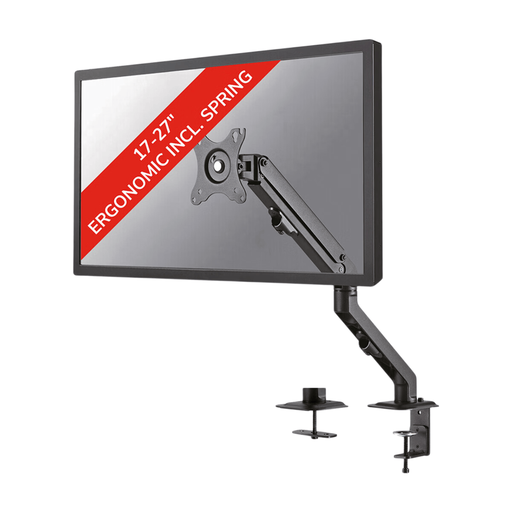
Why it suits this type of user: A practical single monitor arm for a standard home office or desk with one 17- to 27-inch screen.
The specifications list a weight capacity of 7 kg, VESA 75 × 75 and 100 × 100 mm, and a height and depth adjustment range. This means you can check in advance whether your screen will fit.
Tilts up to 130°, rotates 360°, swivels 180°, includes cable clips, and comes with both a desk clamp and a grommet mount.
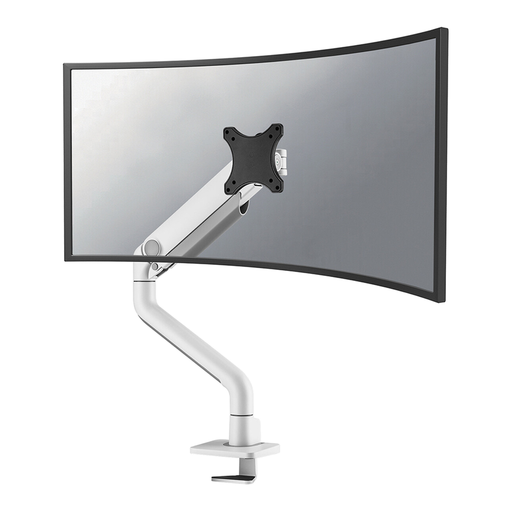
Why it suits this type of user: Suitable for users with a large screen, including a curved ultrawide, who value adjustability and quick VESA mounting.
The product specifications list an 18 kg weight capacity, with a separate limit of 15 kg for curved screens. This makes the relevant limit clearer than a screen-size rating alone.
Gas spring, cable management, Quick-release VESA system and a 180° stop mechanism. According to the product information, the warranty period is 10 years.
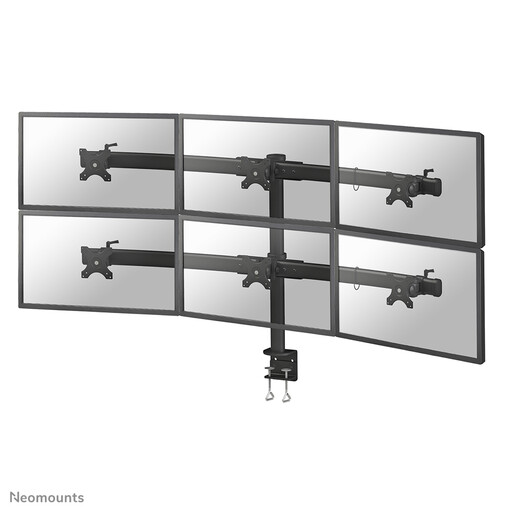
Why it suits this type of user: For trading desks, control rooms or anyone who wants to position six 19- to 27-inch screens side by side.
The 8 kg limit applies to each screen, and the mount uses VESA 75 × 75 or 100 × 100 mm. Also check that your desk can support the combined weight of the arm and screens.
Holds 6 screens, height adjustment from 22 to 70 cm, 360° rotation, 180° swivel and integrated cable management.
Use the supplied mounting hardware during installation and tighten the clamp securely without damaging the desktop. Only mount the screen once the arm is properly secured to the desk. If you have a gas-spring monitor arm, adjust the tension to suit the screen’s actual weight.
After installation, check:
We’ve put together a complete, up-to-date list of products that meet these strict selection criteria and the applicable European safety regulations.
No. Check the VESA pattern, weight and screen size. The models listed here, for example, support 75 × 75 mm and 100 × 100 mm. If your screen has a different pattern, you may need an adapter plate, if one is available for that model.
It can be, but check the maximum screen size and weight, and whether curved screens are listed separately. A monitor arm for screens up to 49 inches also needs enough weight capacity for your specific ultrawide monitor. Heavy screens need a sturdy desk and a correctly fitted clamp.
Its lifespan depends on how it’s mounted, the load it carries and how often you move it. Stay within the stated weight capacity, check the screws regularly and make sure cables aren’t pulling on the joints. Warranty periods vary by model, so check the product page before ordering.
