
Vandaag of morgen in huis

Kwaliteit gegarandeerd

Welkomstaanbiedingen ontgrendelen: GRATIS bezorging | Tot 80% korting | Gratis 30 dagen JoyPlus-proefperiode
Download de app
A monitor arm can free up desk space and give you more flexibility when positioning your screen. Yet many people buy a model that doesn’t fit once it’s installed. The problem usually isn’t how it looks, but its load capacity, limited adjustment options or an unsuitable desk mounting method.
A monitor arm for screens up to 32 inches isn’t automatically suitable for every 32-inch monitor. The weight of the screen, including any stand or accessories, is just as important. A large ultrawide screen may also put a different load on the arm than a compact flat screen.
So always check:
Most models in this selection use VESA 75 x 75 mm or 100 x 100 mm. These are the distances between the mounting holes on the back of your monitor. If your screen has a different hole pattern, you may need an adapter plate.
A monitor without a VESA mount can’t simply be attached to a VESA monitor arm. Also check that the screws supplied are suitable for the screw depth of your screen.
A clamp mount is practical, but not every desk is suitable. Check the thickness, sturdiness and available space at the back. If your desk has a cable tray, raised edge or delicate material, a grommet mount through a desk opening may be a better solution.
With multiple screens, the total weight can quickly add up. A monitor arm for 6 screens, for example, needs not only a sturdy arm but also a stable desk and a securely fastened clamp.
For one lightweight screen, a model with a load capacity of 7 to 10 kg is often sufficient. For two screens, check the weight of each screen separately. A dual monitor arm doesn’t automatically support two heavy displays.
Examples from the product specifications:
When choosing a monitor arm for 3 screens or a monitor arm for 6 screens, also consider the space between the screens and the total load on your desk.
An adjustable monitor arm lets you change the height, depth, swivel angle and tilt. A manual model is generally suitable if you only change the position occasionally. A gas spring monitor arm is more practical if you regularly switch between sitting and working positions or realign your screens.
However, the term ‘gas spring’ doesn’t mean that every screen will stay in place effortlessly. The spring tension needs to be adjusted to suit the monitor’s weight. If the monitor is too light or too heavy, the arm may rise or slowly drop.
A monitor arm with cable management keeps power and display cables together along the arm. It looks tidier, but make sure the cables have enough slack when you swivel or adjust the arm. A cable that’s connected too tightly can put pressure on your monitor’s ports.
Also consider the distance from the wall. Some models have a 180° stop mechanism, which prevents the arm from turning all the way back. This is useful if your desk is close to a wall or partition.
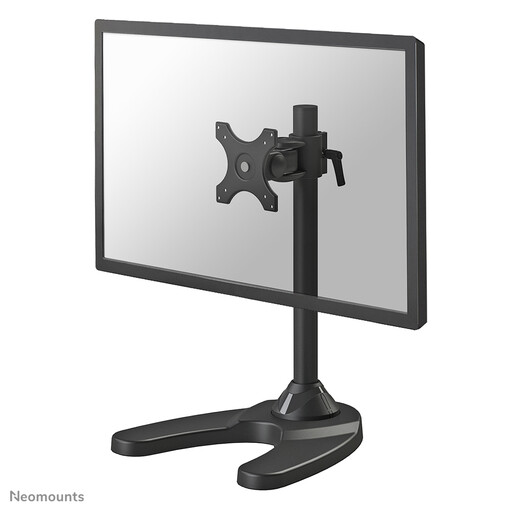
Why it’s a good fit: This model is suitable for one screen measuring 10 to 30 inches and offers manual height adjustment from 15 to 45 cm. It’s a straightforward choice for a home office with one monitor.
The product specifications clearly state the maximum screen size, a load capacity of 10 kg, and VESA 75 x 75 and 100 x 100 mm. That means you don’t have to rely on a vague marketing claim.
Supports one screen up to 30 inches, swivels 360° and offers a height range of 15 to 45 cm.
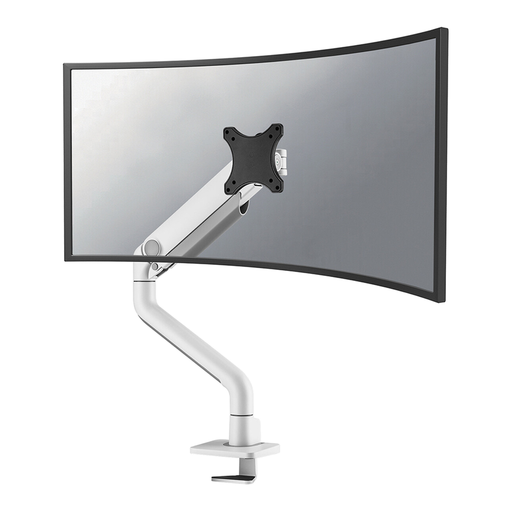
Why it’s a good fit: This gas spring monitor arm is designed for large, curved ultrawide screens. According to the product specifications, it supports a maximum of 18 kg for flat screens and 15 kg for curved screens.
The maximum weight for curved screens is listed separately. The specifications also include a 180° stop mechanism and VESA 75 x 75 and 100 x 100 mm.
Suitable for screens up to 49 inches, with gas spring height adjustment, cable management and top-fix or grommet mounting.
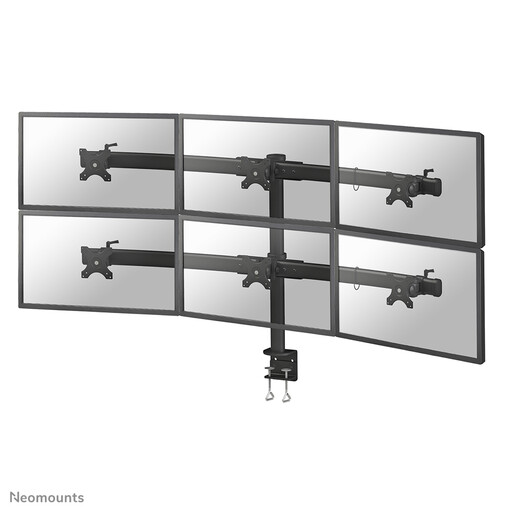
Why it’s a good fit: For a control room, trading desk or IT workstation with lots of screen content, this monitor arm holds six displays measuring 19 to 27 inches.
The load capacity of 8 kg per screen and compatible VESA patterns are clearly stated. Do check that your desk can support the combined weight.
Room for six screens, height adjustment from 22 to 70 cm and integrated cable management.
We’ve put together a complete, up-to-date list of products that meet these strict selection criteria and the applicable European safety regulations.
For a laptop and monitor arm, also check the maximum weight supported by the laptop tray. A laptop stand isn’t the same as a VESA mount and may need a separate attachment or support tray.
No. Your monitor will usually need a VESA mount, often 75 x 75 mm or 100 x 100 mm. Also check its weight and dimensions. You may need an adapter for less common patterns.
It depends on how you use it. If you adjust your screen often, a gas spring mechanism can be useful. For a fixed workstation, manual height adjustment may be enough. Always compare the supported weight range with the weight of your monitor.
Its lifespan depends on the load, how it’s mounted and how often you move it. Don’t exceed the stated load capacity, tighten the fixings regularly and don’t force the joints. If you notice damage, looseness or a clamp that isn’t secure, it’s best not to use the arm.
