
Vandaag of morgen in huis

Kwaliteit gegarandeerd

Welkomstaanbiedingen ontgrendelen: GRATIS bezorging | Tot 80% korting | Gratis 30 dagen JoyPlus-proefperiode
Download de app
A monitor arm can free up desk space, help you position your screens and keep cables out of sight. Yet many people buy a model that doesn’t fit properly once it’s installed. The problem often isn’t how it looks, but details such as its weight capacity, VESA size or how it attaches to your desk.
There are also different solutions for home workers, office professionals, gamers and IT specialists. A single monitor calls for something different from a monitor arm for 2 screens or a monitor arm for 3 screens. Read on to find out what to look for and which models suit different working setups.
A 27-inch monitor may be lightweight, while another model of the same size can weigh considerably more because of a heavy stand, curved panel or built-in hardware. Always check the weight per screen, including any accessories. An arm that supports up to 6 kg isn’t suitable for a 7 kg screen, even if the screen size is within the stated limit.
Most monitor arms for office and home screens support VESA 75 x 75 mm or 100 x 100 mm. These measurements refer to the distance between the mounting holes on the back of the screen. Check the size before you order. If your monitor doesn’t have a VESA mount or uses a different hole pattern, you may need an adapter plate.
A desk monitor mount is often attached with a clamp. This is practical, but the edge of your desk needs to be sturdy and thick enough. Some models use a grommet mount through an existing hole. Also measure the space behind your desk and check that cables, a back panel or a cable tray won’t get in the way of installation.
For one screen, a weight capacity of 10 kg is well within the product specifications of several models. For two screens, check the weight capacity per arm, not just the total capacity. For example, a monitor arm for 2 screens with an 8 kg capacity per screen suits a different setup from a dual monitor arm with a 10 kg capacity per screen.
If you want to position three screens, pay extra attention to the total load and the width of your desk. A monitor arm for 3 screens can save a lot of space, but it needs to remain stable when the screens are moved forwards or to the side.
An adjustable monitor arm may have a fixed height setting or a gas spring. Look out for:
The term ergonomic monitor arm mainly refers to its adjustment options. Your working posture also depends on your chair, desk height, screen settings and viewing distance. So don’t treat marketing claims about reducing neck or back pain as a guaranteed result.
A monitor arm with cable management has clips or channels to route power and display cables along the arm. Check that the cables are long enough when you move the screen fully forwards or to the side.
You’ll also need to choose between a clamp mount and a grommet mount. A clamp is usually quick to install and suits many desk edges. A grommet mount can provide a neater fit, but requires a suitable hole in the desk. Always use the supplied mounting hardware and don’t exceed the stated weight capacity.
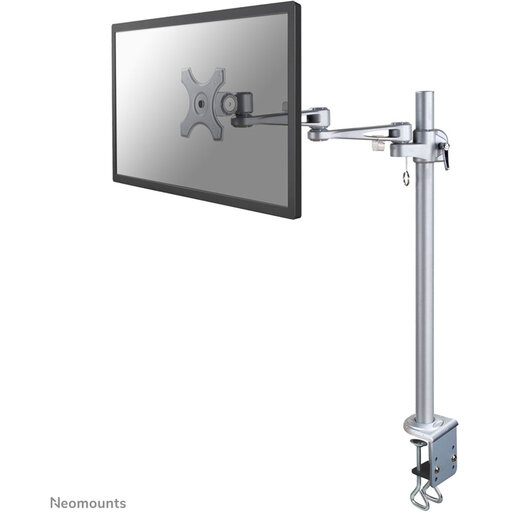
Why it suits this profile: This model is designed for one screen and attaches to the desk with a clamp. Its height can be adjusted manually from 10 to 80 cm, making it easy to set up different working positions without a complicated configuration.
The product specifications state a maximum weight capacity of 10 kg, support for screens from 10 to 30 inches, and VESA 75 x 75 and 100 x 100 mm. Be sure to check that these are compatible with your monitor.
360° rotation and swivel, 180° tilt, manual height and reach adjustment, and integrated cable management.
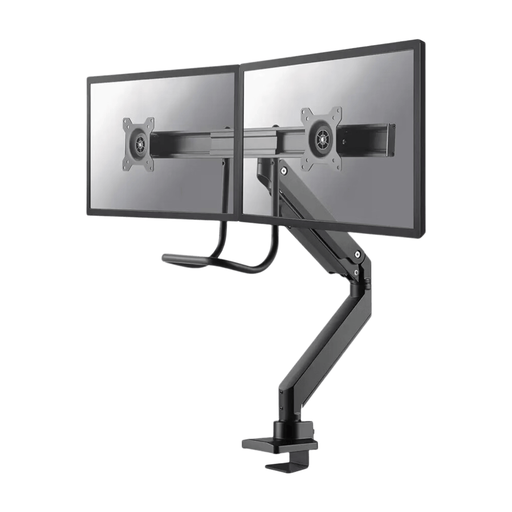
Why it suits this profile: For a more advanced workstation with two screens, this model features a gas spring and independent height adjustment. It’s suitable for screens up to 32 inches and can be fitted with either a clamp or a grommet mount.
The maximum weight capacity is 8 kg per screen. This makes it easy to check the limit before mounting two screens; screen size alone isn’t enough.
Gas spring with up to 60 cm of height adjustment, reach adjustment up to 63 cm, VESA 75 x 75 and 100 x 100 mm, and a 180° stop mechanism.
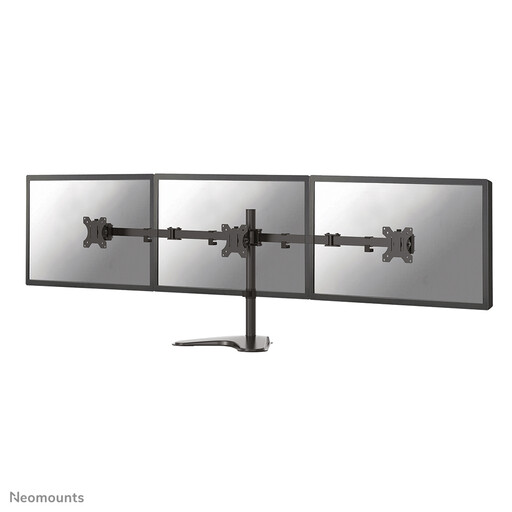
Why it suits this profile: This model is designed for three screens from 13 to 27 inches. It’s ideal for workstations used for monitoring, video editing or working with several software windows side by side.
The maximum capacity of 6 kg per screen makes it easy to check whether this is the right choice. That way, you can avoid mounting three heavier screens on an arm that isn’t rated for them.
Supports three screens, VESA 75 x 75 and 100 x 100 mm, height adjustment up to 43,2 cm, tilt, rotation and cable management.
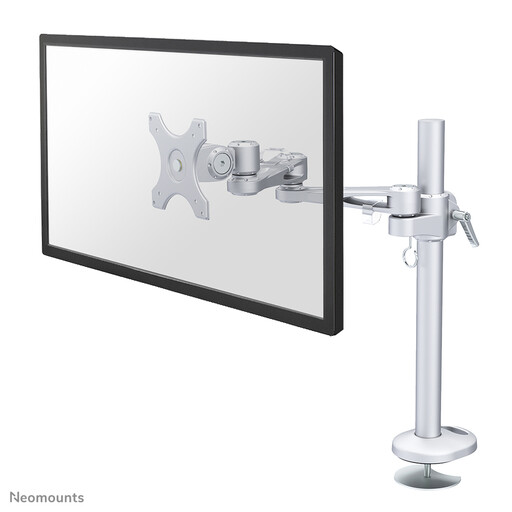
Why it suits this profile: If your desk has a suitable grommet hole, this single monitor arm is a practical choice. You can adjust the screen’s height and reach manually.
The specifications state a maximum load of 10 kg, support for screens up to 30 inches and a maximum desktop thickness of 10,5 cm. Measure your desk before you buy.
Manual height adjustment up to 50 cm, reach adjustment from 12 to 50 cm, 360° rotation and cable routing under the arm.
We’ve put together a complete, up-to-date list of products that meet these strict selection criteria and the applicable European safety regulations.
No. Check whether your screen has VESA mounting holes and measure the horizontal and vertical distances between them. Many models support 75 x 75 mm and 100 x 100 mm. If your screen uses a different size, you may need a suitable adapter.
That depends on the mounting method. A desk clamp needs to be firmly secured to a stable edge. If your desktop is thin, hollow or delicate, you may need a reinforcement plate. Check the maximum desk thickness in the product specifications and tighten the mount regularly.
Its lifespan depends on the weight of the screens, how it’s installed and how often you move the arm. Don’t exceed its weight capacity, check the screws and joints periodically, and only use the arm as intended. Some models come with a five-year manufacturer’s warranty; your statutory consumer rights in the EU also apply.
