
Vandaag of morgen in huis

Kwaliteit gegarandeerd

Welkomstaanbiedingen ontgrendelen: GRATIS bezorging | Tot 80% korting | Gratis 30 dagen JoyPlus-proefperiode
Download de app
A monitor arm can free up desk space, give you more flexibility when positioning your screens and keep cables tidier. However, not every monitor mount will fit every desk or screen. An arm that’s too light may sag, the wrong VESA size can make installation impossible, and a clamp could damage a thin desktop.
This guide will help home workers, office professionals, gamers and IT managers choose a suitable monitor arm, monitor stand or computer holder without getting distracted by marketing jargon.
A monitor arm for screens up to 32 inches won’t necessarily suit every 32-inch monitor. The weight of the screen without its original stand is just as important. Also check that the weight, including accessories such as a webcam or laptop tray, stays within the limit.
A screen that’s too heavy for the arm may gradually sag or become unstable. With a gas spring or spring mechanism, the weight must also fall within the specified range.
VESA refers to the distance between the mounting holes on the back of a monitor. Many monitor arms use VESA 75 × 75 mm or 100 × 100 mm, but this isn’t true of every screen. Check the manual or measure the horizontal and vertical distance between the holes.
Also look out for screens with an unusual mounting connection or a recessed VESA opening. These may need a separate adapter plate.
A desk-mounted monitor arm can be attached with a desk clamp or a grommet mount, which fits through a hole in the desk. A thin, hollow or fragile desktop may not provide enough support. So, measure:
A wall-mounted monitor bracket is a different type of solution and requires a suitable wall, the correct wall plugs and a secure fixing into the wall material.
Don’t just look at the total weight capacity; check the weight capacity per arm too. For a dual monitor arm, for example, the manufacturer may specify a limit for each screen. Two lightweight monitors may be within the limit, while two heavy ultrawide screens may not be.
A single arm is usually easier to adjust. A dual monitor arm saves more space, but requires extra care with alignment, desk support and cable routing.
An adjustable monitor arm can have one or more pivot points. Check the specific figures for:
A greater range of movement is especially useful if several people share the same desk or if you regularly switch between typing, video calls and gaming. Adjustability doesn’t replace good posture, but it makes it easier to position your screen and chair to suit you.
Steel arms are generally sturdy, but the weight of the construction also puts a load on the desktop. An integrated cable management system can route cables along the arm. Check in advance that the cables are long enough and won’t be pulled taut when you move the screen.
Follow the safety instructions when installing the arm. Don’t exceed its weight limit, check the screws regularly and take care with spring mechanisms when there’s no monitor attached.
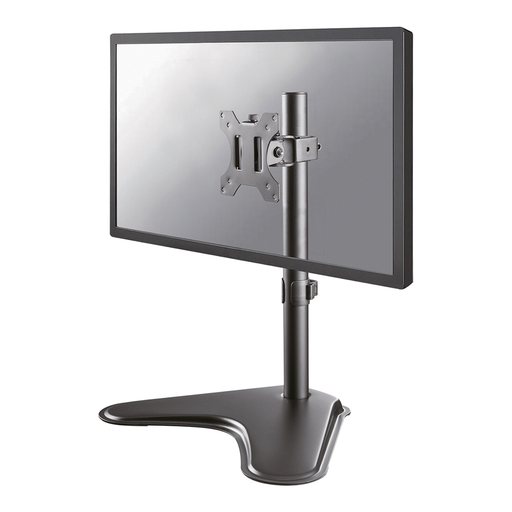
Why it suits this user: This single monitor arm is suitable for screens from 13 to 32 inches and has a weight capacity of 8 kg. It comes with mounting hardware and is a handy choice for keeping a home workspace tidy.
The specifications state both the screen size and maximum weight. The VESA fittings for 75 × 75 and 100 × 100 mm are clearly listed.
Height adjustable from 5,6 to 41,9 cm, with 90° tilt, 180° swivel, 360° rotation and cable management.
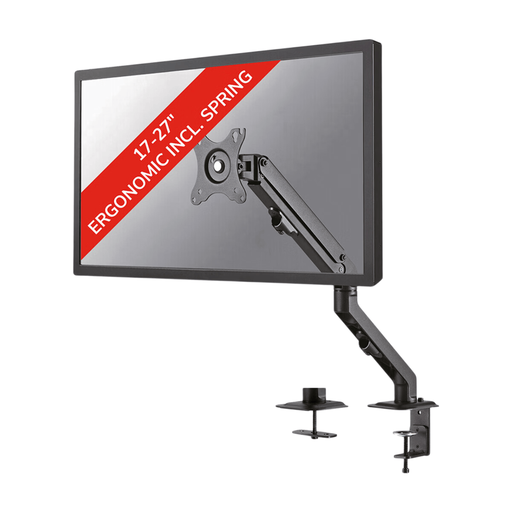
Why it suits this user: This VESA monitor arm is designed for people who regularly adjust a single screen. Its spring-assisted height adjustment is ideal for a workspace where the screen position changes often.
The 7 kg limit and compatible VESA patterns are clearly specified. Both a desk clamp and a grommet mount are included.
Suitable for 17-27 inch screens, with 130° tilt, 360° rotation, 180° swivel and height adjustment from 11-42 cm.
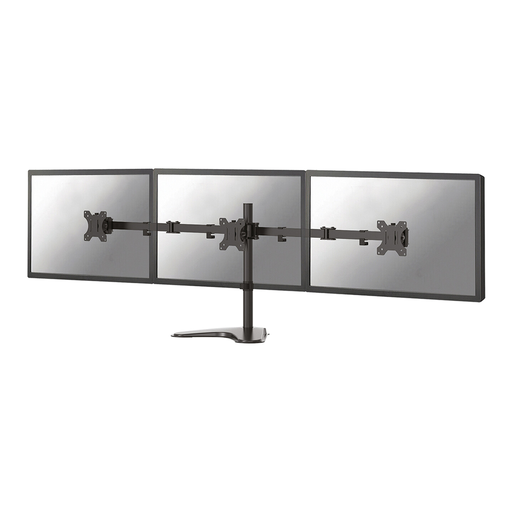
Why it suits this user: For people using two screens, this dual monitor arm offers a single mounting point and independently adjustable arms. It’s well suited to multitasking, dashboards and workspaces running several applications.
The weight limit is specified as a maximum of 8 kg per screen. VESA 75 × 75 and 100 × 100 mm compatibility and the available depth adjustment are also listed.
Supports two screens up to 32 inches, with height adjustment from 0-46 cm, depth adjustment from 4-40 cm and cable routing.
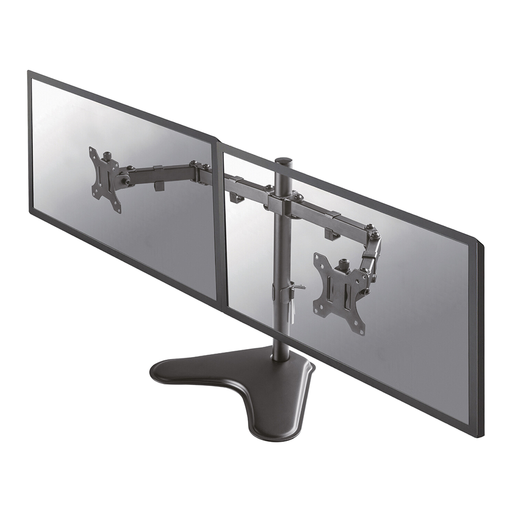
Why it suits this user: This combination is designed for a monitor and a notebook up to 15,6 inches. It’s a practical choice for home workers who use a laptop as a second screen or as their main computer.
The maximum load is specified separately: up to 8 kg for the screen and 4,5 kg for the notebook. This makes it clear which limit applies to each component.
VESA 75 × 75 and 100 × 100 mm, 0-44 cm height adjustment, 4-52 cm depth adjustment and cable management.
We’ve put together a complete, up-to-date list of products that meet these strict selection criteria and current European safety regulations.
Not every workspace needs an adjustable arm. A monitor riser or ergonomic monitor stand is a simpler option if your screen will mostly stay in one place. The Neomounts NSMONITOR20 supports up to 10 kg, adjusts from 4,6 to 16,8 cm and includes cable routing.
For a laptop, a laptop stand or laptop holder is often all you need. Check the size, maximum load and ventilation openings. A CPU holder, such as the Neomounts CPU-M100BLACK, can also keep a desktop computer under the desk. This model supports up to 10 kg and adjusts to fit computer cases from 12 to 21 cm wide.
No. Check the VESA pattern, weight and screen size. An adapter plate may sometimes solve the problem of an unusual mounting pattern, but check first that it’s officially suitable for your screen and arm.
It depends on the desk’s construction and the mounting method. A desk clamp won’t always distribute the load sufficiently on glass, chipboard with a thin top layer or a hollow desktop. Check the installation instructions and the maximum desktop thickness.
Its lifespan depends on the load, installation and how often you move it. Regularly check that bolts, clamps and joints are secure. Don’t use the arm above its stated limit, and replace any parts that show signs of damage or looseness. Warranty cover varies by product, so check the product page for the specific terms.
