
Vandaag of morgen in huis

Kwaliteit gegarandeerd

Welkomstaanbiedingen ontgrendelen: GRATIS bezorging | Tot 80% korting | Gratis 30 dagen JoyPlus-proefperiode
Download de app
A desk cluttered with cables, a monitor that's just a bit too low, and that nagging pain in your neck after a long day. Sound familiar? A good monitor arm is often the solution. It not only creates a tidy workspace but also helps you adopt a better posture.
However, the selection is vast. From a simple desk monitor stand to an advanced dual monitor arm with a gas spring. This guide will help you understand the specifications and find a model that fits your monitor and work style, without the marketing jargon.
Before you make a choice, there are a few key points to check. This will prevent you from buying a monitor bracket that isn't compatible.
Not every arm fits every monitor. Therefore, check three specifications:
An adjustable monitor arm gives you the freedom to tilt, swivel, and adjust the height of your screen. The mechanism for this varies. A monitor arm with a gas spring offers the most flexibility, allowing you to adjust your screen's height and depth with a single smooth motion. A mechanical arm is often adjusted with a screw or lever, which is less dynamic but typically more affordable. For a truly ergonomic monitor arm that you can adjust effortlessly, a gas spring is a popular choice.
Do you work with multiple screens? Then a monitor arm for 2 screens is an efficient solution. A dual monitor arm uses only one mounting point on your desk, saving significantly more space than two separate monitor stands. You can align both screens perfectly for a seamless workflow.
Based on functionality, specifications, and ease of installation, we've highlighted a few options for you.
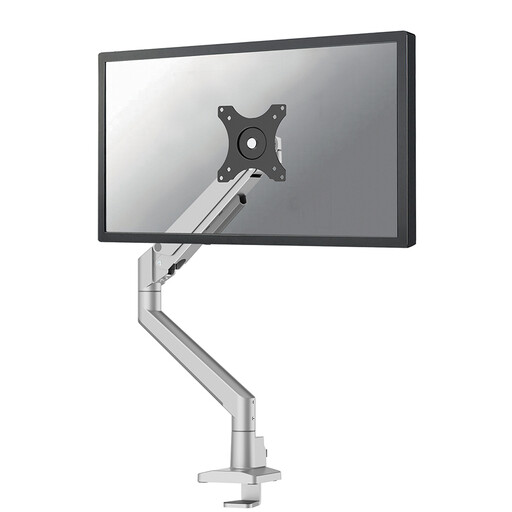
Why it stands out This Neomounts monitor arm is designed for ease of use. The Topfix installation allows you to mount the arm entirely from the top of your desk, eliminating the need to awkwardly crawl underneath it. The 180° stop prevents the arm from colliding with a wall or partition, which is useful in compact spaces.
Advantages
Who is it for? For the remote worker or professional with a single monitor who is looking for a stylish, flexible, and easy-to-install solution for a clutter-free workspace.
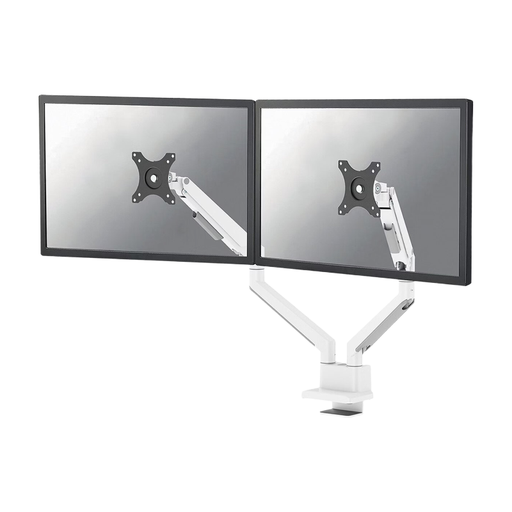
Why it stands out This is a dual monitor arm that combines functionality with a sleek design. It can support two screens up to 32 inches, each weighing up to 9 kg. The Quick-release VESA system makes it easy to attach or swap out your screens.
Advantages
Who is it for? For the multitasker, gamer, or creative professional who needs a monitor arm for 2 screens and values flexibility and a tidy desk.
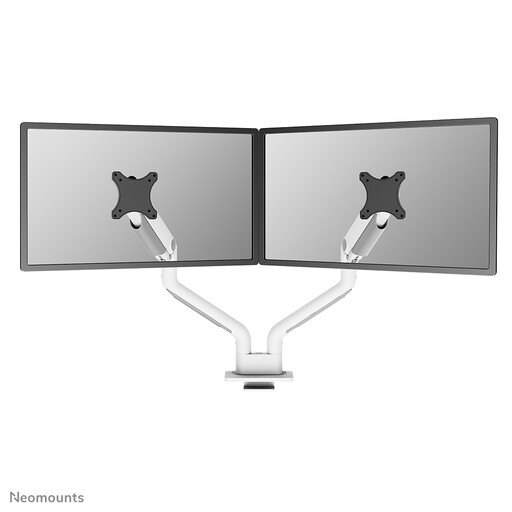
Why it stands out The Neomounts NEXT One is a powerhouse. This dual monitor arm is specially designed for heavier and larger screens. With a weight capacity of 1 to 18 kg per screen, this arm can handle even the most demanding (curved) gaming monitors up to 35 inches.
Advantages
Who is it for? For users with large, heavy monitors, such as ultrawide or high-end gaming screens, who need an extremely stable and durable desk monitor mount.
The recommendations above focus on desk mounting. Are you looking for a solution to mount your monitor on the wall for even more space? Then check out our range of universal monitor wall mounts.
Check your monitor's specifications. Look for the VESA size (usually 75x75 or 100x100 mm), the weight (without the stand), and the screen size in inches. Compare this information with the monitor arm's specifications. As long as your monitor falls within the specified limits for VESA, weight, and size, the arm will be compatible.
A monitor arm with a gas spring allows you to adjust your screen's position (height and depth) with a light touch. This is ideal if you frequently change your posture (for example, with a sit-stand desk) or if multiple people use the same workstation. It provides a smooth and intuitive experience for an optimal ergonomic monitor arm.
Most monitor arms come with a desk clamp and/or a grommet mount. A clamp attaches to the edge of your desk. A grommet mount is installed through a hole in the desktop, such as a cable hole. It's important that your desktop is sturdy and has the recommended thickness (usually between 1 and 8.5 cm). Glass or very thin desktops are often not suitable.
