
Vandaag of morgen in huis

Kwaliteit gegarandeerd

Welkomstaanbiedingen ontgrendelen: GRATIS bezorging | Tot 80% korting | Gratis 30 dagen JoyPlus-proefperiode
Download de app
A monitor arm for your desk can free up space and give you more flexibility when positioning your screen. However, many people buy a model that does not fit properly after installation. The problem is usually not its appearance, but a forgotten measurement, an unsuitable weight capacity or the wrong type of mounting.
These considerations help home workers, gamers, office professionals and businesses choose a monitor mount based on verifiable specifications.
A 32-inch monitor will not automatically fit every monitor arm for your desk. The weight of the screen is at least as important. A large ultrawide monitor may place greater demands on the arm than a standard display because of its size and weight.
Always check:
For example, a monitor arm that supports up to 9 kg is not suitable for an 11 kg screen. With a dual monitor arm, check the stated weight per screen, not just the total load capacity.
Most monitor arms work with a VESA monitor arm. VESA refers to the distance between the mounting holes on the back of the screen. Many models support 75 × 75 mm and 100 × 100 mm.
Measure the distance between the horizontal and vertical holes before ordering. If your monitor has a different pattern, you may need a suitable VESA adapter plate. Also check whether the stand can be removed: with some screens, you must remove it first to access the mounting holes.
A monitor arm is generally attached using a desk clamp or a grommet mount through a hole in the desktop. Not every desk is suitable for this.
Check:
Extra care is needed with a glass desk, a thin chipboard desktop or a damaged surface. According to manufacturers’ safety information, the supporting surface must be stable and strong enough. Never exceed the stated capacity.
A monitor stand or riser sits freely on the desk. This is practical if you do not want to drill holes or use a clamp. An adjustable riser can place a screen at a fixed height, but generally offers less freedom of movement.
An adjustable monitor arm is attached to the desk. This usually allows you to adjust the screen’s height, depth, rotation angle and tilt. An arm with multiple pivot points is useful if you regularly switch between seated and meeting positions.
A gas-spring monitor arm uses a gas spring to adjust the height. This can be convenient for heavier screens, but the spring must be adjusted to the screen’s actual weight. Incorrect tension can cause the screen to rise or slowly drop.
Choose the number of arms based on your current and planned setup:
For example, with four screens up to 27 inches, the Neomounts FPMA-D935D4 supports a maximum of 6 kg per screen. The arm has manual height adjustment from 0 to 80 cm and cable management. These are practical specifications for a multi-window workstation, but the supporting surface must be able to bear the total weight.
A monitor arm with cable management prevents power and display cables from hanging loosely across the desk. However, check that the cables are long enough for the full range of movement. A cable that is too short can put strain on the connector when you rotate the screen.
When positioning the arm close to a wall or partition, look for a 180° stop mechanism. This limits movement towards the wall, but does not replace a secure mounting.
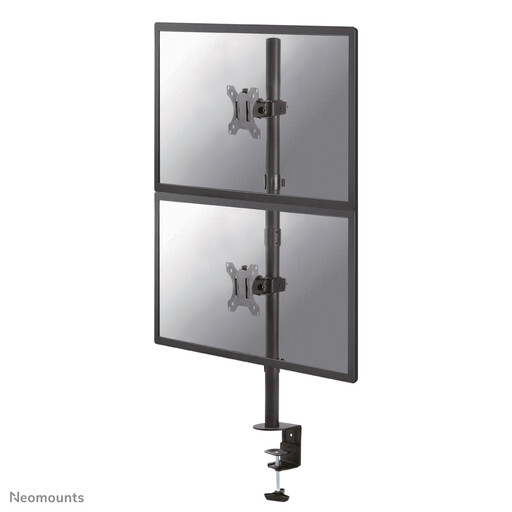
Why it suits this profile: This dual monitor arm supports two screens up to 32 inches and can be attached to the desk with a clamp or grommet mount.
The specifications clearly state 6 kg per screen and VESA 75 × 75 and 100 × 100 mm. This allows you to compare the size and weight capacity in advance.
Height-adjustable, tiltable, rotatable and equipped with cable management.
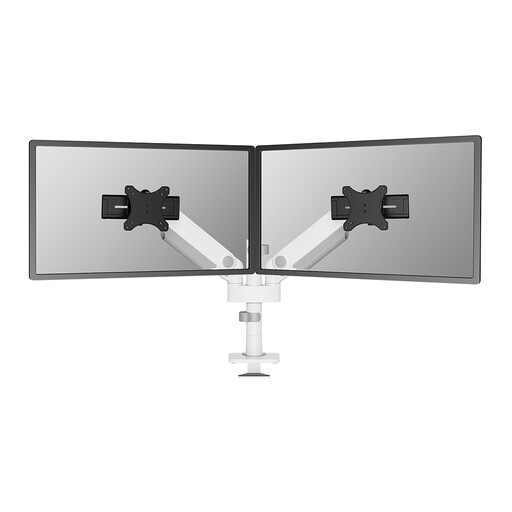
Why it suits this profile: This gas-spring monitor arm is designed for two flat or curved screens up to 34 inches, with adjustable height and depth.
The product information distinguishes between a load capacity of up to 11 kg for flat screens and 9 kg for curved screens per screen. Check this against your exact model.
Gas-spring height adjustment from 0 to 54,2 cm, cable management and quick-release VESA mounting.
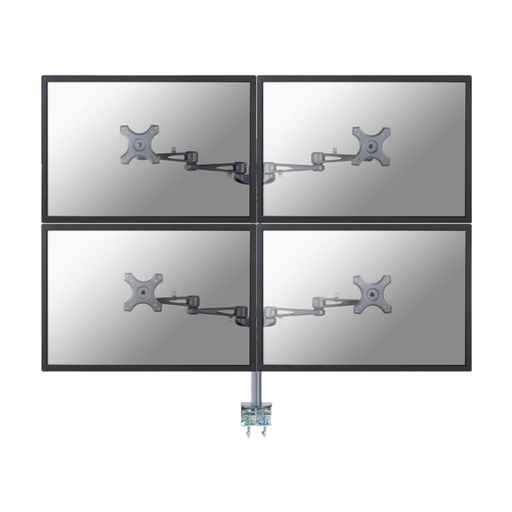
Why it suits this profile: For IT specialists, traders and multitaskers who need four screens, this model offers four VESA positions for screens up to 27 inches.
The limit of 6 kg per screen and the VESA dimensions of 75 × 75 and 100 × 100 mm can be checked in advance. The need for a sturdy desk clamp is also clearly stated.
Four screens, manual height adjustment up to 80 cm and cable management.
According to Neomounts’ own product information, the models mentioned are designed for the stated screen sizes, VESA patterns and load capacities. Always check the latest product specifications and installation manual before buying.
We have put together a complete, up-to-date list of products that fully meet these strict selection criteria and the applicable European safety regulations.
No. The monitor must have a suitable VESA pattern, usually 75 × 75 or 100 × 100 mm, and fall within the arm’s maximum weight and screen-size limits. An adapter plate may be needed for non-standard mounting holes.
That depends on how often you adjust the screen. A gas spring can make height and depth adjustment easier. For a fixed workstation, a manually adjustable monitor arm or monitor stand may be sufficient. With a gas spring, always check the lower and upper weight ranges.
Its lifespan depends on the mounting, load and frequency of use. Fit the arm to a stable desk, do not exceed its load capacity, and check the screws and clamps regularly. Statutory EU warranty rights apply alongside any additional manufacturer’s warranty offered by the brand.
