
Vandaag of morgen in huis

Kwaliteit gegarandeerd

Welkomstaanbiedingen ontgrendelen: GRATIS bezorging | Tot 80% korting | Gratis 30 dagen JoyPlus-proefperiode
Download de app
A monitor arm can free up desk space and make it easier to position your screen. However, not everyone buys the right model. A monitor arm for a 27-inch screen, for example, is not necessarily suitable for a heavy ultrawide monitor. The wrong VESA size, a desk that is not sturdy enough or insufficient room for cables can also cause problems.
This buying guide helps people working from home, gamers, professionals and office planners compare product specifications in practical terms.
A product marked “up to 32 inches” is not necessarily suitable for every 32-inch screen. The weight per screen and the shape of the screen are just as important. A curved ultrawide monitor, for example, may be heavier than a standard flat screen of the same size.
Always check:
Most monitor arms in this selection support VESA 75 × 75 mm and 100 × 100 mm. These are the distances between the mounting holes on the back of the monitor. If your screen has a different pattern, you may need an adapter plate.
Measure the horizontal and vertical distances before ordering. A VESA monitor arm with the wrong mounting pattern cannot be fitted safely, even if it supports the screen size.
A monitor arm with a desk mount will only work well if the desktop is sturdy enough. A clamp distributes pressure over a relatively small area. With multiple screens, the total weight can quickly add up.
Check:
A stable base is especially important for a monitor arm for 6 screens. Check the construction before mounting the screens, and never exceed the stated weight capacity.
A single adjustable monitor arm is enough for one screen. For two screens, you can choose a dual monitor arm or a monitor arm for 2 screens. A monitor arm for 3 screens is useful for multitasking, dashboards and creative workflows. A monitor arm for 6 screens is mainly designed for demanding workstations and needs a very sturdy desk.
Also check how adjustable each screen is. Some models let you align screens individually in height, while others offer a more fixed layout.
A standard arm with manual height adjustment is often enough for lightweight screens. A gas spring monitor arm generally makes it easier to move a screen, but the spring tension must be suitable for the screen’s weight.
Examples from product specifications:
Use the lowest relevant limit. The maximum screen size alone does not tell you enough.
A fully articulating monitor arm may offer tilt, swivel, rotation and pivot functions. Check the actual angles in degrees. A 180° stop can prevent the arm from moving into a wall or partition.
Cable management on a monitor arm usually means that cables are routed along the arm using clips or channels. Check that there is enough slack when you adjust the screen. A cable pulled taut can put strain on the connections.
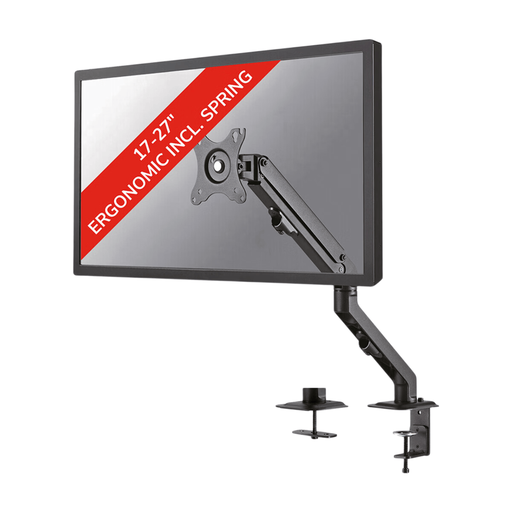
Why it suits this user: This model supports one screen up to 27 inches and 7 kg. The combination of a desk clamp and grommet mount gives you flexibility when setting up a home office.
The weight capacity and VESA sizes are clearly specified: 7 kg and 75x75 or 100x100 mm. That means you don’t have to rely on the screen size alone.
130° tilt, 360° rotation, 180° swivel, height adjustment from 11–42 cm and cable clips.
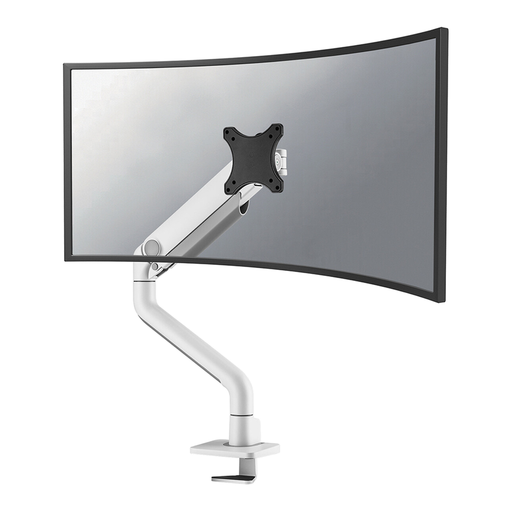
Why it suits this user: This gas spring monitor arm is designed for one standard, curved or ultrawide screen up to 49 inches. It supports up to 18 kg, or 15 kg for curved screens.
The product specifications distinguish between flat and curved screens. The 180° stop mechanism also limits movement near a wall or partition.
Gas spring height adjustment, depth adjustment, quick-release VESA and support for 75x75 and 100x100 mm.
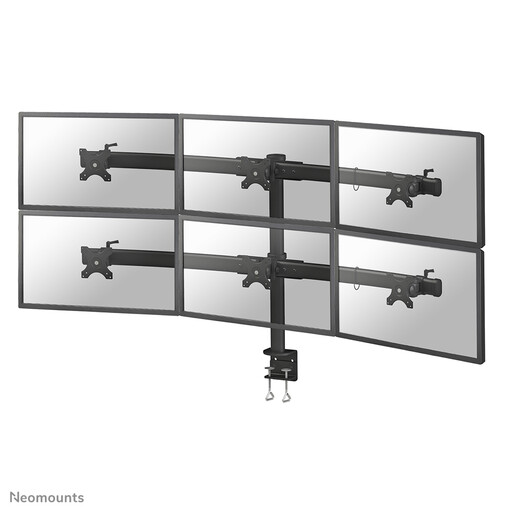
Why it suits this user: This model is designed for six screens from 19 to 27 inches. It’s suited to control rooms, IT workstations and other setups where lots of information needs to be displayed at once.
The limit of 8 kg per screen and the need for a sturdy desk base make it easy to work out the total weight in advance.
Manual height adjustment from 22–70 cm, 360° rotation, 180° swivel and integrated cable management.
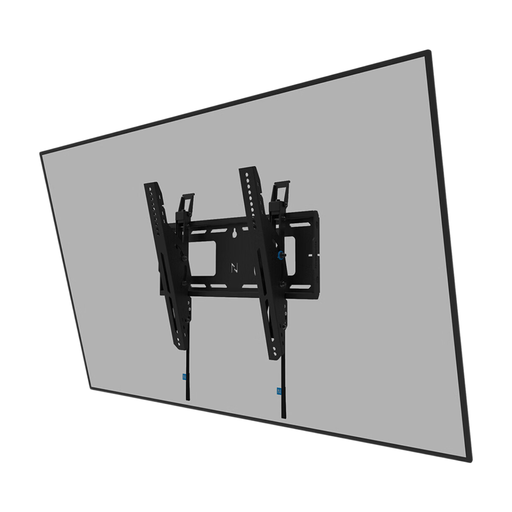
Why it suits this user: This monitor wall mount is suitable for screens from 42 to 75 inches, weighing up to 100 kg. It can also be used for large displays or a TV setup.
Compatible VESA patterns range from 100x100 to 400x400 mm. Make sure the wall and mounting hardware can support the total load.
Tilt from +15° to -15°, cable openings, quick-release wall plate and locking option.
We’ve put together a complete, up-to-date list of products that meet these strict selection criteria and the applicable European safety regulations.
No. The monitor must have a compatible VESA pattern and be within the stated weight limit. Also check that the screen size and any curvature are within the product specifications.
It depends on how often you adjust the screen and how much it weighs. A gas spring can be useful for flexible workspaces, but it must be correctly set for the monitor’s weight. If your screen stays in almost the same position all the time, a manually adjustable monitor arm may be enough.
Its lifespan depends on the load, installation and use. Don’t exceed the weight capacity, don’t force the hinges past their limits, and check the clamp, screws and VESA mount regularly. The statutory guarantee in the EU is at least two years; some manufacturers also offer a longer commercial guarantee for specific models.
