
Vandaag of morgen in huis

Kwaliteit gegarandeerd

Welkomstaanbiedingen ontgrendelen: GRATIS bezorging | Tot 80% korting | Gratis 30 dagen JoyPlus-proefperiode
Download de app
A monitor arm can free up space on your desk and let you position your screen flexibly. However, not every monitor arm is suitable for every workspace. A lightweight arm for a standard monitor works differently from a gas spring monitor arm for an ultrawide screen or a dual monitor arm for an office setup.
Most poor purchases come down to three recurring mistakes:
So check your monitor, desk and desired range of movement first. Marketing terms such as “full motion” mean little on their own without specific figures for load capacity, height, swivel angle and mounting method.
Do not look only at the maximum total weight. With a monitor arm for 2 screens, the load capacity per screen is particularly important. If you remove the monitor stand, do not include its weight; check the actual weight of the screen itself.
Examples from the product specifications:
Allow some headroom when using an adjustable monitor arm. A screen that is exactly at the limit may be more difficult to position securely.
The most common VESA patterns in this selection are 75 × 75 mm and 100 × 100 mm. Measure the distance between the mounting holes on the back of your screen, both horizontally and vertically. Also check that the screws fit your monitor.
A larger screen is not automatically unsuitable, but its centre of gravity and casing also matter. A reinforced VESA head is practical for curved ultrawide screens. The Neomounts NM-D775BLACKPLUS supports screens up to 49 inches and a maximum of 18 kg, with a design that, according to the product description, is intended for curved screens.
TVs often use larger VESA patterns. A TV wall mount such as the Neomounts WL40S-850BL18 supports patterns from 200 × 100 to 800 × 400 mm, screens from 43 to 86 inches and a maximum of 60 kg. This is not a substitute for a desk monitor arm.
A desk monitor arm is usually attached using a desk clamp or a grommet mount. Measure the thickness of the desktop and check that the clamp has a sufficient range. A grommet mount requires a suitable hole in the desktop, but can be a neat solution for a permanent workstation.
Also consider:
A gas spring monitor arm is useful if you regularly move the screen in height or depth. With a gas spring, the tension must be adjusted to match the monitor’s weight. Move the arm gently and keep fingers and cables away from the joints.
The recommendations below are based on verifiable specifications such as screen size, load capacity, VESA size and adjustment range.
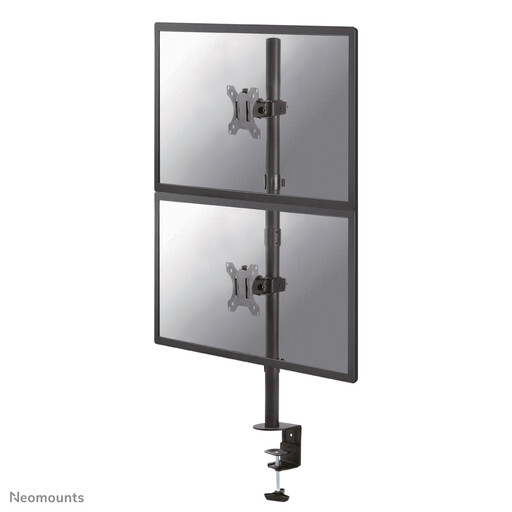
Why it suits this profile: This dual monitor arm is suitable for two screens from 10 to 32 inches and can be attached with a desk clamp or grommet mount.
The specifications clearly state 6 kg per screen and VESA 75 × 75 or 100 × 100 mm, allowing you to check in advance whether the combination is suitable.
Two screens, cable routing, height adjustment, and support for tilting, rotating and swivelling.
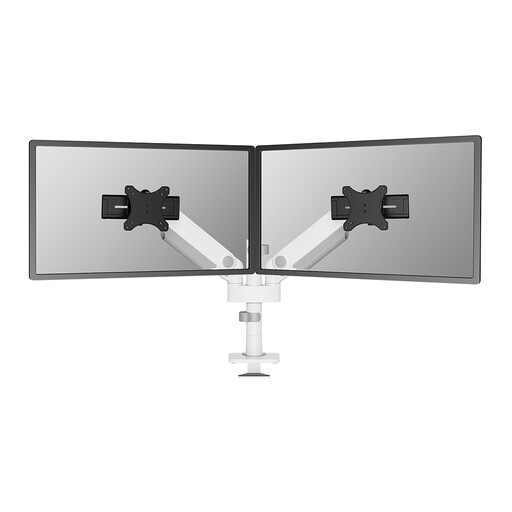
Why it suits this profile: This white gas spring monitor arm is designed for two flat or curved screens up to 34 inches, with a generous height and depth adjustment range.
The maximum weight is specified separately for flat and curved screens. This prevents you from looking only at the screen size.
Gas spring height of 0–54.2 cm, depth of 12.1–45.5 cm, quick-release VESA and a 180° stop.
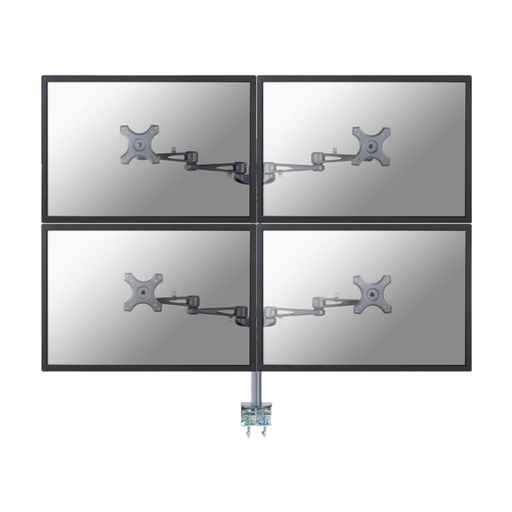
Why it suits this profile: This monitor arm for 4 screens is ideal for trading desks, offices and users who need several windows open at the same time.
The load capacity is specified per screen: up to 6 kg. VESA 75 × 75 and 100 × 100 mm are also explicitly stated.
Four screen positions, height adjustment from 0–80 cm, depth adjustment from 12–50 cm and integrated cable management.
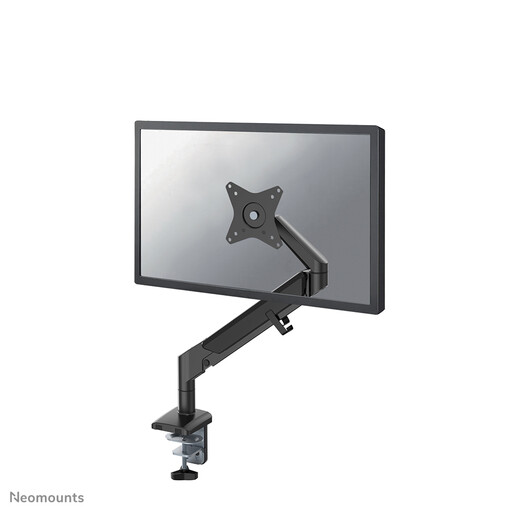
Why it suits this profile: The short upper arm section requires little depth, making it suitable for a desk positioned close to a wall or partition.
The 180° stop limits movement towards a wall or panel. The 9 kg load capacity and VESA sizes can be checked in advance.
Gas spring height of 26.5–55 cm, depth of 0–49 cm, 360° rotation and cable clips.
We have put together a complete, up-to-date list of products that fully meet these strict selection criteria and the applicable European safety regulations.
Read the instructions before installation and check that all parts are included. Do not attach a monitor arm to glass, a thin chipboard surface or a wobbly desk if the product specifications rule this out. Tighten clamps and screws securely, but avoid damage caused by overtightening.
Place the monitor in the VESA mount before making the final adjustments to the arm. Route the cables along the arm with enough slack. After installation, check that the screen does not slowly drop or rise. With a gas spring, you can adjust the tension according to the instructions.
No. Check the VESA mounting-hole pattern, the weight and the screen size. An unusual pattern may require a VESA adapter plate. The arm’s load capacity must also be sufficient for the full weight of the screen.
That depends on your workspace. A monitor stand is simple and does not require any attachment to the desk. A monitor arm, on the other hand, allows you to adjust the height, rotation and depth while keeping the desktop clear. For a fixed setup with one screen, a stand may be more practical; for multiple screens, a monitor arm generally offers more layout options.
Its lifespan depends on the load, installation quality and how often you move the arm. Use the arm within its specified load capacity, check the connections regularly and prevent cables from pulling on the joints. The statutory warranty is at least two years for many models; some Neomounts models list a longer manufacturer’s warranty in the product information.
