
Vandaag of morgen in huis

Kwaliteit gegarandeerd

Welkomstaanbiedingen ontgrendelen: GRATIS bezorging | Tot 80% korting | Gratis 30 dagen JoyPlus-proefperiode
Download de app
A monitor arm can free up desk space, help you position your screens more effectively and keep cables out of sight. However, not every desk monitor arm is suitable for every workspace. The number and weight of your screens, and how you attach the arm to your desk, all affect how stable the setup will be.
As Joybuy Product Recommendation Officer, I sift through product information to identify verifiable specifications. This helps you quickly see which features matter and which marketing terms you can ignore.
A monitor arm that supports screens up to 32 inches may still be unsuitable for your monitor. The weight of each screen is just as important. A large screen with a heavy stand or built-in speakers can reach the weight limit sooner than you might expect.
So always check:
Many monitor arms are VESA-compatible, with mounting patterns of 75 × 75 mm or 100 × 100 mm. These are common sizes, but not every screen has these mounting holes. Some models use a different mounting pattern or need an adapter.
Measure the distance between the horizontal and vertical screw holes on the back of your screen before ordering. Also check that the supplied screws will fit.
A gas spring monitor arm makes it easier to adjust the height and depth, but the spring tension needs to match the screen’s weight. If your screen is too light or too heavy, the arm may move unexpectedly or fail to stay in position. Adjust the tension according to the instructions and stay within the stated weight limit.
The mounting method also deserves attention. A top-fix clamp or grommet mount can be practical, but your desk needs to be sufficiently thick and sturdy. If you have a thin desk, a glass top or a desk with a delicate edge, check carefully before fitting the arm.
A single arm is enough for one monitor. If you use two screens, you’ll usually want a dual monitor arm, a monitor arm for two screens or a multi-screen monitor arm. Check the total load capacity and the space between the arms.
For three or six screens, load capacity isn’t the only thing to consider. Also check:
A multi-arm monitor stand can free up a lot of desk space, but it needs a sturdy mounting base.
An adjustable monitor arm may offer several functions:
A 180° stop is useful if your desk is close to a wall. It helps prevent the arm from swinging into the wall or a partition. Always check that the arm has enough room to move in your setup.
A desk monitor mount is usually fitted with a desk clamp or grommet mount. A desk clamp is handy if you don’t want to drill a hole. A grommet mount can be a secure option if your desk already has a cable hole.
Cable management on a monitor arm usually means routing cables along or through the arm. Check that your cables are long enough when you move the screen forwards, sideways or upwards. Cables that are too short can pull on the connections.
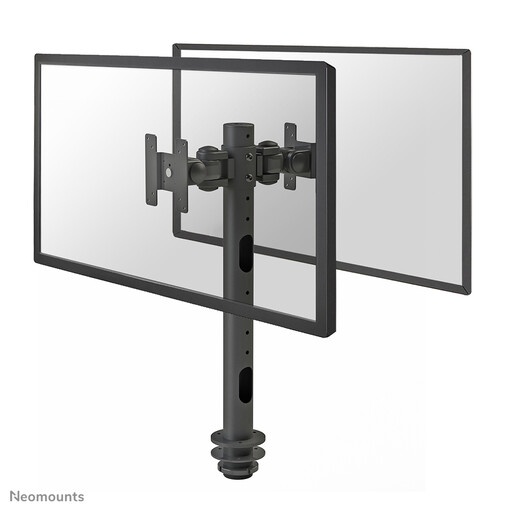
Why it suits this profile: This dual monitor arm is designed for two screens measuring 10 to 30 inches and uses a single-hole grommet mount. It’s a good fit for a simple dual-screen setup without a gas spring.
The product specifications state a load capacity of 10 kg per screen and support for VESA 75 × 75 and 100 × 100 mm. Before buying, check that your desk has a suitable grommet hole.
Suitable for two screens, with height adjustment, tilt, swivel, rotation and integrated cable management.
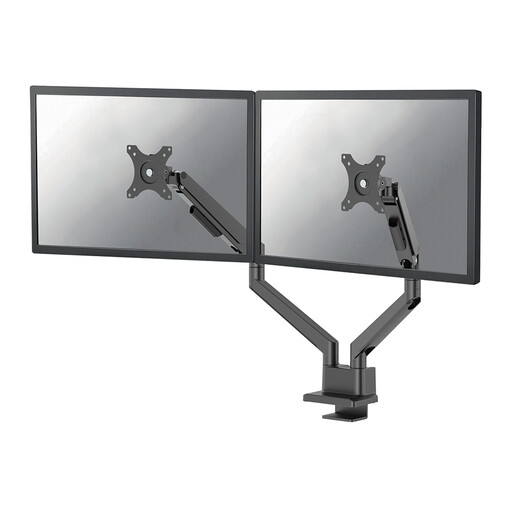
Why it suits this profile: For home workers and office staff who regularly adjust their two screens, this model offers gas spring support and a wide adjustment range.
The model supports up to 9 kg per screen, uses VESA 75 × 75 and 100 × 100 mm, and has a 180° stop for positioning close to a wall or partition.
Gas spring height adjustment from 21.5 to 49.5 cm, depth adjustment from 7 to 52.5 cm and integrated cable management.
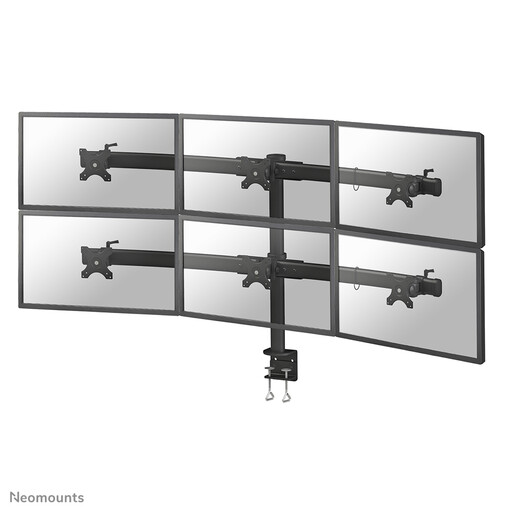
Why it suits this profile: This model is designed for six-screen workspaces, such as control rooms, trading setups and professional IT or content creation workstations.
The arm is designed for six screens measuring 19 to 27 inches, with a maximum weight of 8 kg per screen. Before buying, check that your desk can support the combined weight of the arm and monitors.
Height adjustment from 22 to 70 cm, VESA 75 × 75 and 100 × 100 mm, plus cable management for multiple screen cables.
We’ve put together a complete, up-to-date list of products that meet these strict selection criteria and current European safety requirements.
No. Check your screen’s VESA pattern, weight and size. Many arms support 75 × 75 mm and 100 × 100 mm, but these must match your monitor’s mounting points.
That depends on the mounting method and the desk’s construction. A clamp puts pressure on the desktop, while a grommet mount uses a hole in the surface. Check the maximum desk thickness in the product information, and don’t install the arm if the desktop isn’t sturdy enough.
Its lifespan depends on the load, how it’s mounted and how it’s adjusted. Stay within the maximum weight capacity, tighten the screws and regularly check the clamp, VESA mount and pivot points. With a gas spring monitor arm, setting the tension correctly is important to avoid putting unnecessary strain on the mechanism.
