
Vandaag of morgen in huis

Kwaliteit gegarandeerd

Welkomstaanbiedingen ontgrendelen: GRATIS bezorging | Tot 80% korting | Gratis 30 dagen JoyPlus-proefperiode
Download de app
A monitor arm can free up desk space and make it easier to position your screen at the right height and viewing angle. However, not every monitor arm is suitable for every monitor, desk or working environment. You may not discover you’ve made the wrong choice until you start installing it: the clamp doesn’t fit, the screen slowly slips down or the cables become stretched.
That’s why the Joybuy Product Recommendation Officer has filtered the most important product specifications and listed the most common buying pitfalls.
A monitor arm that supports screens up to 32 inches won’t necessarily suit every 32-inch monitor. The weight of the screen, including any stand or accessories, is just as important. A large ultrawide screen often has a different centre of gravity from a standard flat-panel monitor, too.
So always check:
Most monitor arms use a VESA mount. Many models support 75 × 75 mm and 100 × 100 mm, but this isn’t true of every monitor. Measure the distance between the screw holes on the back of your screen before you order.
Does your screen have a non-standard mounting pattern? A VESA adapter may be the answer. Also check the length of the screws supplied and whether any spacers are included.
A desk-mounted monitor arm is usually attached with a clamp on the edge of the desk or a grommet mount through an existing hole. A thin, glass or unstable desk may not be suitable for the combined weight of the arm and monitor.
Check:
A gas spring monitor arm also needs to be adjusted to suit the actual screen weight. If it isn’t set up correctly, the arm may rise or slowly sink.
Check the load capacity per screen, not just the total load capacity. A dual monitor arm that supports 8 kg per screen is different from a model that supports 16 kg in total, with a lower capacity for each arm.
Curved screens and ultrawide monitors need extra consideration. Some models, for example, support 18 kg for flat screens but have a lower maximum load for curved displays. Always use the specification that applies to your type of screen.
An adjustable monitor arm can be set manually or with a spring mechanism. A gas spring monitor arm is handy if you regularly move your screen up, down, forwards or backwards. Check the exact height and depth ranges: a long arm won’t necessarily have enough reach for every desk.
Common features include:
A monitor arm with cable management keeps cables from trailing along the arm, but check that they’re long enough to accommodate the full range of movement, too. Keep cables clear of the joints and make sure they don’t become stretched.
For a TV, a TV wall mount or TV ceiling mount may make more sense than a desk-mounted solution. The wall structure, VESA size and screen weight are all important. A ceiling mount also requires a strong ceiling structure and suitable fixings.
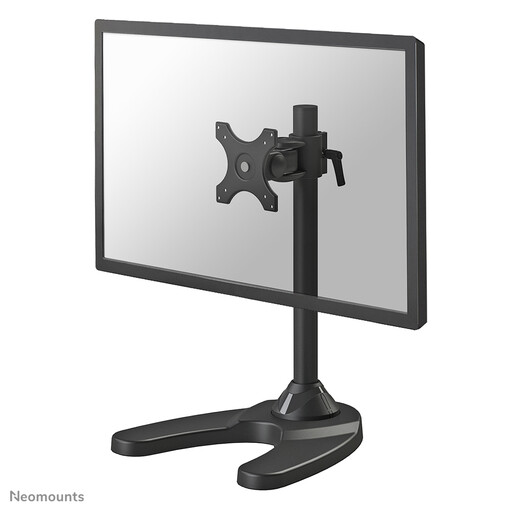
Why it suits this user: A straightforward monitor stand for one screen, with manual height adjustment and mounting hardware included.
The specifications state a load capacity of 10 kg, support for screens from 10 to 30 inches, and VESA 75 × 75 and 100 × 100 mm.
Manual adjustment from 15 to 45 cm; tilt, swivel and 360° rotation.

Why it suits this user: Designed for users with a large curved ultrawide screen who need a wide range of adjustment and a sturdy mount.
The load capacity is specified as 18 kg for flat screens and 14 kg for curved screens. Always check this against the weight of your own monitor.
Suitable for screens from 17 to 49 inches; gas spring height adjustment, cable management and a 180° stop.
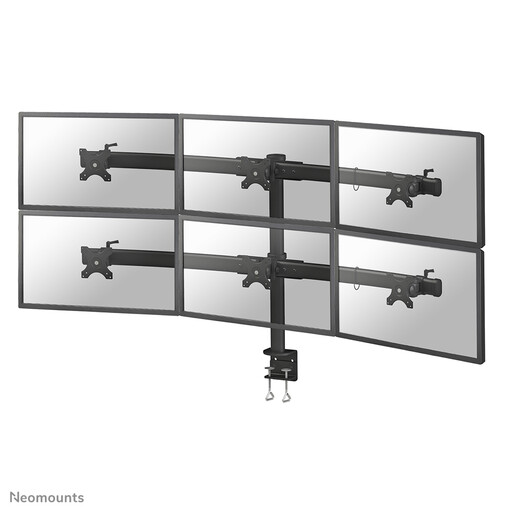
Why it suits this user: For control rooms, IT workstations and users who want to fit six screens on one desk.
The design is intended for six screens up to 27 inches and specifies a load capacity of 8 kg per screen. Check your desk’s stability and load capacity beforehand.
Height adjustment from 22 to 70 cm; supports VESA 75 × 75 and 100 × 100 mm.
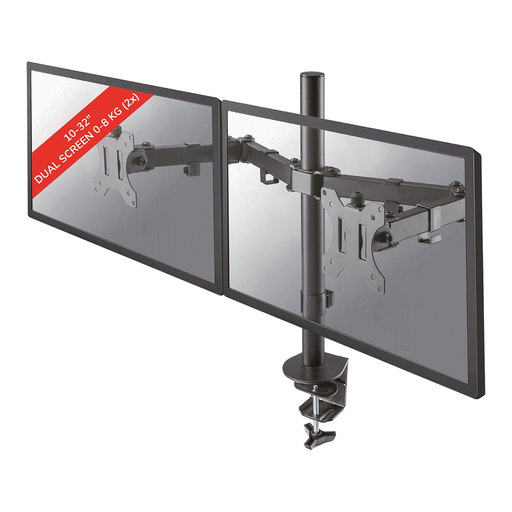
Why it suits this user: A dual monitor arm for two screens up to 32 inches, ideal for a home office or small workplace.
The product specifications state 8 kg per screen and include both a desk clamp and a grommet mount. This lets you choose the mounting method that suits your desk.
Suitable for two screens from 10 to 32 inches; height and depth adjustment, plus cable management.
We’ve put together a complete, up-to-date list of products that meet these strict selection criteria and current European safety regulations.
No. Check the screen weight, size and VESA pattern. Many monitor arms support 75 × 75 mm and 100 × 100 mm. If your screen has a non-standard mount, you may need a VESA adapter, provided it’s suitable for the screen’s weight.
It depends on the stated load capacity and the type of screen. The maximum weight may be lower for curved and ultrawide models. Adjust the spring tension according to the instructions and don’t exceed the limit.
Its lifespan depends on the materials, load, installation and how often you move the screen. Regularly check the clamp, screws and VESA mount. If you use a system with several screens, it’s especially important to keep the desk stable and make sure the cables aren’t pulling on the arms.
