
Vandaag of morgen in huis

Kwaliteit gegarandeerd

Welkomstaanbiedingen ontgrendelen: GRATIS bezorging | Tot 80% korting | Gratis 30 dagen JoyPlus-proefperiode
Download de app
A monitor arm can free up desk space, help you position your screens more effectively and keep cables out of sight. But a model isn’t automatically suitable just because it supports multiple screens or has a gas spring. The combination of screen weight, VESA size and desk mounting determines whether the monitor arm will remain stable and practical.
For people who work from home, gamers, office workers and IT professionals, these three pitfalls are particularly important:
First, check the weight of each screen, including any stand. A dual monitor arm with a weight capacity of 8 kg per arm is not the same as a model with a total capacity of 8 kg. Also note the difference between:
For example, a 27-inch screen may fall within the stated size range, while a version with a heavy casing comes close to the weight limit. Leave yourself some leeway and check the specifications for each monitor.
VESA refers to the distance between the mounting holes on the back of the screen. Many desk mounts support VESA 75 x 75 mm and 100 x 100 mm. Larger screens and televisions may use different patterns.
Measure the horizontal and vertical distance between the holes before ordering. For a monitor wall mount, you’ll also need to check the type of wall, the right wall plugs and the maximum load. A wall mount is not the same as a desk monitor mount: with a desk arm, the desktop must also be strong and thick enough for a clamp or grommet mount.
An adjustable monitor arm may be operated manually, with a gas spring or with another spring mechanism. Check the:
A gas spring monitor arm is useful if you regularly change your screen’s position. Make sure your monitor’s weight falls within the minimum and maximum limits. For a fixed workstation, a simpler model may be enough.
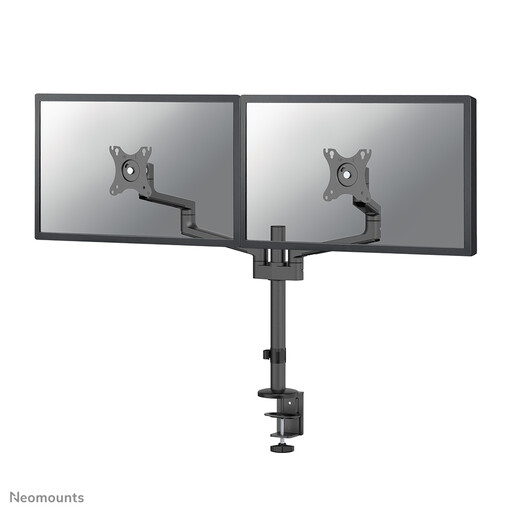
Why it suits this user: A good choice if you’re starting out with two compact screens and want to keep your desk tidy. The arm supports screens from 17 to 27 inches and, thanks to its short upper arm section, needs relatively little depth.
The specifications state a weight capacity of 8 kg per screen, VESA 75 x 75 and 100 x 100 mm, and support for clamp or grommet mounting.
Suitable for two screens, with tilt, rotation, swivel, manual height adjustment and integrated cable management.
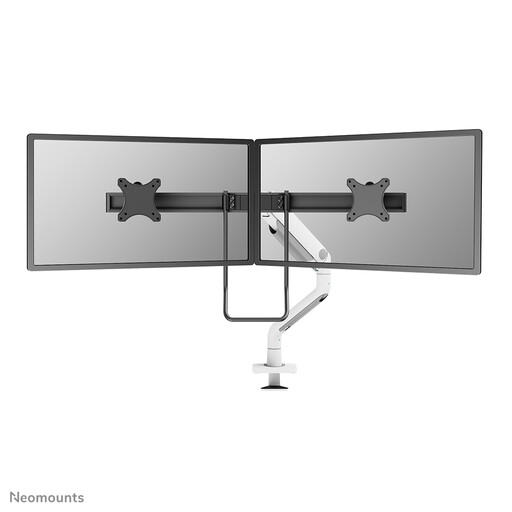
Why it suits this user: Ideal if you regularly adjust two larger screens and want a neat installation close to a wall or partition.
The model specifies a weight capacity of 8 kg per screen, a 180° stop and a gas spring range of 19,1 to 52,7 cm. Check beforehand that your screen falls within this range.
Supports screens up to 32 inches, with height and depth adjustment, 360° rotation, cable management, and VESA 75 x 75 and 100 x 100 mm.
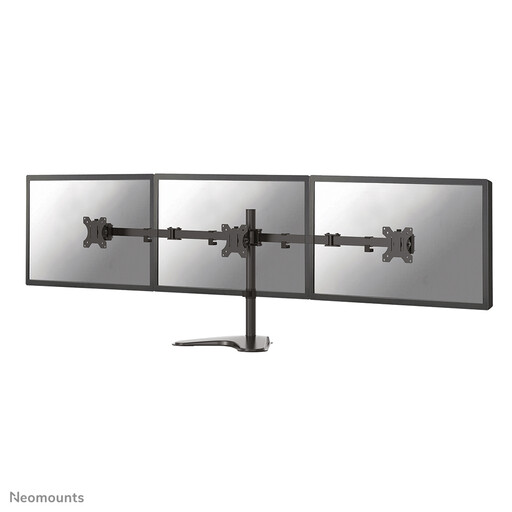
Why it suits this user: For a workstation with three screens, for example for dashboards, video editing, financial software or working with several applications at once.
The product specifications clearly state that it supports three screens, each up to 27 inches and weighing up to 6 kg. This avoids confusion about the total weight capacity.
Three screen positions, height adjustment from 0 to 43,2 cm, tilt, rotation, swivel and clips for cable management.
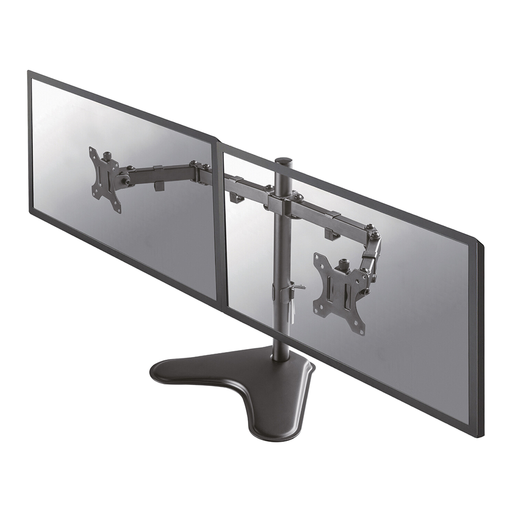
Why it suits this user: A good fit for people working from home who use a laptop and external screen together and want to lift both devices off the desktop.
The limits are listed separately: up to 8 kg for the screen and 4,5 kg for the notebook. Clamp and grommet mounting are also specified.
Suitable for screens up to 32 inches and laptops up to 15,6 inches, with 0-44 cm height adjustment, 360° rotation and cable routing.
We’ve put together a complete, up-to-date list of products that meet these strict selection criteria and the applicable European safety regulations.
Before installation, check that your desktop is stable and suitable for a clamp or grommet mount. Tighten the fixings according to the instructions and only attach the screen once the VESA plate is secure. If you’re using a gas spring, adjust the tension to match the screen’s weight.
Leave enough slack in the cables as you thread them through the cable clips. Cables that are too tight can pull on the ports when you rotate the screen. After installation, and periodically thereafter, check that the screws and clamps are still secure.
No. Check the VESA size, the screen’s weight and the arm’s size range. A model with VESA 75 x 75 and 100 x 100 mm won’t fit every screen without an adapter.
That depends on the construction and the manufacturer’s instructions. A clamp applies pressure to a specific area. Check the maximum desktop thickness and don’t attach it to a fragile or unstable surface.
Its lifespan depends on the load, how it’s installed and how often it’s adjusted. Don’t exceed the weight capacity, check the moving parts and replace the arm if it develops play, cracks, bends or has a clamp that won’t stay secure. Also check the warranty and statutory conformity information on the product page.
