
Vandaag of morgen in huis

Kwaliteit gegarandeerd

Welkomstaanbiedingen ontgrendelen: GRATIS bezorging | Tot 80% korting | Gratis 30 dagen JoyPlus-proefperiode
Download de app
A monitor arm can free up space on your desk and make it easier to position one or two screens correctly. However, when buying one, people often focus mainly on its appearance or price. This can lead to problems later: a screen that slowly drops, a clamp that does not fit the desktop properly or a VESA connection that is incompatible.
This guide helps homeworkers, gamers and office workers compare a desk monitor mount objectively.
A monitor arm for 35 inches is not automatically suitable for every monitor of that size. A large screen may be relatively light, while a curved or ultrawide model often has a different centre of gravity. Therefore, always check both the maximum screen size and the load capacity.
With a monitor arm for 2 screens, the maximum weight per arm may vary. A model supporting 8 kg per screen offers a different use case with two monitors than an arm that supports 18 kg per screen. Also include the weight of the monitor itself and any accessories.
Most models in this selection support VESA 75 x 75 mm and 100 x 100 mm, but this does not apply to every monitor arm. Check the back of your screen or the manual for the mounting-hole pattern. Also check the thickness and sturdiness of your desktop. A clamp is not intended for glass, a very thin chipboard surface or an unstable surface if the product information excludes these.
A VESA monitor arm uses a standardised mounting-hole pattern on the back of the screen. Measure the horizontal and vertical distance between the mounting holes. With 75 x 75 mm, the holes are 75 mm apart; with 100 x 100 mm, they are 100 mm apart.
If your monitor does not have standard VESA holes, you may need a separate adapter. Also check that the VESA plate does not come into contact with a protruding part of the housing or a cable port.
Compare your monitor’s weight with the arm’s range. Some gas spring arms start at around 1 kg and go up to 8, 9, 11 or even 18 kg. A screen that is too light may move upwards with certain gas spring mechanisms, while a screen that is too heavy may cause the arm to drop.
The centre of gravity is more important with curved screens. According to the manufacturer’s product information, the Neomounts NM-D775BLACKPLUS has a reinforced head for curved screens and a load capacity of up to 18 kg. Before buying, however, check the combination of screen weight, curvature and VESA position.
An adjustable monitor arm may offer anything from a simple tilt function to a fully articulated gas spring mechanism. Pay attention to:
A monitor arm with cable management helps route cables along the arm. After installation, check that the cables have enough slack when you move the screen forwards or sideways.
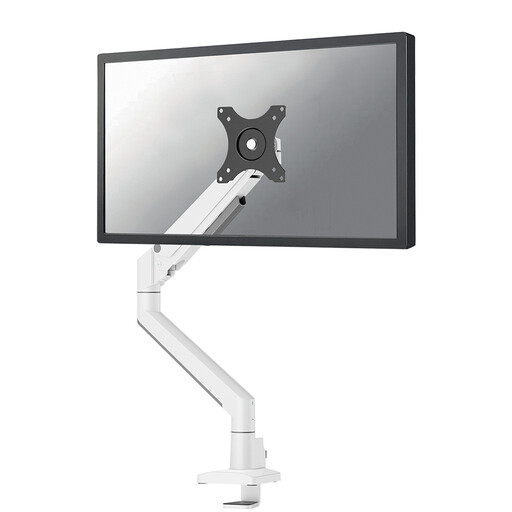
Why it suits this profile: This monitor arm for 1 screen supports screens from 17 to 35 inches and up to 9 kg. That makes it suitable for a typical office, homeworking or gaming monitor.
The product information states both the screen range and the load capacity. It also lists VESA 75 x 75 and 100 x 100 mm compatibility, as well as a 180° stop.
Gas spring height range of 21.5-49.5 cm, depth adjustment of 7-52.5 cm and integrated cable management.
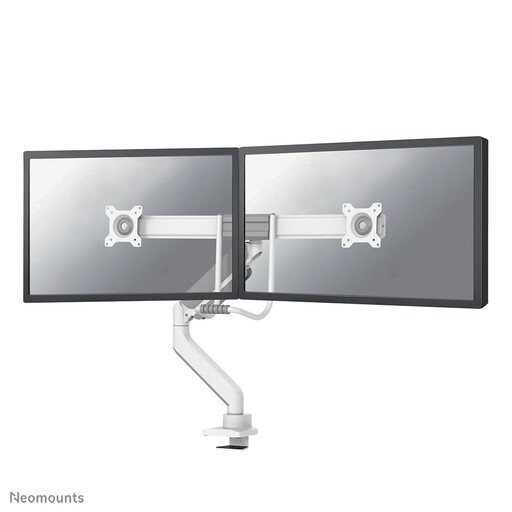
Why it suits this profile: This model is designed for two flat screens up to 32 inches and up to 8 kg per screen. It suits a workstation with documents on one screen and communications or software on the other.
The specifications distinguish between two screens and the weight per screen. The top-fix clamp or grommet mount is intended for secure desk mounting.
Tilts up to 20°, rotates 360°, swivels 20° and offers approximately 28 cm of height adjustment.
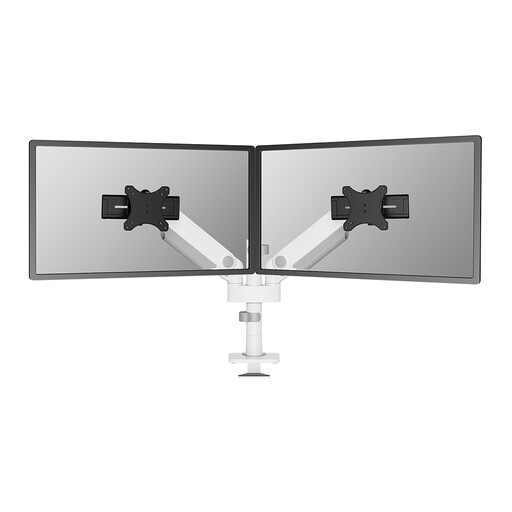
Why it suits this profile: For a dual-screen workstation with larger flat or curved screens, this model offers adjustable crossbars and a stated load capacity of up to 11 kg per flat screen.
The product information gives separate limits for flat and curved screens. This means you cannot assess the weight independently of the screen type.
Height adjustment of 0-54.2 cm, depth adjustment of 12.1-45.5 cm and a quick-release VESA system.
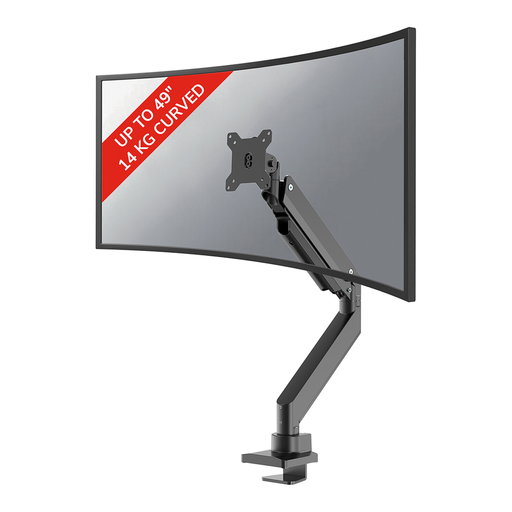
Why it suits this profile: This is an option for an ultrawide monitor or a heavily curved screen. The product information states support for screens up to 49 inches and a maximum weight of 18 kg.
The specifications are explicitly focused on curved screens and state the maximum weight. Even so, check your monitor’s exact weight and VESA pattern.
Gas spring height adjustment of up to 60 cm, depth adjustment of 0-63 cm and cable management for a large screen.
We have put together a complete, up-to-date list of products that fully meet these strict selection criteria and the applicable European safety regulations.
Before installation, plan the position of the clamp and cables. With a deep arm, allow enough space behind the screen. Tighten all fixings according to the manual and check after installation that the screen remains stable. With a gas spring monitor arm, the tension can be adjusted to the weight. If the screen drops, the tension may be too low; if it moves upwards, it may be too high.
Check the clamp and screws again after a few weeks. Move the screen gently through its full range and make sure the cables do not become taut. The 180° stop protects a wall or panel from excessive swivelling, but it is not a substitute for a securely mounted arm.
No. You need a suitable VESA pattern, an appropriate screen weight and a compatible size. Most of the models mentioned support 75 x 75 mm and 100 x 100 mm. Check these details for both the monitor and the monitor arm.
That depends on the stated load capacity and the weight of your screen. A model rated for up to 9 kg is not intended for a 12 kg monitor. With a curved screen, you should also check whether the manufacturer specifies a separate limit for this type of screen.
Its lifespan depends on the installation, load and frequency of adjustment. Do not exceed the load capacity, attach the arm to a sturdy desktop and check the connections regularly. Warranty terms vary by model, so review the product page before placing your order.
